Installing the Measurement Server Mounting Options
108
Installin
the Instrument
Installing the Measurement Server Mounting Options
To allow the Measurement Server to be mounted remotely from the Monitor, special
mounting plates are available. One plate can be used to mount the Server to a wall or other
fixture. The second type can be used for vertical or horizontal mounting on a pole or rail.
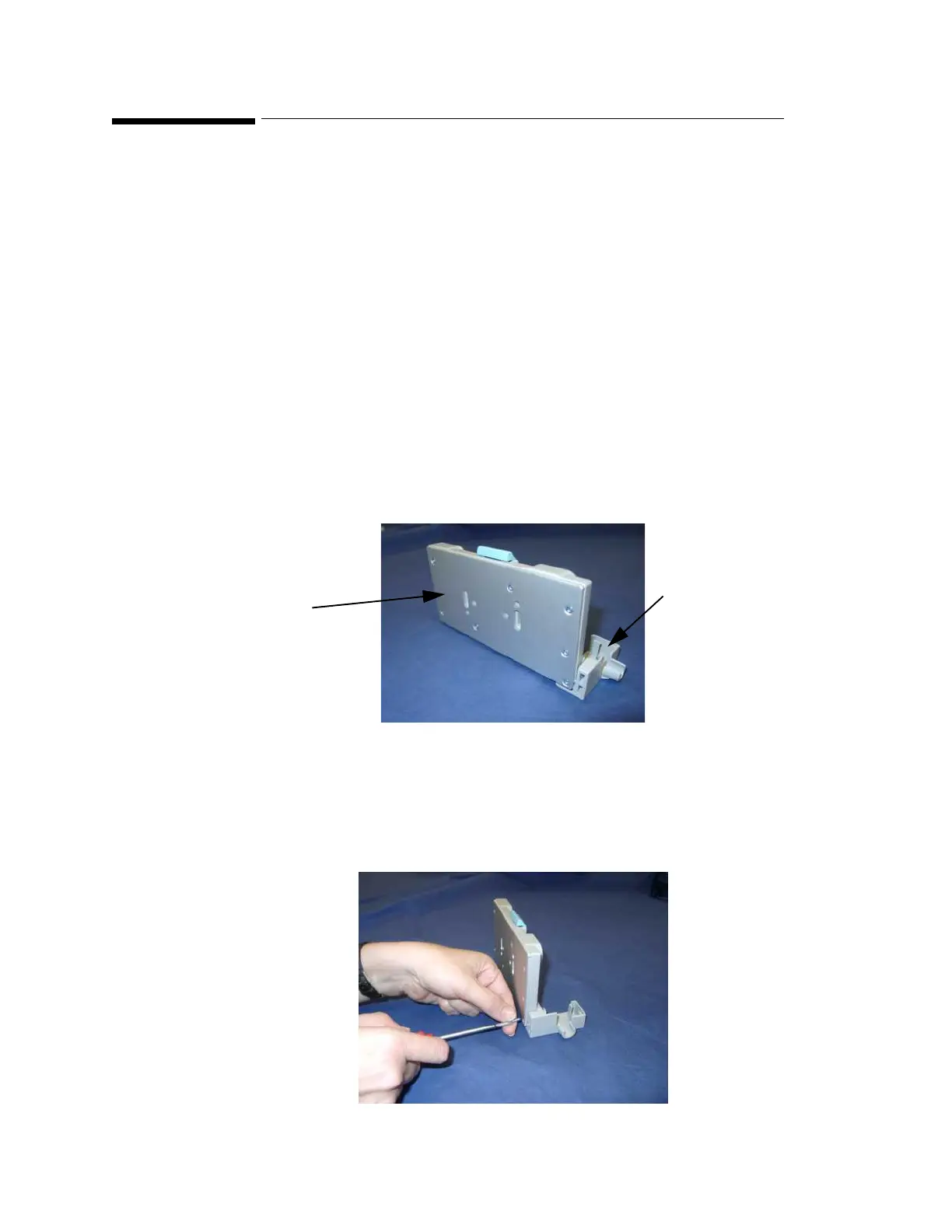
New mounting plates are supplied with a MSL cable clamp, and are reinforced by a metal
plate at the rear. The MSL cable clamp ensures a secure fit between the MSL cable and the
mounting plate. It is important for the customer to decide whether the MSL cable clamp
is to be used or not at installation time, as once the decision is taken to fit the clamp, the
MSL cable should not be removed from the clamp.
You cannot fit the MSL cable clamp to earlier versions of the mounting plate.
Server Mounting Plate (M3080A #A01)
This option includes a pack of 5 mounting plates. To mount the plate securely, you need two
screws per plate. These are not provided because the type of surface dictates the type of
screw.
Step 1 Unpack the plates and check all parts are available.
Step 2 Select a mounting plate, and if applicable, fit the MSL cable clamp to the mounting
plate, using the supplied Torx T-10 screw.
Rear view (new version)
MSL cable clamp
Metal
reinforcement
plate











 To Next Page