Functionality Assurance Tests
144
Testin
the Instrument
The Test—Press the Setup button, move the highlight to ECG, and press on the TouchStrip.
The Result—The ECG window should appear verifying that the System Board and
Measurement Server are communicating with each other.
System Self-Test
CAUTION The Self-Test ensures that the Instrument is functioning correctly; it does not test the
accuracy of the Server or the Extension
Step 1 Make sure the Measurement Server is connected to the Monitor, and the Monitor is
switched on. (For SpO
2
, mainstream CO
2
, Pressure, or Temperature, an appropriate
transducer must be plugged into the Measurement Server – or, for mainstream CO
2
,
the Measurement Server Extension – in order to get a test reading. For sidestream
CO
2
, appropriate tubing must be plugged into the Measurement Server Extension in
order to get a test reading.)
Step 2 Press the Setup button.
Step 3 Move the highlight to Test Signals.
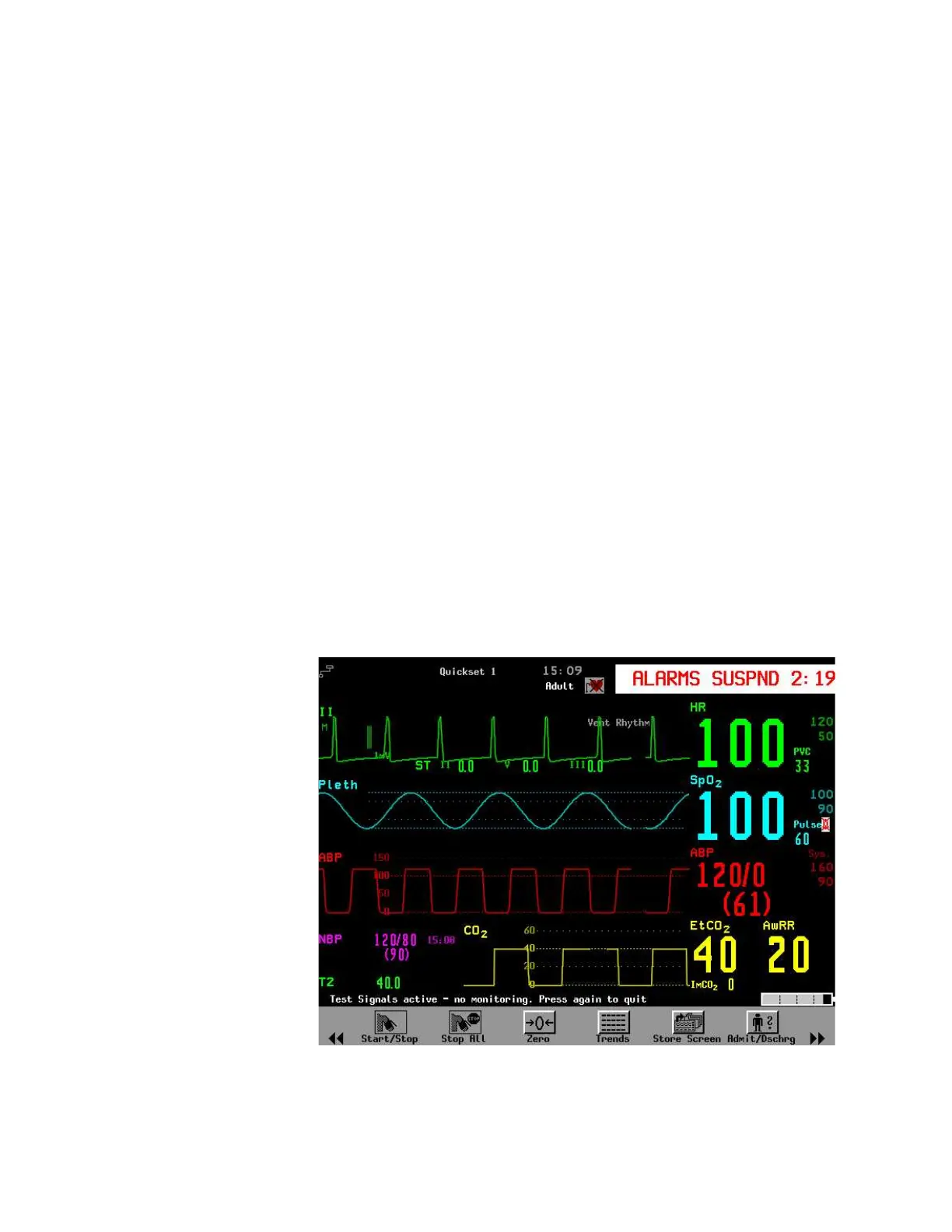
Step 4 Press on the TouchStrip and observe the display. An example test looks similar to
the following illustration (the shape of the test signals depends on the selected filter
mode.
As well, the table on the following page lists Self-Test values.
.











 To Next Page