Disassembly for the Monitor
Re
airin
the Instrument 221
Disassembly for the Monitor
Removing the Battery
To remove the battery, do the following:
Step 1 Slide the battery compartment door toward the rear of the Monitor, and open it
down.
Step 2 Locate the battery extractor tape and pull it to disengage the battery socket.
Step 3 Pull the battery out.
Removing the Power Supply
Read the warnings at the beginning of this chapter.
You must remove the Power Supply to access the fuse.
To remove the Power Supply, do the following:
Step 1 Remove the Measurement Server and, where present, the Measurement Server
Extension.
Step 2 Remove the battery.
Step 3 Switch on the Instrument and disconnect the AC power cord from both the
Instrument and the mains power source (after 20 seconds, the capacitors on the
Power Supply board are drained).
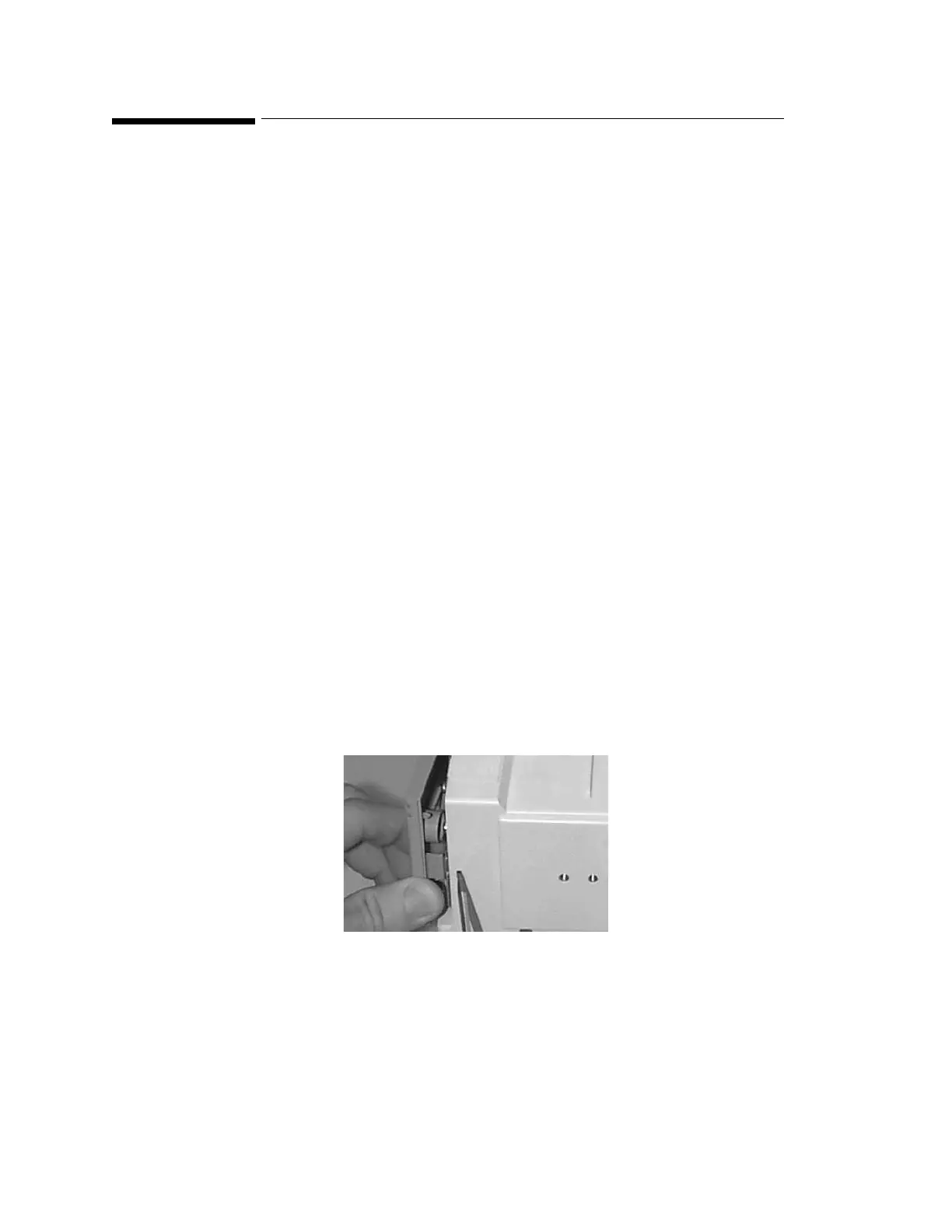
Step 4 Push a thin-bladed screwdriver into the hole next to the cover:
Step 5 Release the cover.
Step 6 Remove the two anti-vibration screws. (These are the only anti-vibration screws and
must be refitted. Do not lose these screws.)











 To Next Page