Disassembly for the Monitor
Re
airin
the Instrument 223
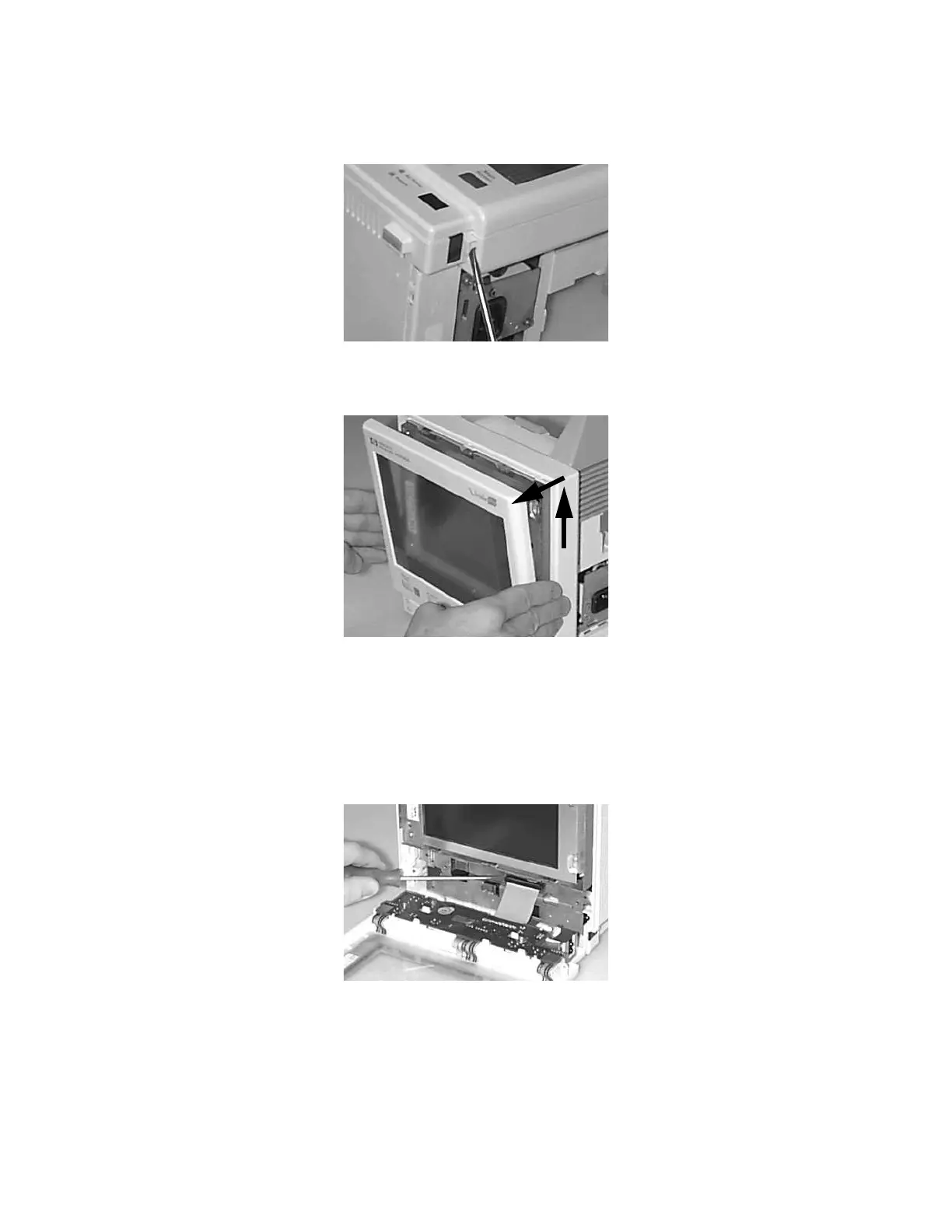
Step 7 Lay the Monitor on its rear panel and pull out the two latches - there is one on each
side of the Monitor Bezel:
Step 8 Stand the Monitor up again and gently lift the Monitor Bezel up and out. Gently let
it rest in front of the Monitor. Be careful. It still has a cable attached:
Step 9 Remove the white plastic clamp securing the ribbon cable connections. To remove,
push the latch at the top left corner to the left.
Step 10 Use a small screwdriver to remove the Monitor Bezel assembly cable:
NOTE Do not touch the LCD display
.











 To Next Page