Disassembly for the Monitor
Re
airin
the Instrument 225
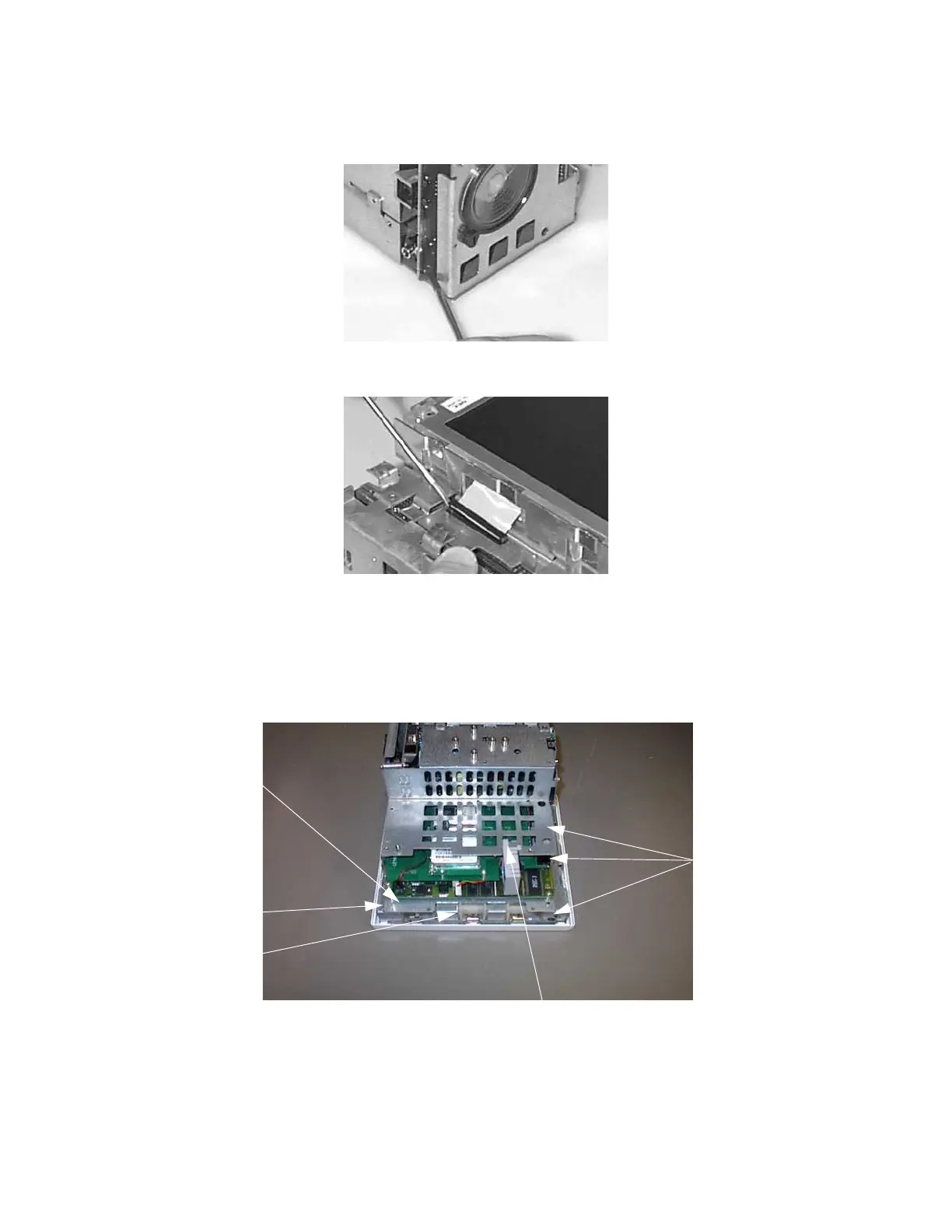
Step 3 Remove the screw which secures the connector board, then pull out the Connector
Board:
Step 4 Use a small screwdriver to disconnect the Display Assembly cable:
Step 5 Lay the chassis face down on a clean, scratch-free surface.
Step 6 Disconnect the loudspeaker cable (1).
For Monitors with Wireless LAN assembly: Disconnect the ventilator wires (2)
from the system board. Unclip the fan assembly from the metal sheet (3) and pull
forwards to remove:
Step 7 Remove the 4 System Board screws (4).
1
4
2
3
4
2
4
4
3
1











 To Next Page