Proxima, Libra firmware ver. 2.12.xx
rev. 2.12.01
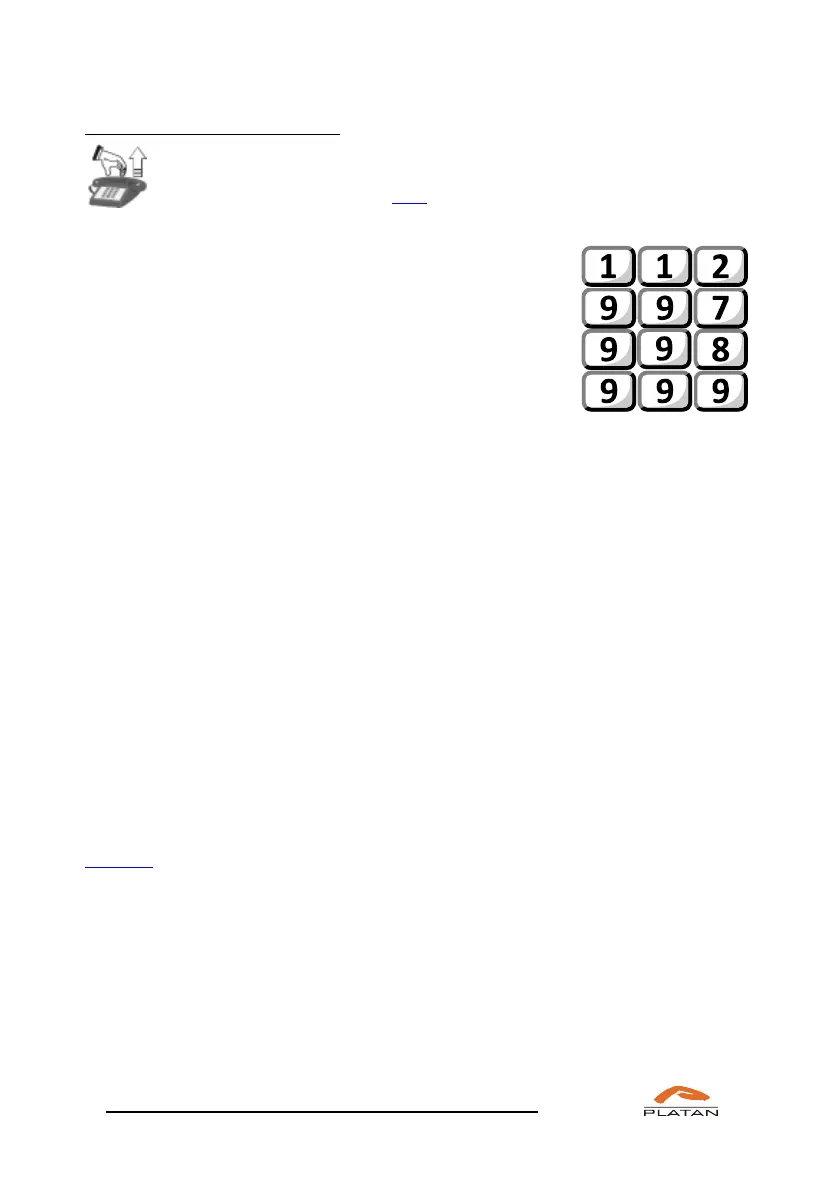
If you have to use this function:
Pick up the phone.
You will hear an IP dialling tone.
Dial:
•Universal emergency telephone number
•Police
•Fire Service
•Emergency Service
4.2.3 External calls through selected trunk lines
The server can define a number of access routes to trunk lines in outgoing traffic
for each user.
• Access to the lines: 0 trunk lines available after dialling “0”;
trunk lines after dialling *96– with the CLIR
• Access to the lines: *81 trunk lines available after dialling “*81”;
• Access to the lines: *82 trunk lines available after dialling “*82”;
• Access to the lines: *83 trunk lines available after dialling “*83”;
• Access to the lines: *84 trunk lines available after dialling “*84”;
• Access to the lines: *80a*b*c# trunk lines available after dialling “*80a*b*c#,”
where a – unit number, b – slot number,
c – card port number (selection of a specific
trunk line);
Trunk lines within the PBX server are grouped into trunk lines bunches. The
server makes it possible to define 16 trunk lines bunches using the computer
program. For each of the above-mentioned access routes, a trunk lines bunch (01-
15) or access denied is assigned. Thus, it is determined which access routes a user
should use and, as a result, through which trunk lines (included in the assigned
trunk line bunch) they may make calls.
Various access routes to trunk lines are important when trunk lines of different
telecommunications operators, GSM and VoIP gateways are connected to the
server. A user may then “manually” select a specific trunk lines bunch to make an
external call (*81, *82, *83, *84), e.g. to call mobile operators via the GSM
gateway.



 To Next Page