Proxima, Libra firmware ver. 2.12.xx
rev. 2.12.01
4.4.3 BABYSITTER function (remote room listening in)
If the babysitter function is active, any extension telephone enables you to control
the situation in the room in which the telephone with the babysitter function on is
located. This function is available for the server users and for the outside parties
handled by the server in the DISA or DDI mode.
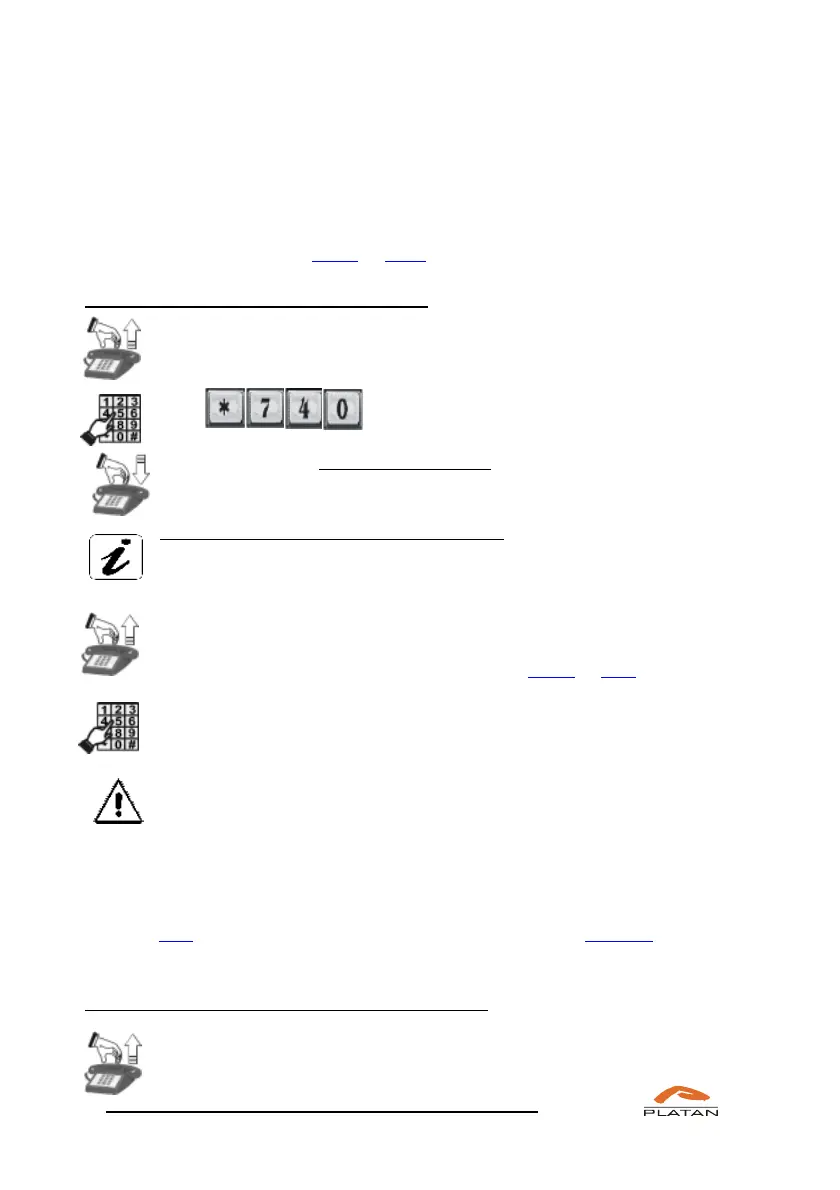
If you want to use the babysitter function:
Pick up the phone in the room you want to control.
You will hear a dialling tone.
Dial
Place the receiver next to the telephone or switch on the speaker circuit
(SP-PHONE).
You have activated the babysitter function.
If you are using a proprietary phone, the LISTENING IN message will
be displayed.
Pick up another telephone through which you want to establish a
connection with the “babysitter” telephone or make an external call to the
server if the incoming calls are handled in the DISA or DDI mode.
Dial the babysitter telephone number. The server will let you hear what
is happening in the controlled room.
The service will be deactivated when you hang up the babysitter
telephone or when you switch off the speaker circuit.
4.4.4 DO NOT DISTURB function
When the do not disturb function is active, all users calling you will hear an
engaged tone for the period of time defined in the computer program or until this
function is manually deactivated. At the same time, you may make outgoing calls
with no restrictions.
If you want to activate the do not disturb function:
Pick up the phone.
You will hear a dialling tone.



 To Next Page