Proxima, Libra firmware ver. 2.12.xx
rev. 2.12.01
4.5. Server programming using the telephone
Some of the functions offered by the server (e.g. announcement recording, date
and time setting) may be programmed using the telephone in the programming
mode.
In order to ensure stable server operation, it is recommended for the programming
mode to be used only by an authorised user having necessary knowledge.
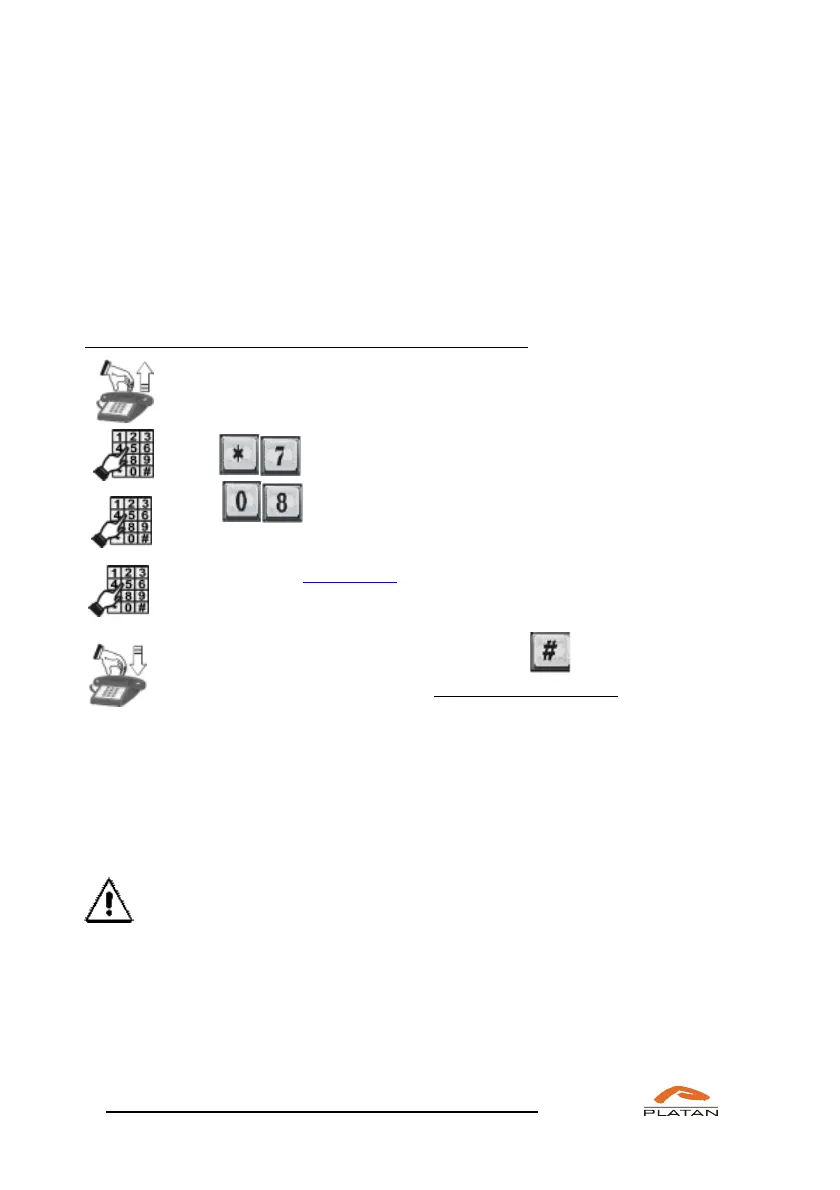
If you wish to activate the server programming mode:
Pick up the phone.
Dial – the server function activation mode is on.
Dial
Enter the server access code.
If the code you have entered is correct, you will hear a confirmation tone
and the access to the server programming mode will be granted.
You exit the programming mode by pressing or when the
telephone receiver is hung up for longer than 10 seconds.
4.5.1 Access code for server programming using the telephone
This code is necessary to access the server programming mode. Default access
code: 12345678. It is recommended to replace the default code with your own one
via the computer program (menu: Administration → Password change).
If an invalid code is entered, you will hear an engaged tone.
4.5.2 Setting up the server IP address using the telephone
In order to set up the server IP address using the telephone, you must enter the
server mode programming using the telephone *708 “code” (default code:
12345678) and set the IP address and the subnet mask using the following codes:



 To Next Page