Proxima, Libra firmware ver. 2.12.xx
rev. 2.12.01
After hearing a confirmation tone, hang up the phone.
Wake-up call in practice:
For example, after dialling 2 12 44, a single wake-
up call is booked for Tuesday at 12:44 pm.
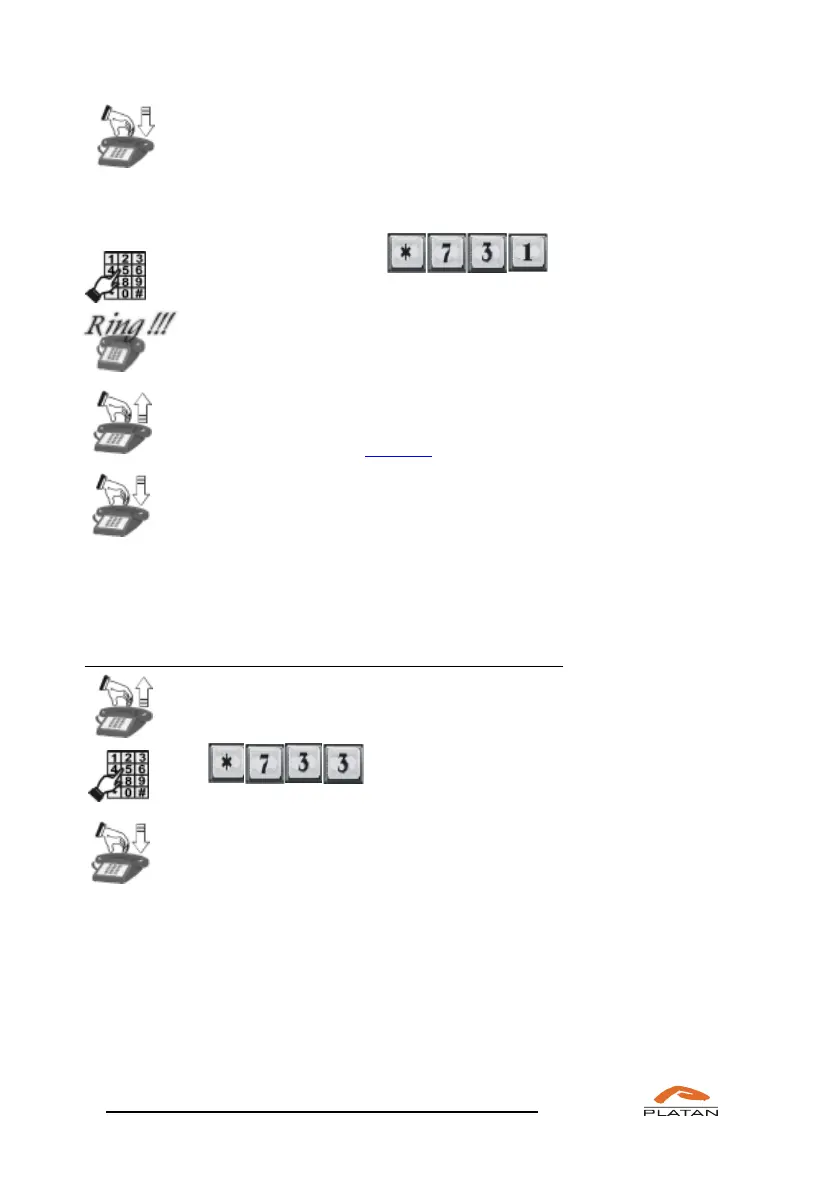
The phone rings with an alarm tone...
Pick up the phone.
You will hear a voice announcement or a tune, depending on the settings
defined in the computer program.
Hang up the phone.
If a wake-up call is not answered, the phone will stop ringing after the period of
time defined in menu Common settings →
Ringtones and server times
→
Ringtone times.
If you want to delete the previously booked wake-up calls:
Pick up the phone.
You will hear a dialling tone.
Dial
Hang up the phone.
All previously set wake-up calls have been deleted.
4.4.2 Changing server operation modes manually
This function is used to switch on the server operation mode A-F at the time and
on the day of the week different than programmed in the server operation mode
table (the programming of server operation modes A-F and the related times, e.g.
of the night operation mode, is described in the ProximaWeb/LibraWeb program
operation manual).



 To Next Page