EasyManua.ls Logo

Plustek SmartOffice PS286 Plus - Part III Configure Scan Profiles; Filename

Plustek SmartOffice PS286 Plus
220 pages
Print Icon
To Next Page IconTo Next Page
To Previous Page IconTo Previous Page
Loading...
Configure Scan Profiles 9
All rights are reserved.
3
Configure Scan Profiles
Before you start to scan documents and images, you may set your own scan
profile in the
Scan profile area
. Add your desired scan profiles by double-clicking
the
New
button or right-clicking the
New
button, and select
New
from the pop-up menu.
You may click the
button on the upper-right to return to the main window.
3.1
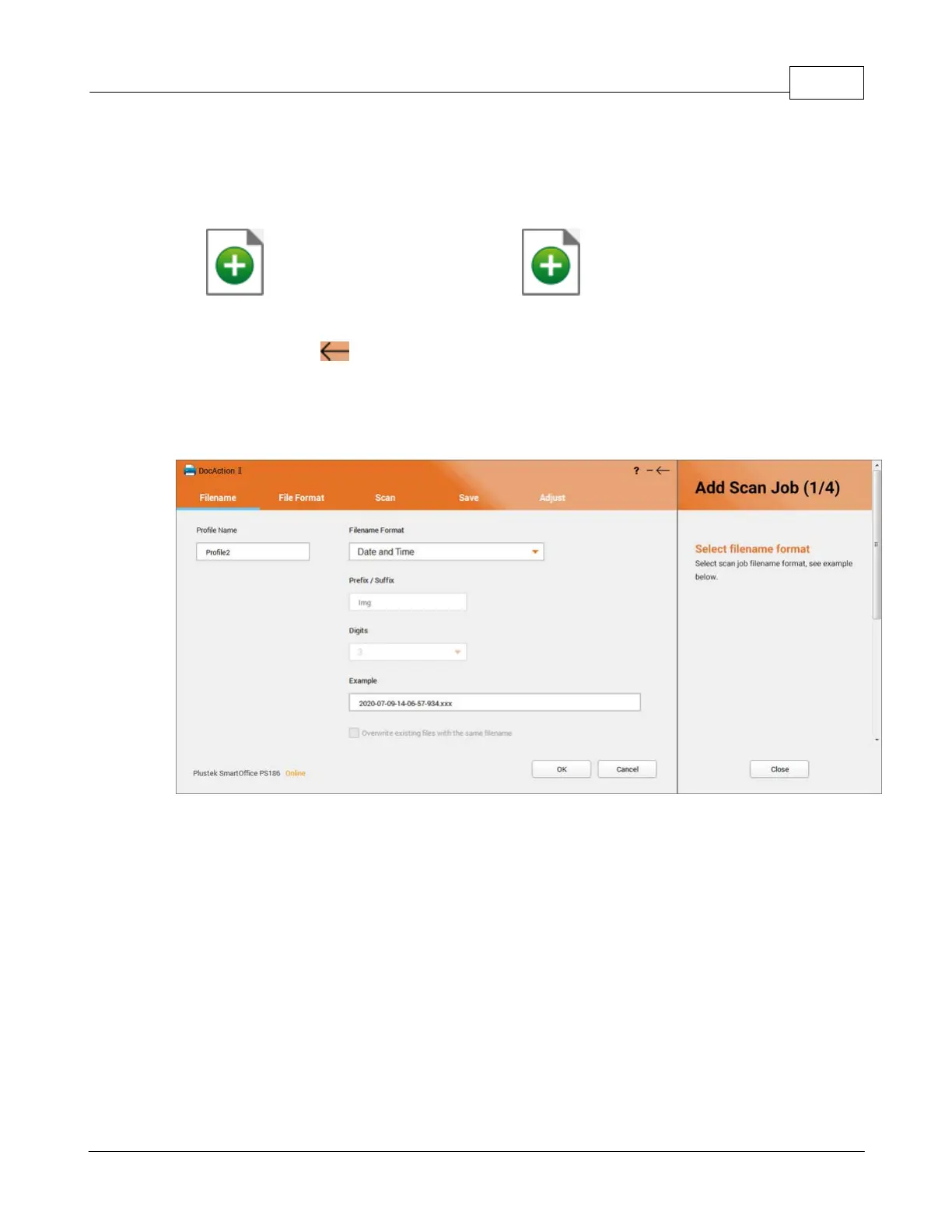
Filename
You may define the filename of the scan profile in this page
.
·
Profile name
: Enter the desired profile name in the column.
·
Filename Format
: Select the desired filename format here.

Table of Contents

Other manuals for Plustek SmartOffice PS286 Plus

Related product manuals