EasyManua.ls Logo

Plustek SmartOffice PS286 Plus - Image Edge Fill

Plustek SmartOffice PS286 Plus
220 pages
Print Icon
To Next Page IconTo Next Page
To Previous Page IconTo Previous Page
Loading...
The TWAIN Interface 31
All rights are reserved.
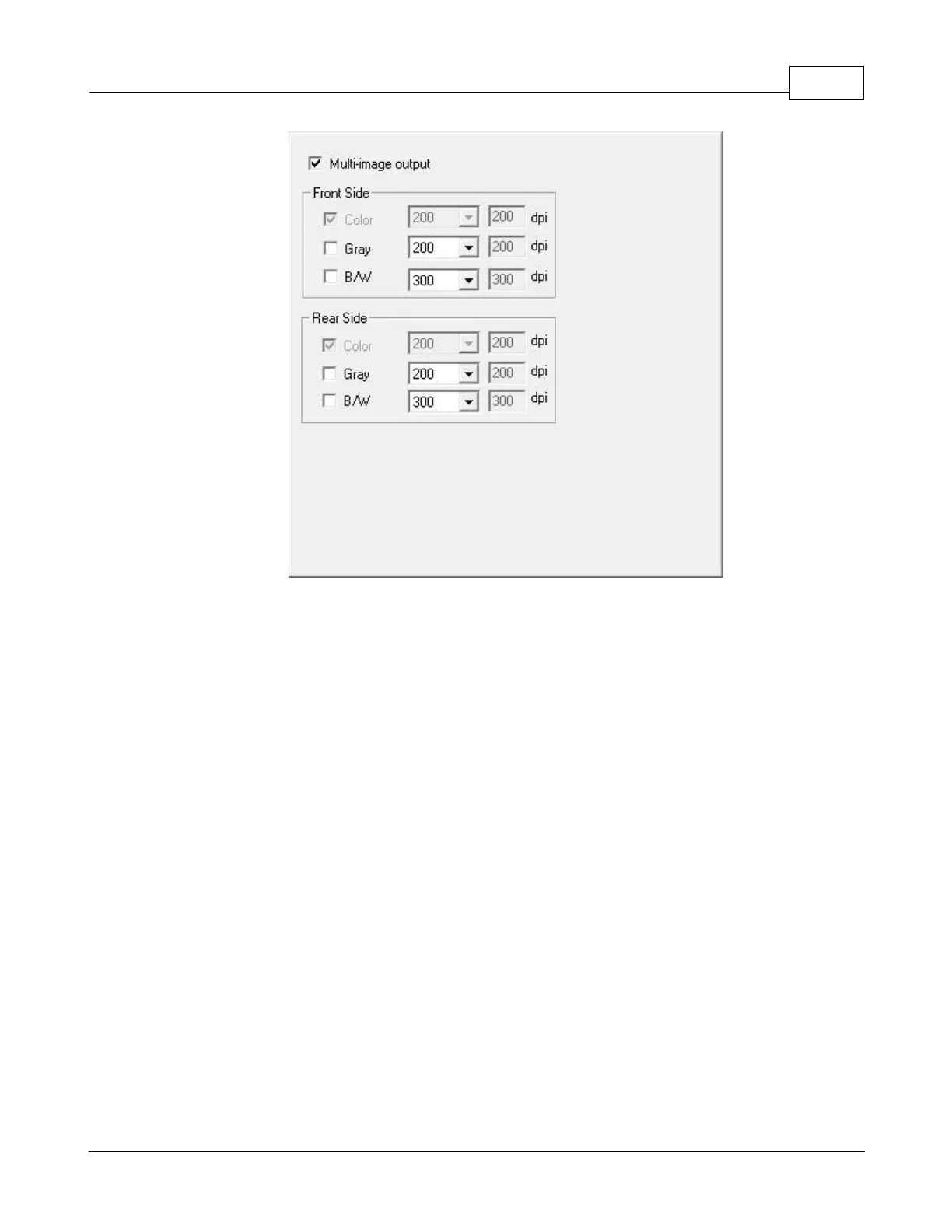
You may choose to configure settings in different sides of the scanned document by
ticking the check box in the
Front Side
and
Rear Side
columns.
If you select
Color
as
Scan Mode
, you may tick the check boxes of
Gray
and
B/W
to
output color, grayscale and B/W images by only one scan.
If you select
Color
as
Scan Mode
, you may tick the check box of
Gray
to
output color
and grayscale images by only one scan.
If you select
Gray
as
Scan Mode
, you may tick the check box of
B/W
to
output
grayscale and B/W images by only one scan.
If you select
B/W
as
Scan Mode
, only
B/W image will be generated by one scan.
2.2.3.5
Image Edge Fill

Table of Contents

Other manuals for Plustek SmartOffice PS286 Plus

Related product manuals