EasyManua.ls Logo

Plustek SmartOffice PS286 Plus - Scan Profile Area

Plustek SmartOffice PS286 Plus
220 pages
Print Icon
To Next Page IconTo Next Page
To Previous Page IconTo Previous Page
Loading...
DocAction II6
All rights are reserved.
Right-click the
DocAction II
icon in the system tray, and select
FTS
Service
from the pop-up menu to start or stop the FTS service, and select the
OCR language.
Select
Set Custom Language
from
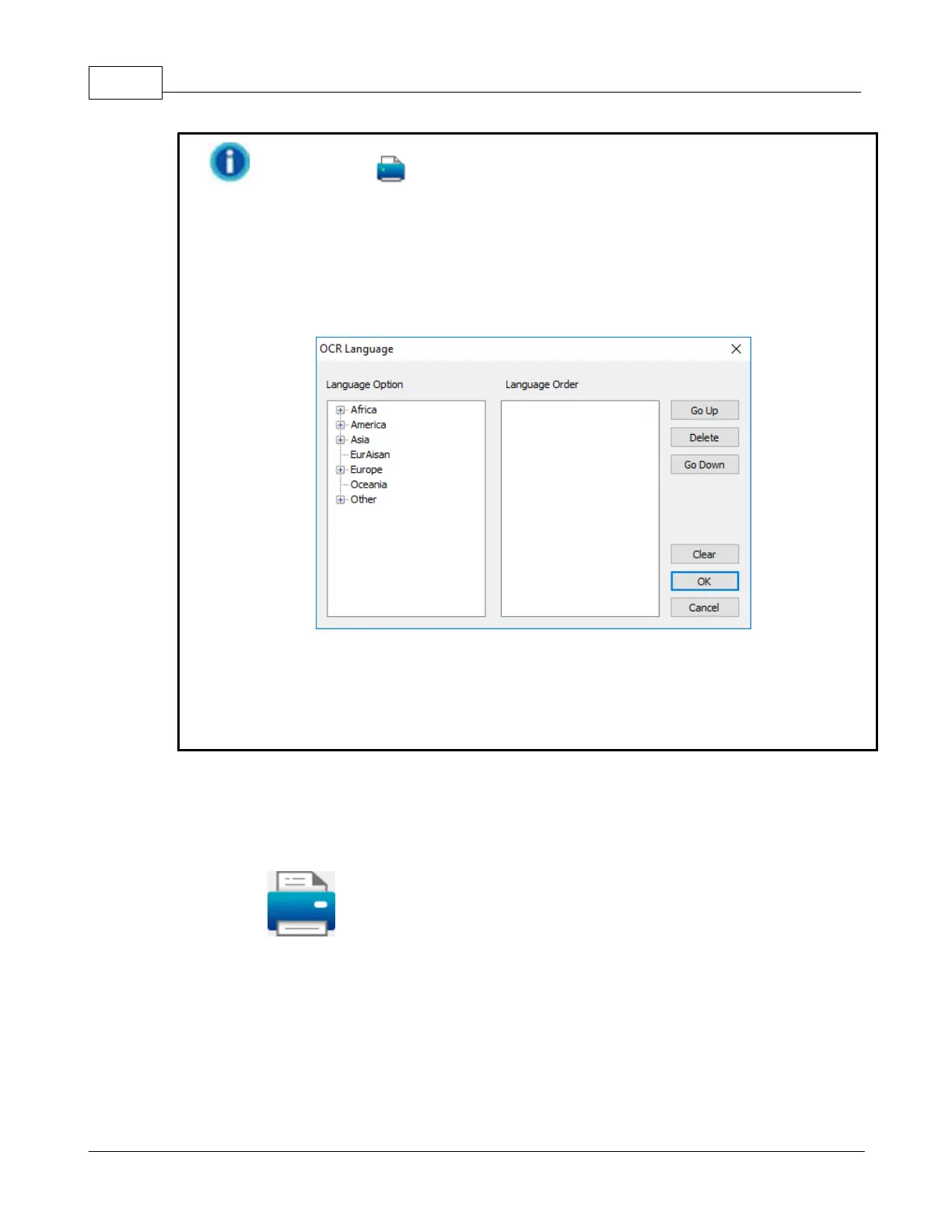
OCR Language
list, if you want to
recognize more than one language at a time. You may select up to 4 languages
in the popup window.
Select the desired languages from the
Language Option
column, and the
selected languages will be displayed in the
Language Order
column. You may
use
Go Up
and
Go Down
button to adjust the language priority. Click the
OK
button to complete the settings.
2.3
Scan Profile Area
The preset
Quick Scan
button allows you to perform the scanning task

Table of Contents

Other manuals for Plustek SmartOffice PS286 Plus

Related product manuals