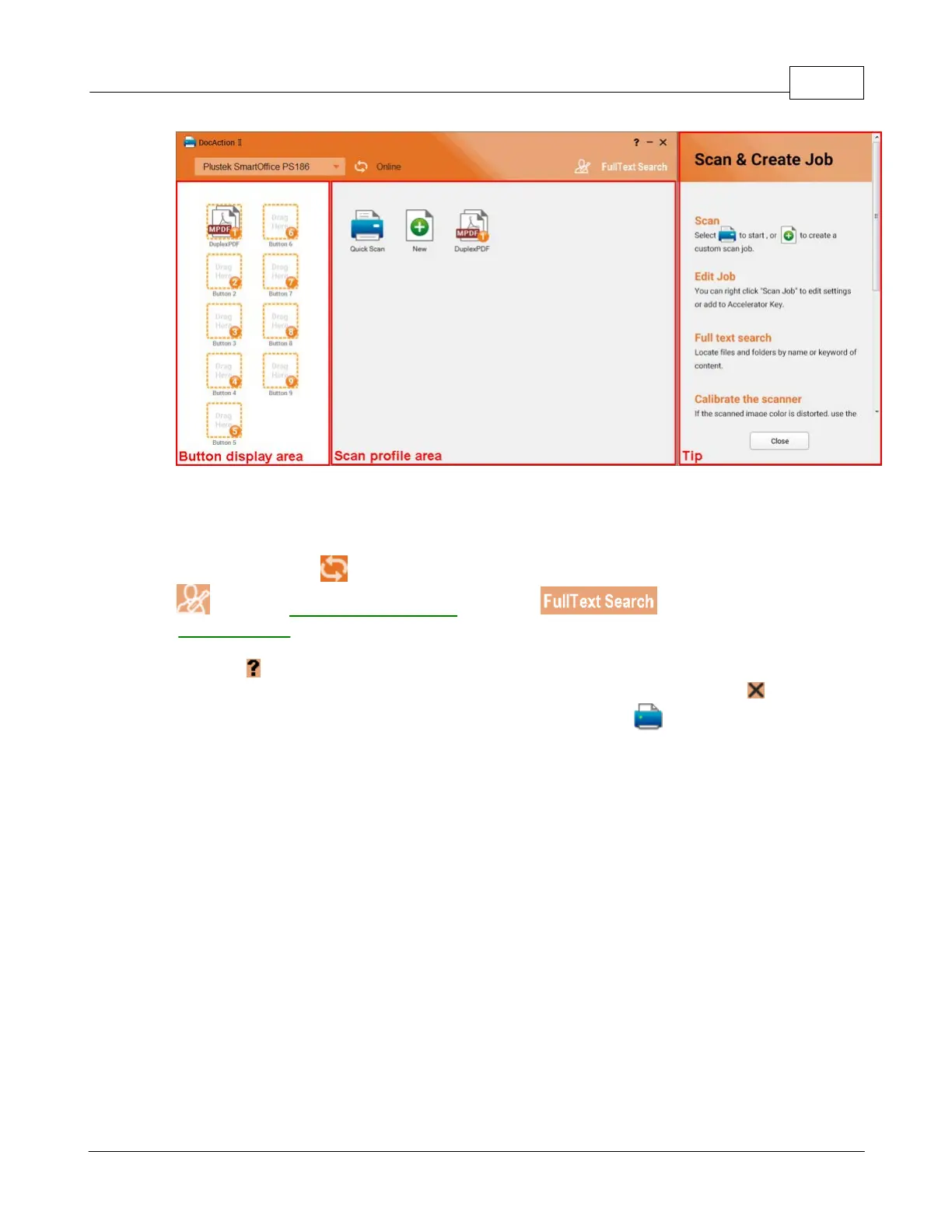
Program Window Overview 3
All rights are reserved.
is basically divided into two areas: the
on the right side and the
button to refresh the scanner connection status. Click the
button to launch the on-line help file, adjust program settings or to open
product webpage. To close the program, please click the
upper right corner of the program window. Right-click the
the system tray, and select
from the pop-up menu to exit the program.
2.1
Calibrate the scanner
Calibrate the scanner if colors appear in areas that should be white, or colors of
the scanned image and the original vary a lot. This allows you to adjust and
compensate for variations that can occur in the optical component over time by its











 To Next Page