23
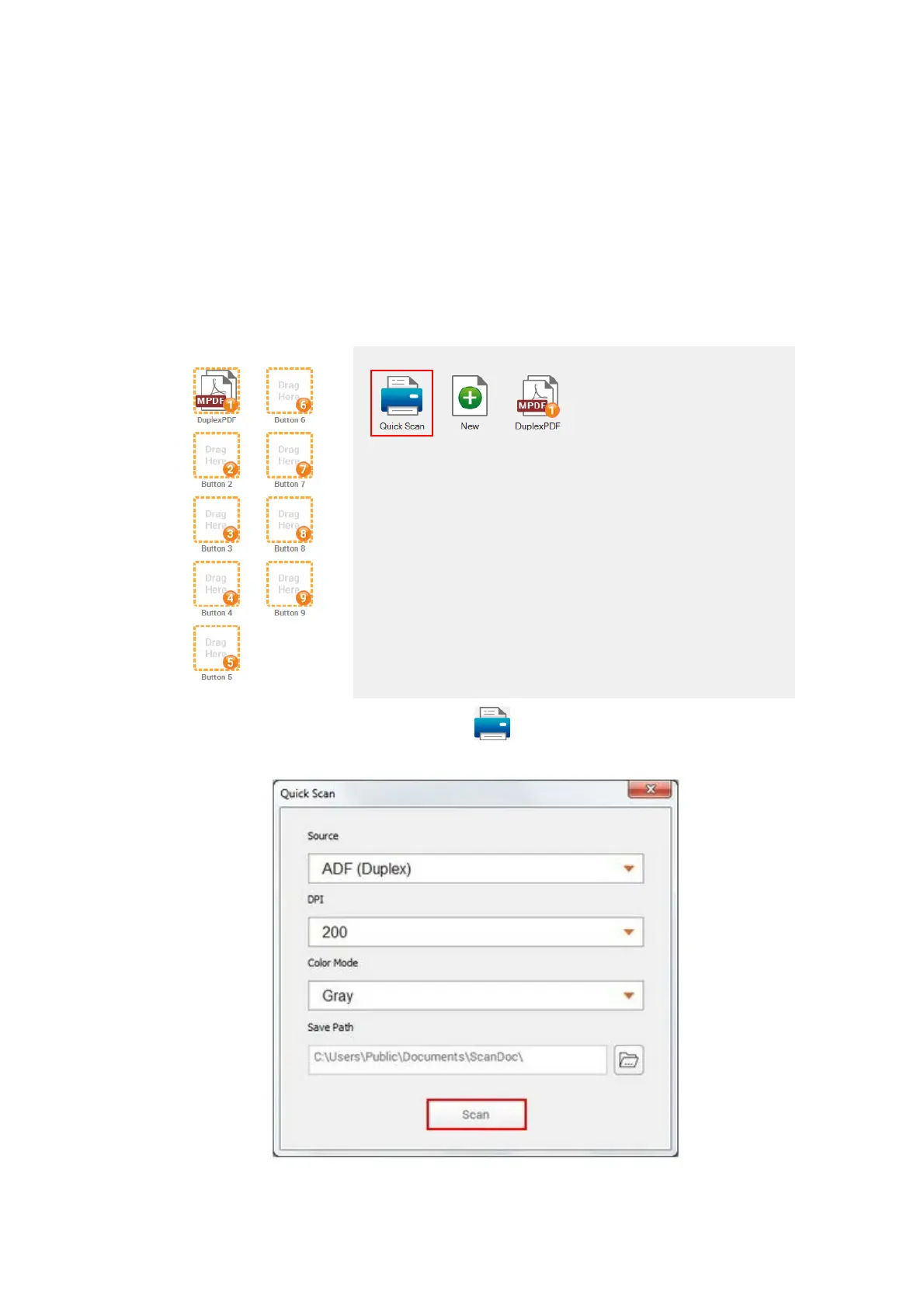
Scanning from the Scan Button within the Quick Scan
Window of DocAction II Program
The Scan button within the Quick Scan window allows you to quickly scan with
basic scan settings. Follow the steps described below:
1. Place the document or images onto the scanner. (Refer to “
Chapter II.
Scanning” of the Scanner User’s Guide for more information in placing paper
into the ADF properly.)
2.
Launch the DocAction II program.
3. Double-click the Quick Scan button
in the DocAction II window. Within
the “Quick Scan” window, adjust scan settings. Click the Scan button.
4. The scanner starts to scan immediately and carry out the corresponding action
according to settings you have set up in the “Quick Scan“ window.











 To Next Page