EasyManua.ls Logo

Plustek SmartOffice PS286 Plus - Threshold

Plustek SmartOffice PS286 Plus
220 pages
Print Icon
To Next Page IconTo Next Page
To Previous Page IconTo Previous Page
Loading...
TWAIN Help26
All rights are reserved.
2.2.2.9
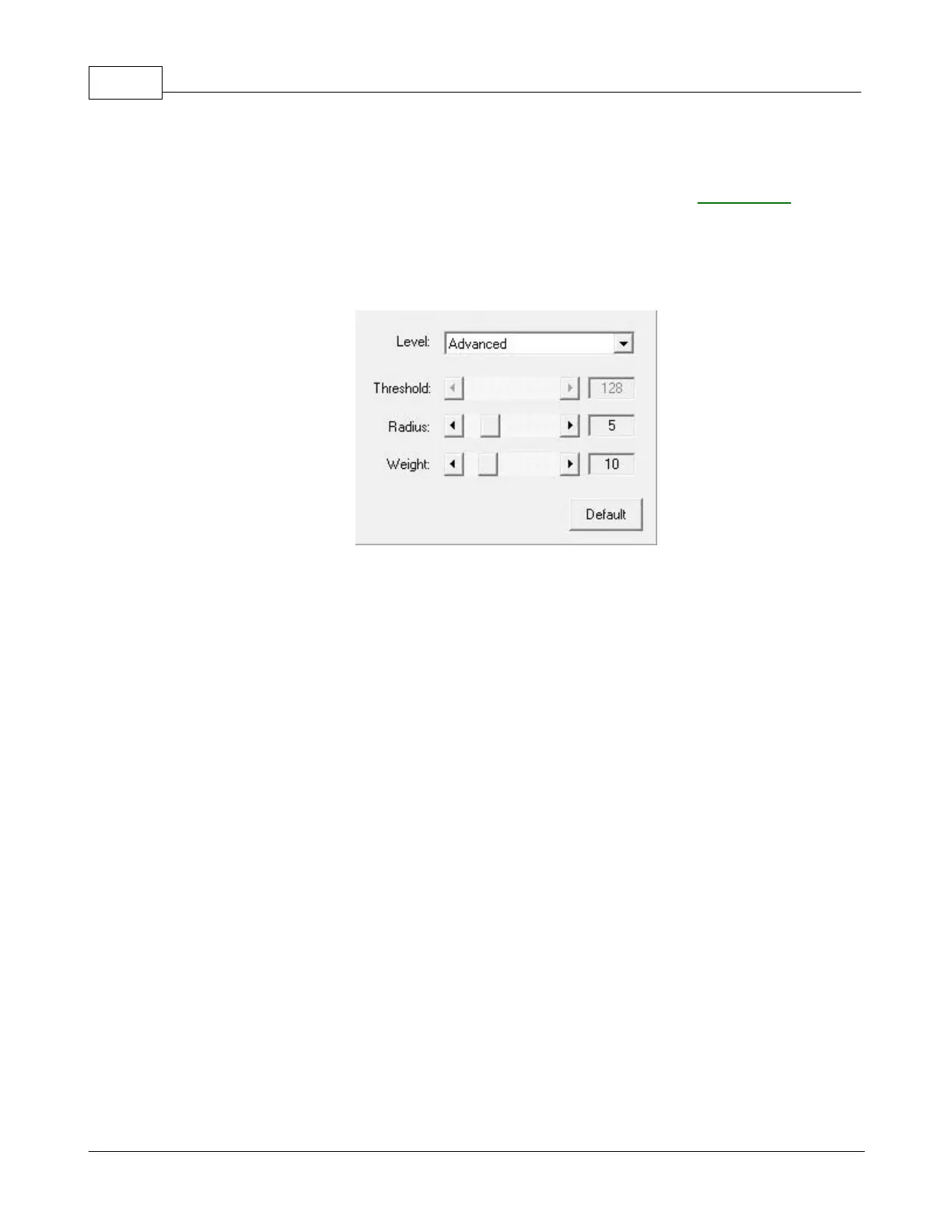
Threshold
This setting is available only when
Black & White
is selected as
Scan Mode
.
Threshold sets the color level for converting an image to line art, which can adjust
the quality of line art image or eliminate unwanted dots in the documents to
improve OCR accuracy.
The following options are available from the drop-down list:
·
Basic
You may adjust the
Threshold value
either way:
·
Slide the thumb of
the scroll bar to the right or left
to decrease or increase
the Threshold value
.
·
Click the arrow signs on the right and left ends.
The current value is shown to right of the scroll bar.
·
Advanced
You may adjust the
Radius / Weight
value
either way:
·
Slide the thumb of
the scroll bar to the right or left
to decrease or increase
the value
.
·
Click the arrow signs on the right and left ends.
The current value is shown to right of the scroll bar.

Table of Contents

Other manuals for Plustek SmartOffice PS286 Plus

Related product manuals