21
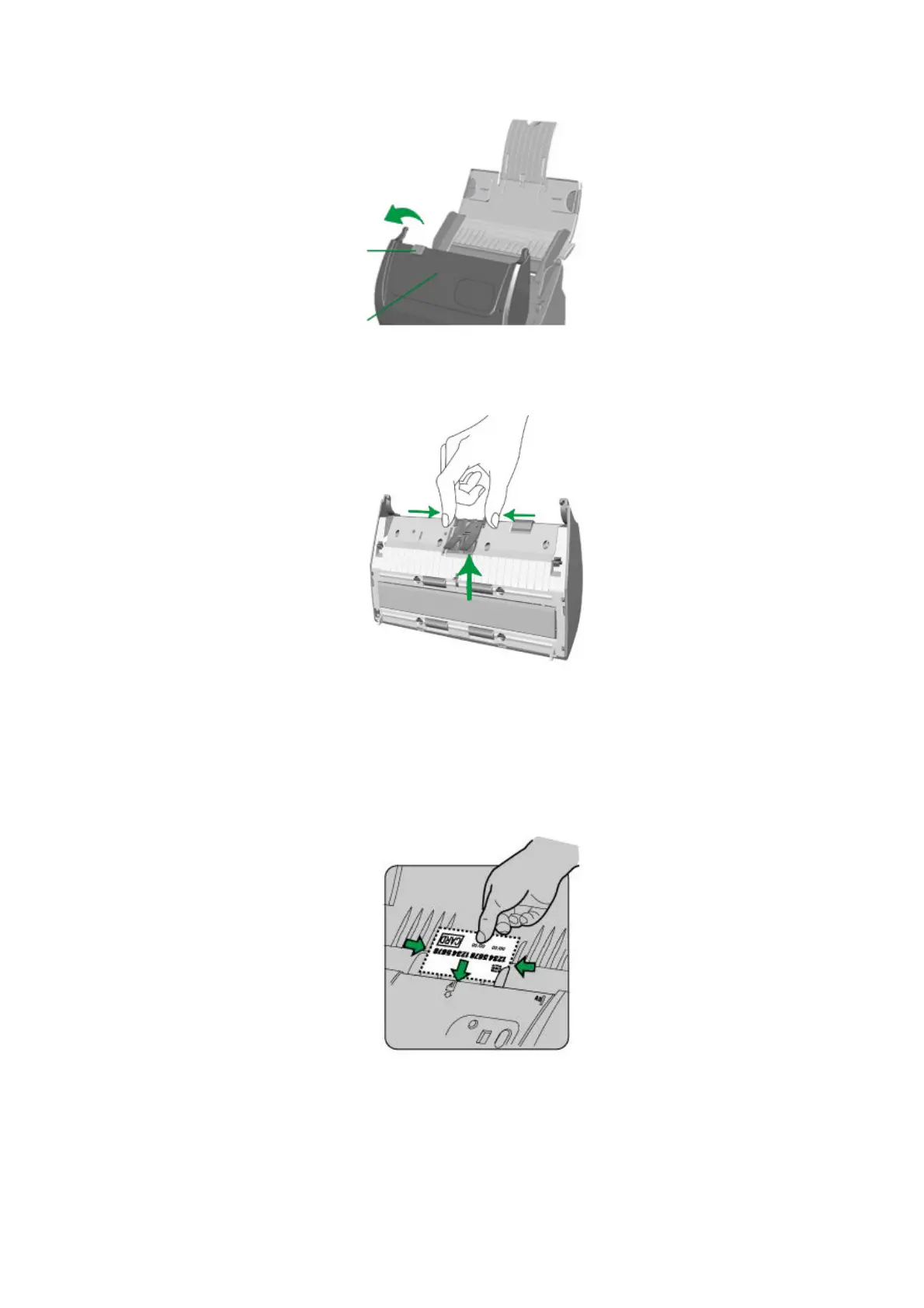
2. Remove the pad module by pinching both sides of the pad module and pull it
out.
3. Close the ADF cover by pushing it back down until it snaps back into place.
4. Horizontally load the plastic card, headfirst and face up, toward the center of
the ADF.
For single-sided scans, load the card face up.
For double-sided scans, load the card in desired order.
5. Adjust the paper width slider to the card width. The paper width slider should be
gently touching both sides of the card.
Cover open leve
DF cove











 To Next Page