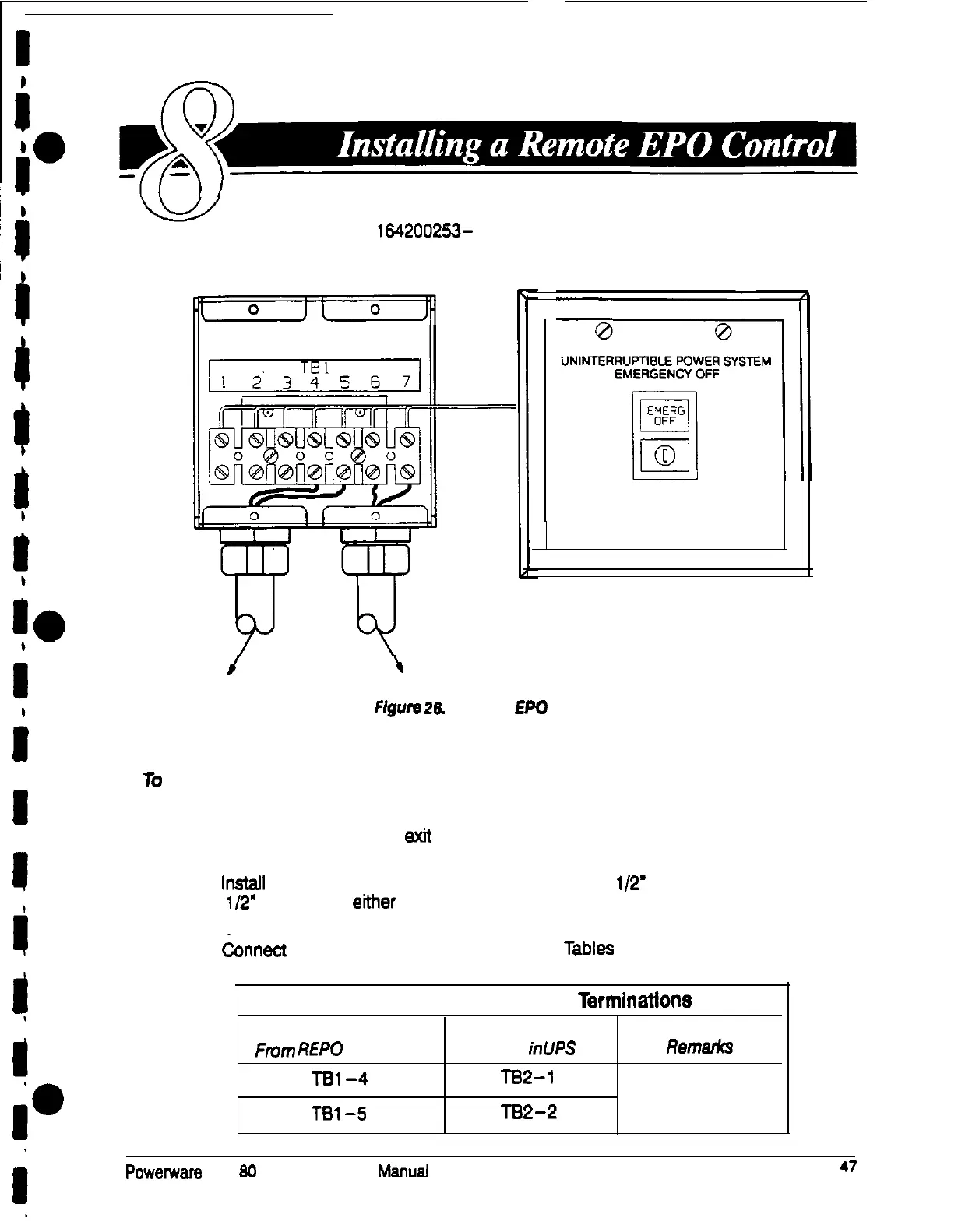
The Remote EPO control arrives as shown in Figure 26. See
Drawing 164200253- 10 on page A-20 for enclosure dimensions,
side views, and knockout patterns.
0 0
/
to UPS
\
to other equipment
Figure
26 Remote EPO Control
lo
install a Remote EPO control:
1.
Securely mount the Remote EPO station. Recommended locations include
operator’s consoles, or exit doors.
2. lnstafl wiring from the Remote EPO station through
I/2’
conduit and through the
l/2’
knockout in either the top or the bottom of the UPS.
3.
&nnect
the remote EPO wiring as shown in Tables E and F:
Table E. Remote EPO Wire Terminations
To Communications
From
REP0
Station(s)
Panel inUPS
Remarks
TBl-4
TB2-1
Twisted wires (2)
TBl-5
TB2-2
14-18 gauge
Powemare
Plus
80
UPS Installation
Manual
47











 To Next Page