Technical Information
137
ALLISON TRANSMISSION OIL LEVEL
CHECK USING THE PUSHBUTTON
SHIFT SELECTOR
Oil level codes are obtained as follows:
1. Park vehicle on a level surface, select «N»
(neutral) on the pushbutton shift selector
and apply parking brake.
2. Press simultaneously the
(Up) and
(Down) arrow buttons once.
3. Oil level codes are displayed in 2 minutes
(e.g. display will flash and 8, 7, 6, 5, ...;
countdown will occur during the 2 minutes)
once the following parameters are met:
o Waiting time, vehicle must be stationary
for at least 2 minutes to allow the oil to
settle;
o Engine at idle;
o Oil at normal operating temperature,
between 140°F (60°C) and 220°F (104°C);
o Transmission in «N» (Neutral);
o Transmission output shaft stopped;
o Oil level sensor present and working.
After 2 minutes, the display will flash one of the
codes shown below:
CODE CAUSE OF CODE
O L…O K
Oil level is correct
O L…L O…01
One quart low
O L…L O…02
Two quarts low
O L…H I…01
One quart high
O L…H I…02
Two quarts high
NOTE
Failure to meet one of the above parameters
will stop the two minute countdown. One of
the codes shown hereafter will indicate the
cause of the countdown interruption. Once all
parameters are met, the countdown will
continue from where it left off.
CODE CAUSE OF CODE
OL…-…0X
Waiting time too short
OL…50 Engine speed (rpm) too low
OL…59 Engine speed (rpm) too high
OL…65 Neutral must be selected
OL…70 Sump oil temperature too low
OL…79 Sump oil temperature too high
OL…89 Output shaft rotation
OL…95 Sensor failure
Exiting the Fluid Level Display Mode
To exit the Oil Level Display Mode, press any
range button: «R», «N» or «D».
ZF-ASTRONIC TRANSMISSION
SYSTEM FAULTS AND ERROR
MESSAGES
SYSTEM FAULTS (ERROR MESSAGES)
07107
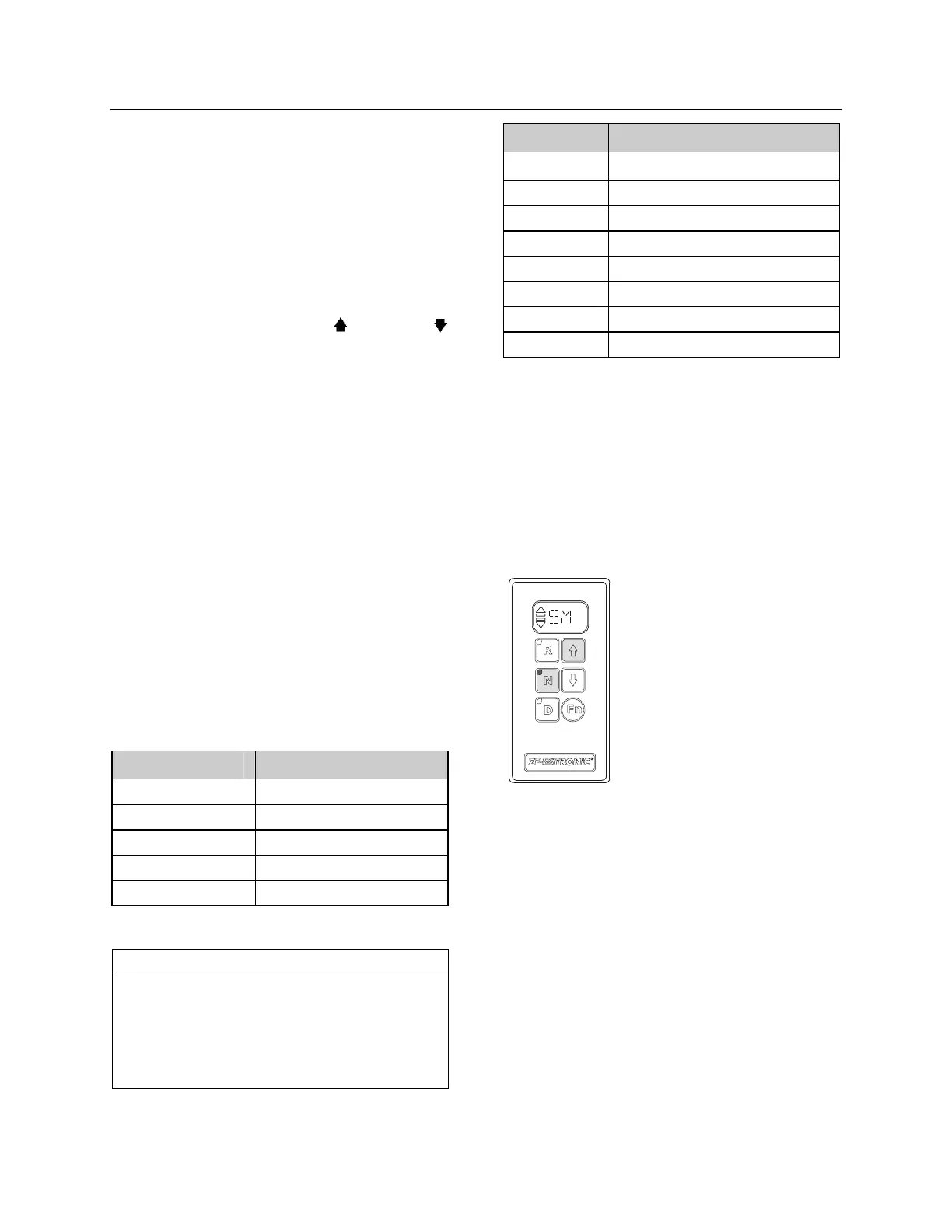
If the “SM” symbol appears in
the display, a system error has
occurred.
• Stop the vehicle
• Vehicle may no longer be
driven
Error messages and the reactions resulting from
these errors can be deleted with the vehicle at a
standstill and the “Ignition OFF”. (Wait until the
display goes out). If the display does not go out
once the ignition has been turned “OFF”, set the
battery master switch to the OFF position.
Switch the ignition back on. If the error message
is still in place, the transmission has to be
repaired. The transmission is inoperative. The
vehicle will have to be taken to a service point.
The error number(s) must be specified when the
service point is contacted.








 To Next Page