Other Features
60
06388
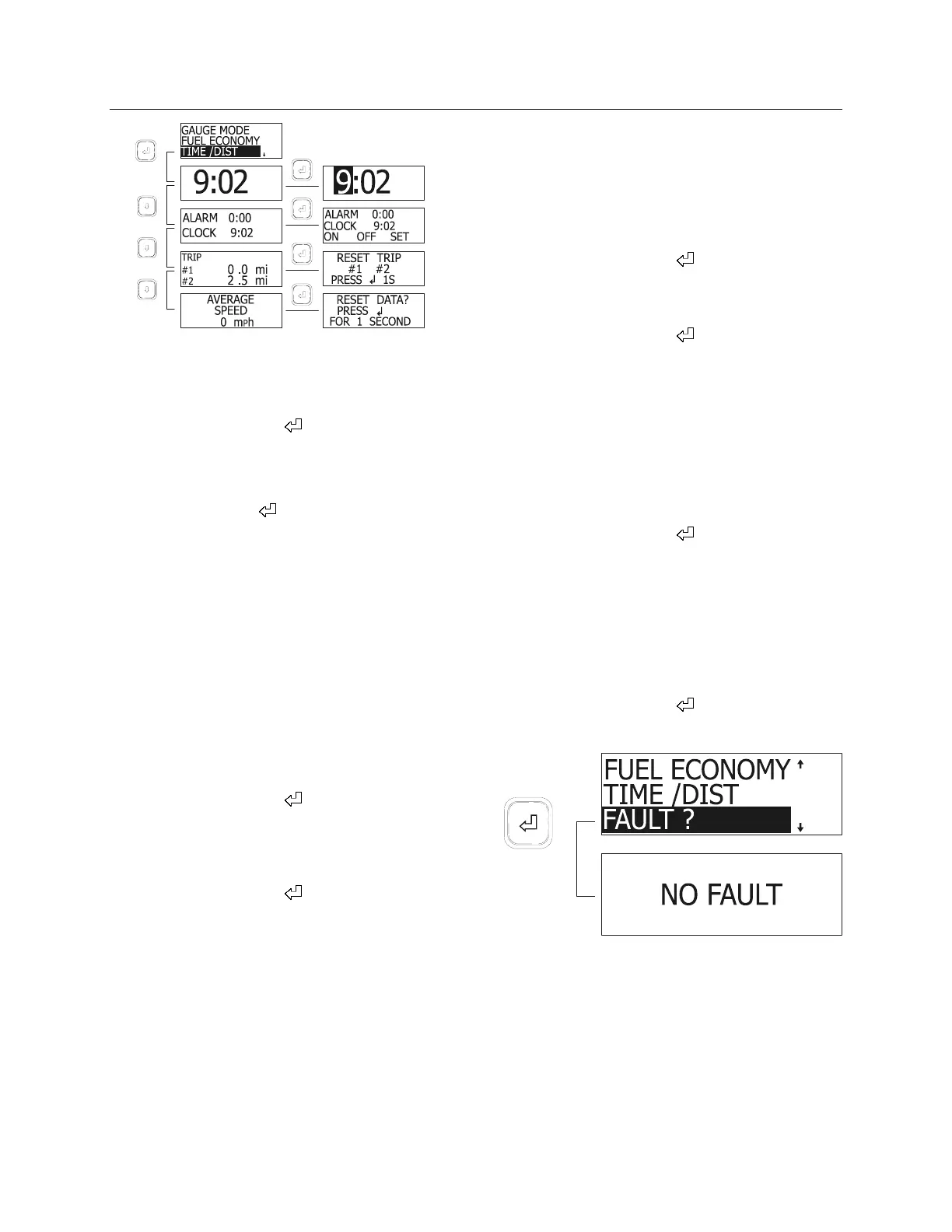
Setting the Digital Clock
1. Display the clock;
2. Press the enter key (
);
The first digit of the time is highlighted.
3. Set the correct value using the arrow keys;
4. Press enter key (
);
The next digit of the time is highlighted.
5. Set the correct time using the arrow keys
and the enter key.
After pressing the enter key when the last digit is
highlighted, the display reverts to clock mode.
Reminder Alarm
The alarm can be useful to remind the driver of a
task to do at a given time.
To set the alarm:
1. Display the alarm and clock menu;
2. Press the enter key (
);
3. Using the arrow keys, highlight ON, to arm
the alarm, OFF to disarm the alarm or SET
to set the alarm time;
4. Press the enter key (
).
If you have chosen SET, set the time using the
arrow keys and enter key.
To exit any menu and return to the previous
menu, press Esc key.
A bell appears in the upper right corner on all
MCD screens if the alarm is armed.
When armed, the alarm will sound at the set
time even when the battery master switch is off.
To stop the alarm from sounding, press any key
on the MCD keypad.
Trip Odometers
Two trip odometers are available for driver
convenience.
To reset a trip odometer:
1. Display the trip odometers;
2. Press the enter key (
);
3. Using the arrow keys, highlight the trip
odometer you wish to reset;
4. Press the enter key (
) for 1 second.
To exit anytime, press Esc key.
Average Speed
The average speed display shows the average
speed has been driven since the last reset.
To reset:
1. Display the average speed;
2. Press the enter key (
);
3. When prompted, press the enter key for 1
second to reset data.
FAULT ? MENU (Fault messages)
To display logged fault messages:
1. Highlight FAULT ?
2. Press the enter key (
);
3. Fault messages are displayed (if any).
06393
NON-DRIVING MODE MENU
SET UP MODE MENU
Set up mode allows the driver to customize the
MCD. Set up mode allows setting the language,
units used (Metric or Standard), clock format,
display contrast, backlight and night display.









 To Next Page