24 Controls and Instruments
TV MONITOR KEY
TV MONITOR KEY 23248
Use this key to remove the TV monitors for
maintenance.
NOTE
For your protection against theft, record the
key numbers and keep this information in a
safe place. Do not keep these records inside
the vehicle. It is also advisable to deposit a
duplicate of each key in a safe place, so they
can be obtained without difficulty in case of an
emergency or loss.
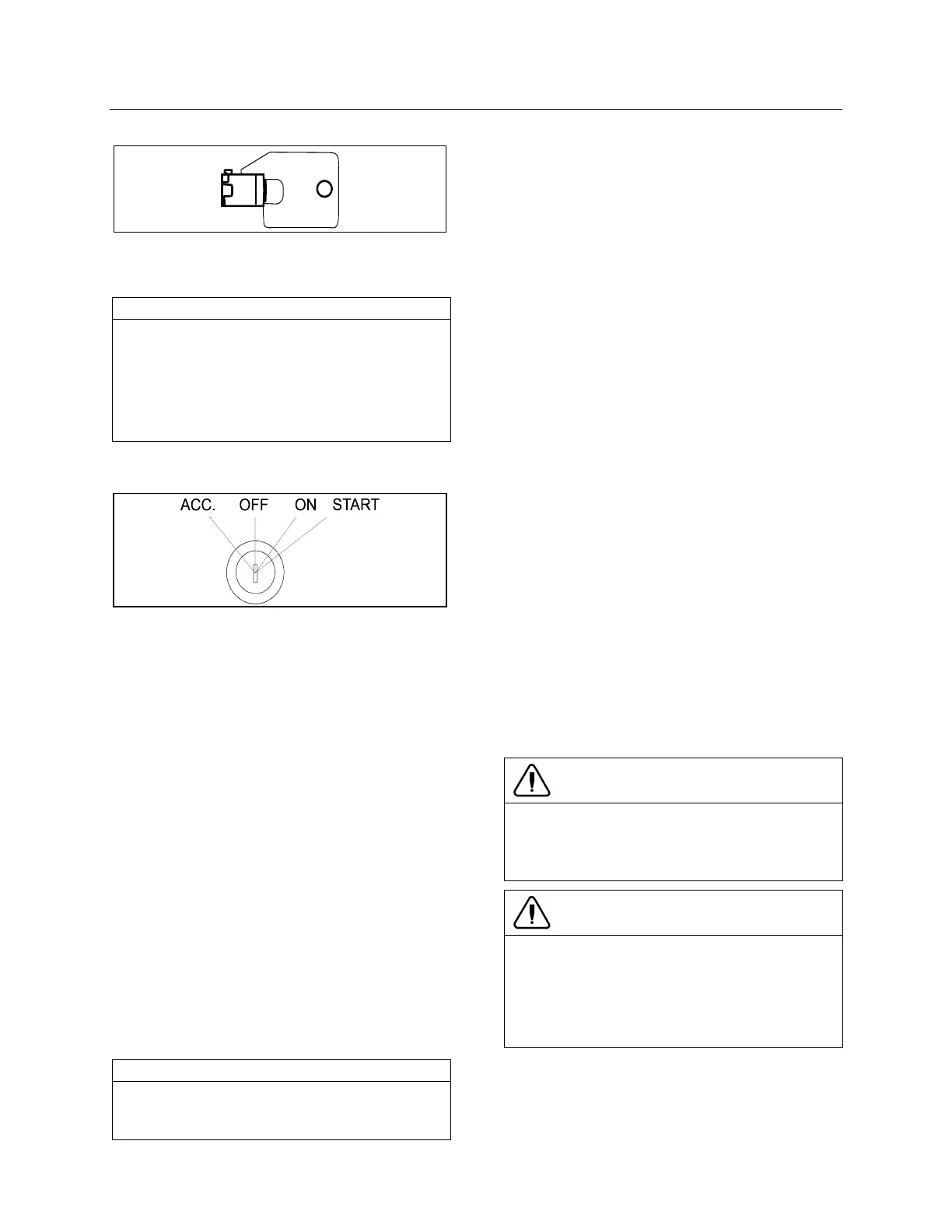
IGNITION SWITCH
IGNITION SWITCH POSITIONS
06354
The ignition switch doubles as the battery
master switch. Any position other than OFF
activates the electrical circuits. Electrical circuits
are also activated when the hazard switch is
depressed. Two auxiliary master switches in
series with the ignition switch are installed on
the vehicle; one is located in the rear electrical
compartment and one in the engine
compartment on the rear start panel, for
maintenance ease.
The ignition switch is located on the lower left
side of the dashboard. It has four positions:
Off
In the OFF position, ignition cannot take place.
The key can be removed when in this position.
The electrical circuits are not activated when the
switch is in this position. Only the accessories
connected directly to the batteries can be
activated. These are the coolant heater and
water pump, the battery master switch, the
central locking system, the entrance door and
Message Center Display (MCD). Maintain the
switch in this position when parked overnight or
for an extended period.
NOTE
The battery master switch is ON when the
hazard flashers are activated, even if the key
is in the OFF position.
Accessories
To operate the accessories only, turn the
ignition key counterclockwise to the “ACC”
position. The key cannot be removed when in
this position.
The electrical circuits are activated when the
switch is in this position or when the hazard
flashers are activated.
The features enabled when the switch is in the
ACC position are all those linked directly to the
battery plus the exterior temperature display, the
radio or entertainment system, exterior and
interior lighting.
On
To place ignition switch to ON, turn the key
clockwise to the first position. The key cannot be
removed when in this position.
The electrical circuits activated when the switch
is in the ACC position plus the transmission,
engine and accessories, ABS system, wipers,
dashboard cluster gauges and buzzers, air horn
and air dryer heater are activated when the
switch is in this position. Do not leave the key in
this position unless the engine is running.
Start
Turn the key clockwise to the second position
and release as soon as the engine starts. The
key will return to the ON position. If the engine
did not start, return the ignition key to the OFF
position before trying to restart the engine.
The ignition switch is equipped with a starter
protection which inhibits turning the key to the
START position if the key has not previously
been turned to the OFF position.
CAUTION
To avoid overheating the starter, do not
engage the starter for more than 15 seconds
at a time. Allow the starter to cool before trying
to restart the engine.
CAUTION
If the “STARTER ON” Indicator light remains
illuminated even after releasing the ignition
switch, stop the engine immediately and set
the battery master switch (ignition switch) to
the OFF position. Have the starter checked
immediately.
The features activated when the engine is
running are all those described above plus the
HVAC system and daytime running lights. The
optional ether cold-start system is automatically
deactivated once the engine runs.









 To Next Page