Controls and Instruments
52
WARNING
If the vehicle starts to roll and no gears are
selected (the indicator light of the “N” key
lights up), the engine brake is ineffective.
CAUTION
Do not allow the vehicle to roll in the opposite
direction of travel than the gear selected.
07091
If the vehicle rolls forward with
transmission in neutral “N” after
that the brake is released and
the driver shifts from “N” to “D”,
the system selects a gear
suitable for the running speed.
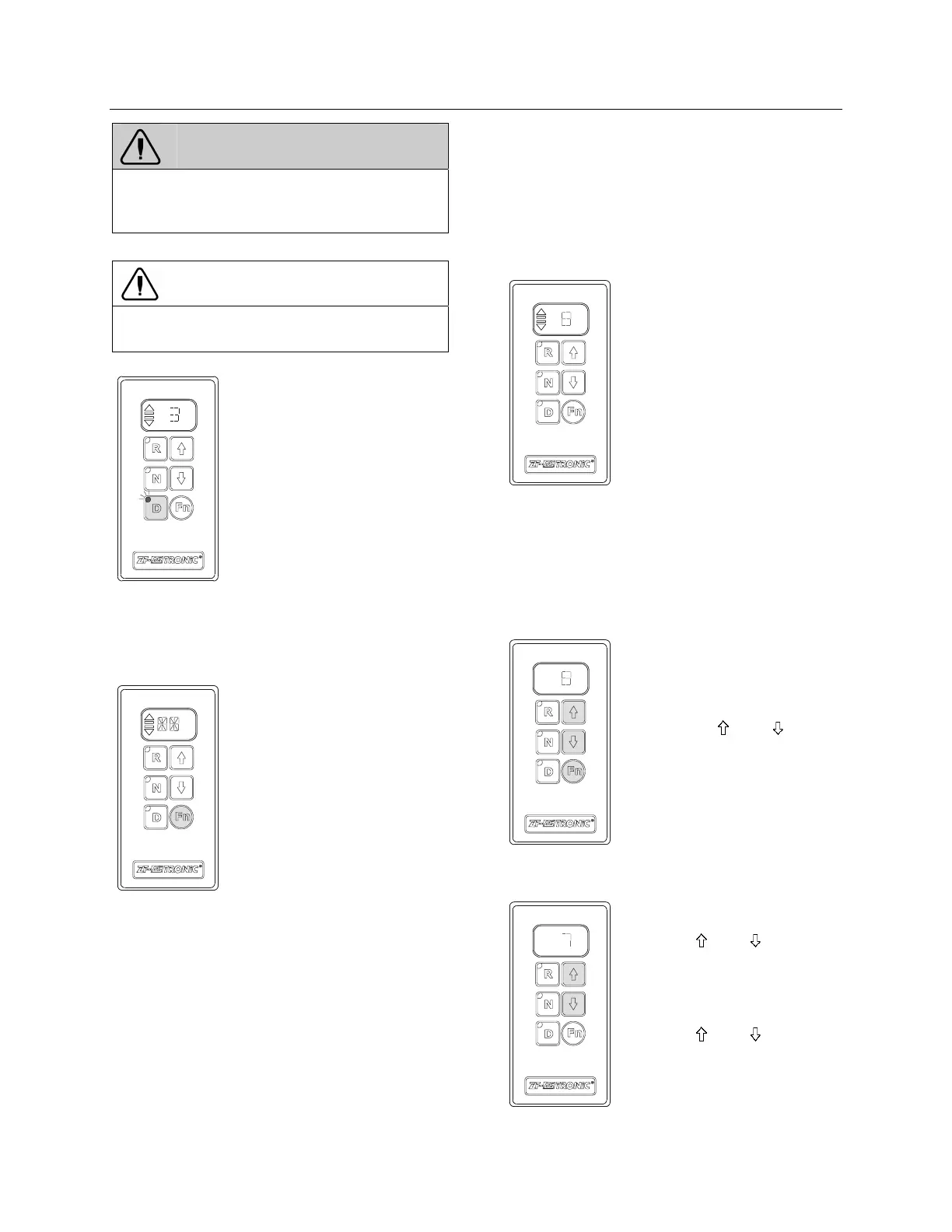
CHANGING BETWEEN MANUAL MODE AND
AUTOMATIC MODE
Always possible, even if the vehicle is in motion.
07092
Changing from manual to auto-
matic mode.
& Depress the “Fn” key
Changing from automatic to
manual mode.
& Depress the “Fn” key
CHANGING GEAR
Changing gear in automatic mode
07093
& All upshifts and downshifts
are performed automatically.
They depend on:
& The drive situation.
& The load.
& The accelerator pedal
position.
& The running speed.
& The engine speed.
Arrows and 2 bars = automatic
mode.
8th gear is selected. If a
manual gear shifting is
selected, the gear shifting
system exits automatic mode.
Depress the “Fn” key to
reactivate the automatic mode.
The gear shifting system will
switch back automatically to
automatic mode after about 20
seconds if no other manual
gear shifting is selected.
Changing gear in manual mode
07094
& Depress “ ” or “ ” key to
select the required gear.
Jumping gears
07095
Jumping one gear:
Depress “
” or “ ” key twice
in rapid succession in the
direction required.
Jumping two gears:
Depress “ ” or “ ” key three
times in rapid succession in the
direction required.








 To Next Page