Controls and Instruments
49
2 (Second range)
Select this range when operating in heavy and
congested traffic. The transmission will start in
first and automatically upshift to second. When
slowing, the transmission will automatically
downshift to first range. Low ranges provide
progressively greater engine and retarder brak-
ing power (the lower the range, the greater the
engine and retarder braking effect).
3, 4 (Third and fourth ranges)
Select these ranges when driving on moderate
grades or when load and traffic conditions limit
speed.
WARNING
Service brake should not be used to control
the speed of vehicle on long, steep descents.
Instead, lower transmission ranges should be
used (in conjunction with output retarder.
Refer to "JACOBS Engine Brake" and
"Transmission Retarder" headings in "Other
Features" chapter for details regarding both
systems. This procedure keeps service brake
cool and ready for emergency stopping.
CAUTION
When descending in lower ranges, care must
be taken that engine speed does not exceed
2,450 rpm.
ZF-ASTRONIC AUTOMATIC
TRANSMISSION
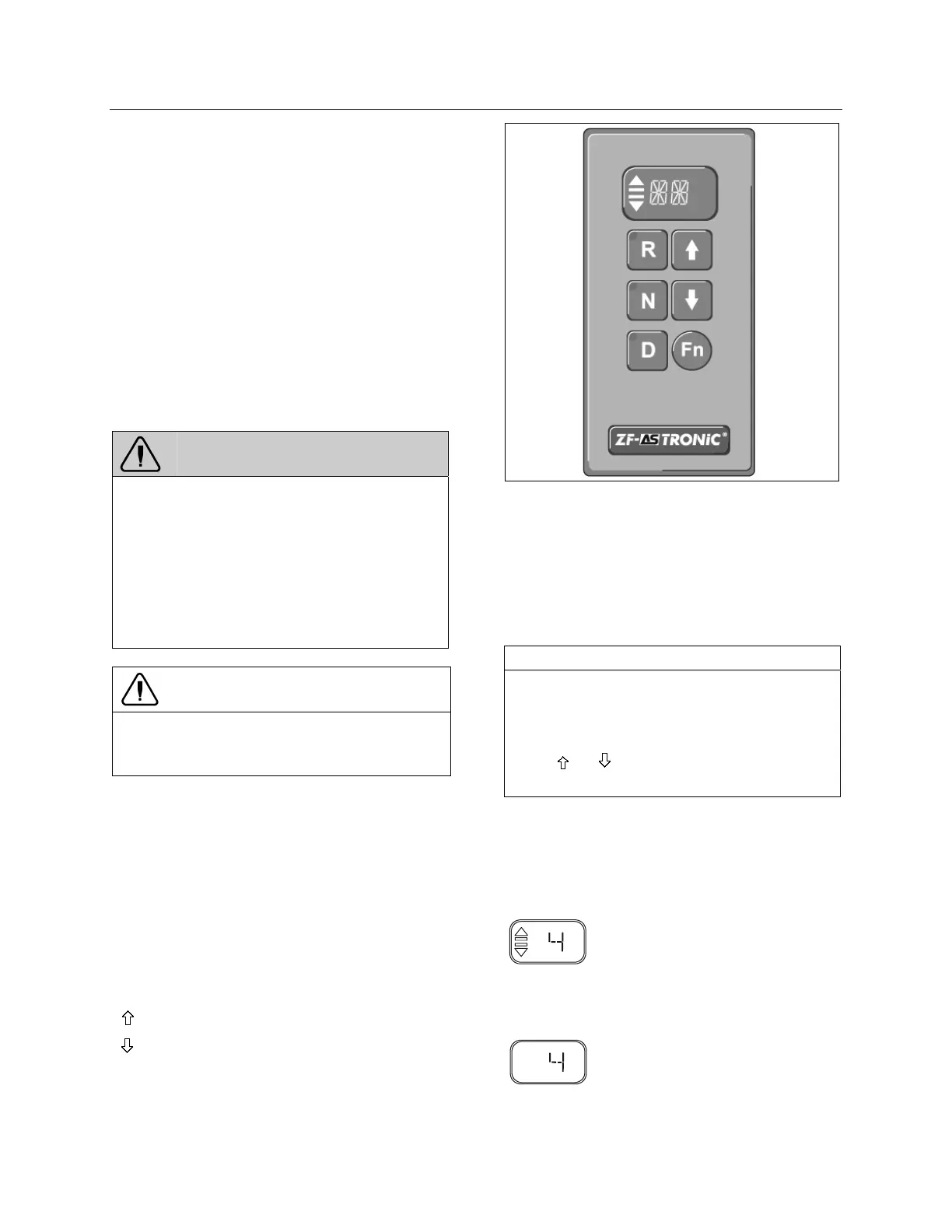
RANGE SELECTOR KEYPAD
The range selector keypad contains 6 keys and
a display.
“ R “ Reverse travel
“ N “ Neutral (no gears selected in
transmission)
“ D “ Forward travel
“
“ Upshift
“
“ Downshift
“Fn“ Switches between manual and
automatic mode.
RANGE SELECTOR KEYPAD 07081
INDICATOR LIGHT
Flashing: Transmission function change
requested. Function change is
completed when indicator light is
permanently illuminated.
Permanently illuminated: Function in use.
NOTE
The “R“, “N“ and “D“ ranges are only selected
once the keys are released. If the keys are
held down for more than 5 seconds, the shift-
ing request is ignored.
The “
“, “ “ and “Fn“ selection keys are
activated when pressed.
DISPLAY
The display indicates the number of the selected
gear, the neutral position as well as faults.
Display: Automatic mode
07082
Transmission in automatic mode
(2 bars and 2 arrows)
4th gear selected in transmission
Display: Manual mode
07083
4th gear selected in transmission
(No bars or arrows are displayed)








 To Next Page