Other Features 65
NOTE
The MCD can perform a status test on as
many as two components simultaneously. To
do so, when setting MID and PID codes, set a
second (non zero) MID and PID code.
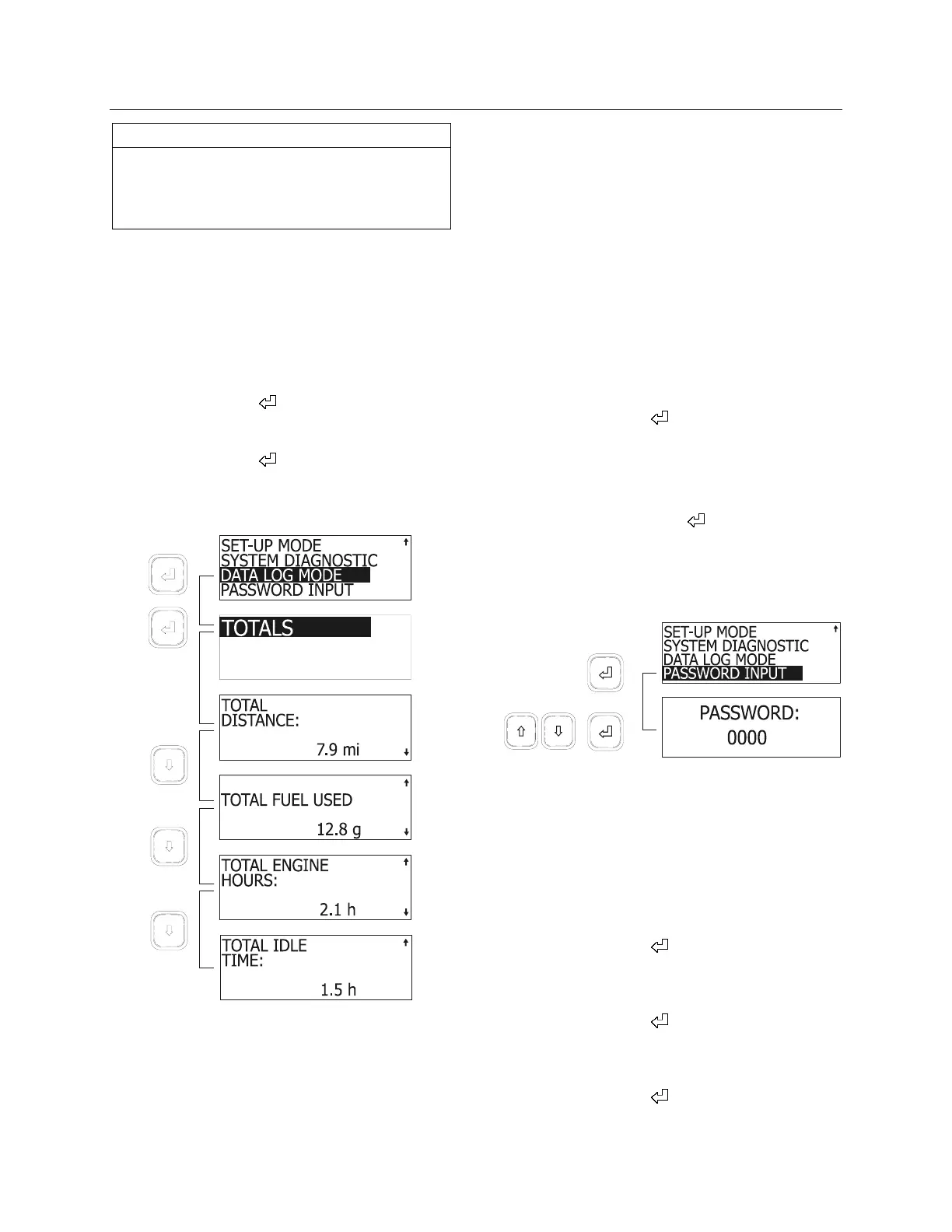
DATA LOG MODE MENU
This feature shows total accumulated distance,
fuel used engine hours and idle time.
1. To access data log:
2. Highlight DATA LOG MODE using the arrow
keys;
3. Press enter key (
) to confirm;
The screen shows TOTALS highlighted.
4. Press enter key (
);
5. View totals using the arrow keys.
Exit by pressing the Esc key.
06383
PASSWORDS
The MCD recognizes two passwords: a
mechanic’s password and an owner’s password.
The mechanic’s password allows setting
DEFAULT LANGUAGE, FLEET FUEL TARGET,
performing a STATUS TEST and using the
RESET ALL function. The owners password
gives access to all the above and allows
changing both passwords.
The mechanic’s password is initially set to
“0000”.
The owner’s password is initially set to “1234”.
Password Input
To enter either password and have access to
restricted functions of the MCD:
1. Use the arrow keys to highlight
PASSWORD INPUT;
2. Press enter key (
) to confirm;
3. Use the arrow keys to set the first digit of the
password;
4. Press enter to highlight the next digit;
5. Pressing enter key (
) on last digit will
confirm the password.
If the entered password is correct, the MCD will
revert to the previous screen. Access to
restricted screens is allowed.
06402
Changing passwords
To change any password, owner’s password
must be entered first.
To change passwords:
1. Using the arrow keys, highlight SET UP
MODE;
2. Press enter key (
) to confirm;
3. Using the arrow keys, highlight PASSWORD
CONFIG;
4. Press enter key (
) to confirm;
5. Using the arrow keys, select MECHANIC or
OWNER;
6. Press enter key (
) to confirm;
7. Set new password.









 To Next Page