Controls and Instruments
51
IMPORTANT NOTE
Brake pedal must be applied when selecting
Drive (D) otherwise the transmission will stay
in neutral (N).
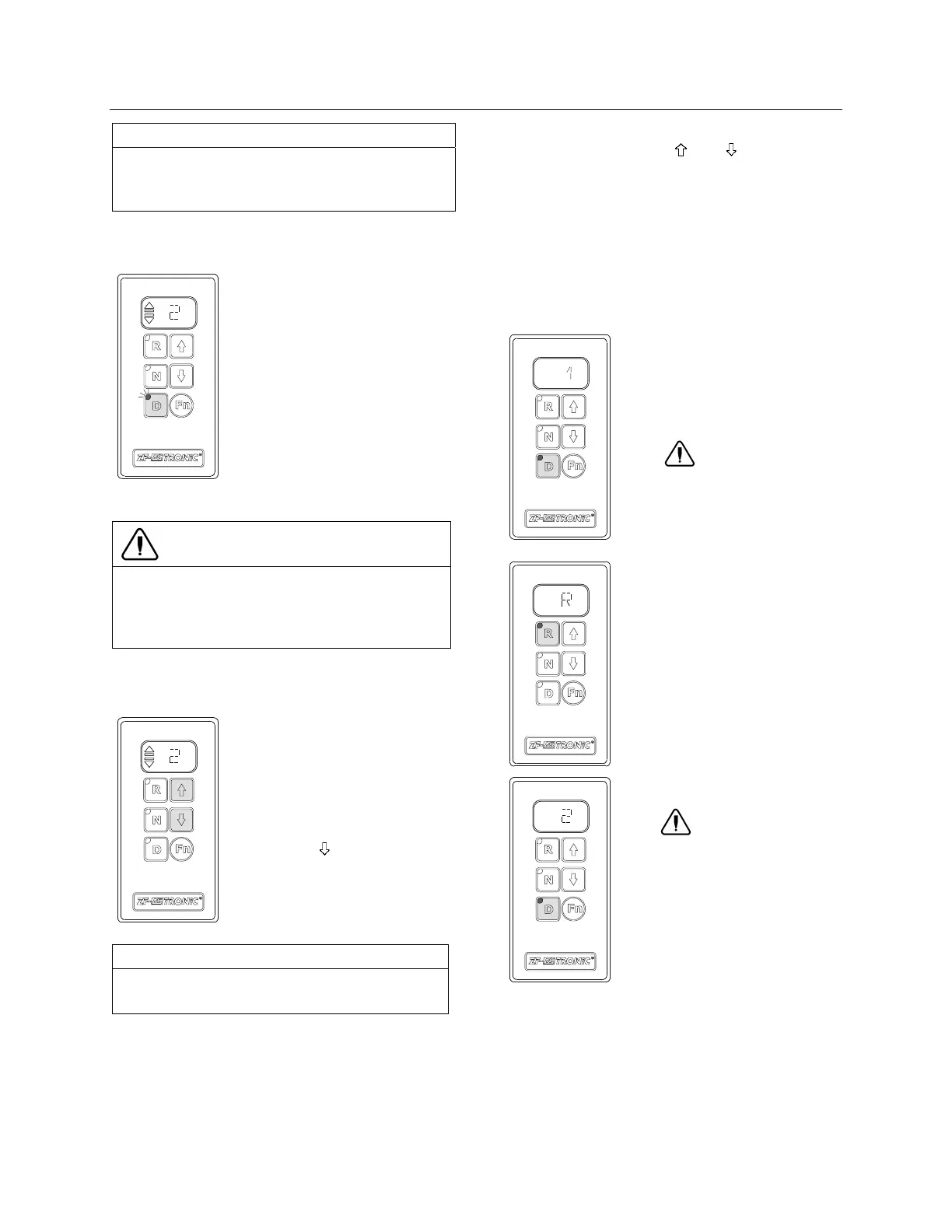
SETTING OFF, FORWARD TRAVEL
07086
&
Start the engine
&
Apply service brakes
(activation of Easy Start) and
depress “D” key. Automatic
mode is activated.
&
The display shows the
starting gear selected.
&
Indicator light of “D” key
lights up. (The system selects
the 2
nd
starting gear, the clutch
remains disengaged.
&
Release the service brakes
and depress accelerator pedal.
CAUTION
The vehicle may roll away even if the
accelerator is not depressed after the service
brakes have been released by Easy Start
System.
&
Vehicle sets off (clutch engages automatically).
CORRECTING THE STARTING GEAR
07087
The system selects 2
nd
starting
gear as default. The driver may
select 1
st
starting gear.
To undertake a correction:
&
Depress “ ” key to select 1
st
gear.
&
The display shows the
starting gear selected.
NOTE
It is recommended to select the 1
st
starting
gear for starting on a slope.
MANEUVERING MODE
Maneuvering mode is provided for extremely
slow travel. The 1
st
gear and the reverse gear
are provided as maneuvering gears. Maneuver-
ing mode is not available in the other gears. To
engage maneuvering mode, select 1
st
gear or
reverse gear “R” using “
” or “ ” key. When in
maneuvering mode, the clutch control differs
from the normal driving mode. The accelerator
pedal controls the clutch action just like a clutch
pedal would. This control is available from 0 to
70% of the accelerator pedal stroke. Over 70%
of the stroke, the clutch is fully engaged, and a
change will be made from maneuvering mode
into setting off mode. The vehicle may acceler-
ate suddenly.
07088
Unlimited maneuvering time.
The “CL” (clutch) display
appears when the clutch is
overloaded.
CAUTION
If the driver does not respond to
the “CL” display, the clutch may
be damaged as a result of
overload.
07089
07090
Unlimited maneuvering time.
The “CL” (clutch) display
appears when the clutch is
overloaded.
WARNING
If the driver does not respond to
the “CL”, a change is made
from maneuvering mode into
setting off mode. The vehicle
may accelerate rapidly.
STARTING TO ROLL ON SLOPES
Precondition: the engine must be running.








 To Next Page