Controls and Instruments
34
Over a prolonged period, this situation will
increase tire wear and stress to the
vehicle.
o Do not engage during downhill operation.
R. H. DASHBOARD PANEL
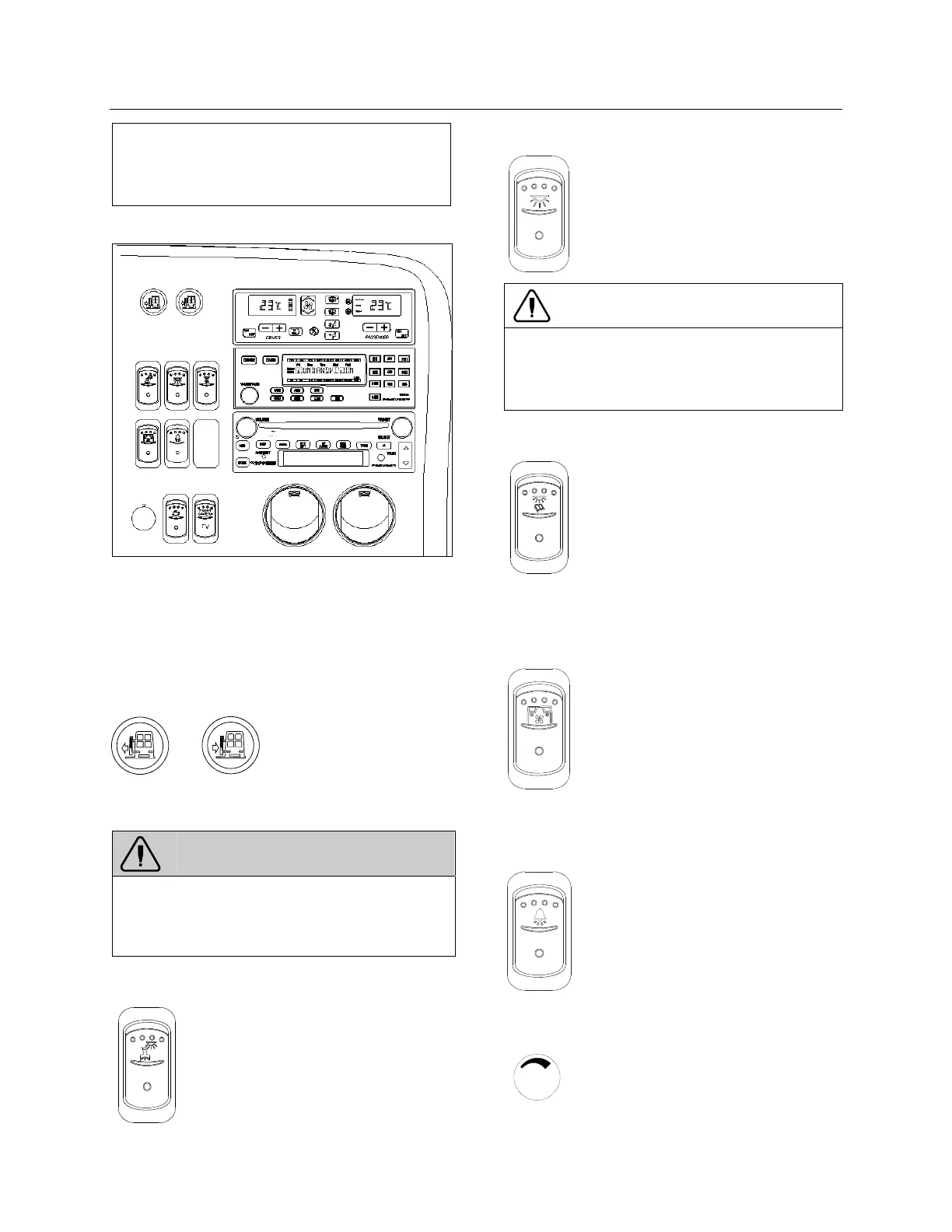
R. H. DASHBOARD PANEL 06612
The HVAC control module as well as the cluster
dimmer switch, interior lighting control switches,
entrance door operating buttons as well as
miscellaneous control switches and air vents are
located on the R.H. dashboard panel.
Entrance Door Operating Buttons
06464
Press and hold the L.H.
button to open the door
and the R.H. button to
close the door.
Releasing the button at any time will
immediately stop door movement.
WARNING
The door mechanism has no automatic safety
protection to avoid injury to bystanders. The
driver is responsible for the safe operation of
the door.
Driver’s Area Lighting
06244
Press the rocker switch to illuminate
the ceiling lights in the driver's area
as needed.
Interior Lighting
06239
Press this rocker switch to the first
position to illuminate the aisle
fluorescent lighting. Press down the
second position to illuminate the in-
station fluorescent lights.
CAUTION
To avoid running down the batteries when the
engine is off, turn off the lights or connect the
optional battery charger to a 110 - 120 volt AC
power supply.
Reading Lights
06240
This switch powers the reading light
circuit enabling passengers to
operate their personal reading
lights. Refer to “Coach Interior”
chapter.
Passenger Overhead Air Registers
06245
Press the switch to the first position
to set the fans to low speed. Press
the switch to the second position to
set the fans to high speed.
If equipped with the optional air
conditioning in the overhead com-
partments, activating the fans also
engages the dedicated A/C com-
pressor.
Stop / Service Chime (Optional)
06243
Press this switch to enable the stop
/ service chime. When depressed,
the service buttons illuminate even
when the chime circuit is not
enabled.
Brightness Control
06249
Adjusts the brightness of the
dashboard instruments and switches.








 To Next Page