132
MBOX® USER MANUAL
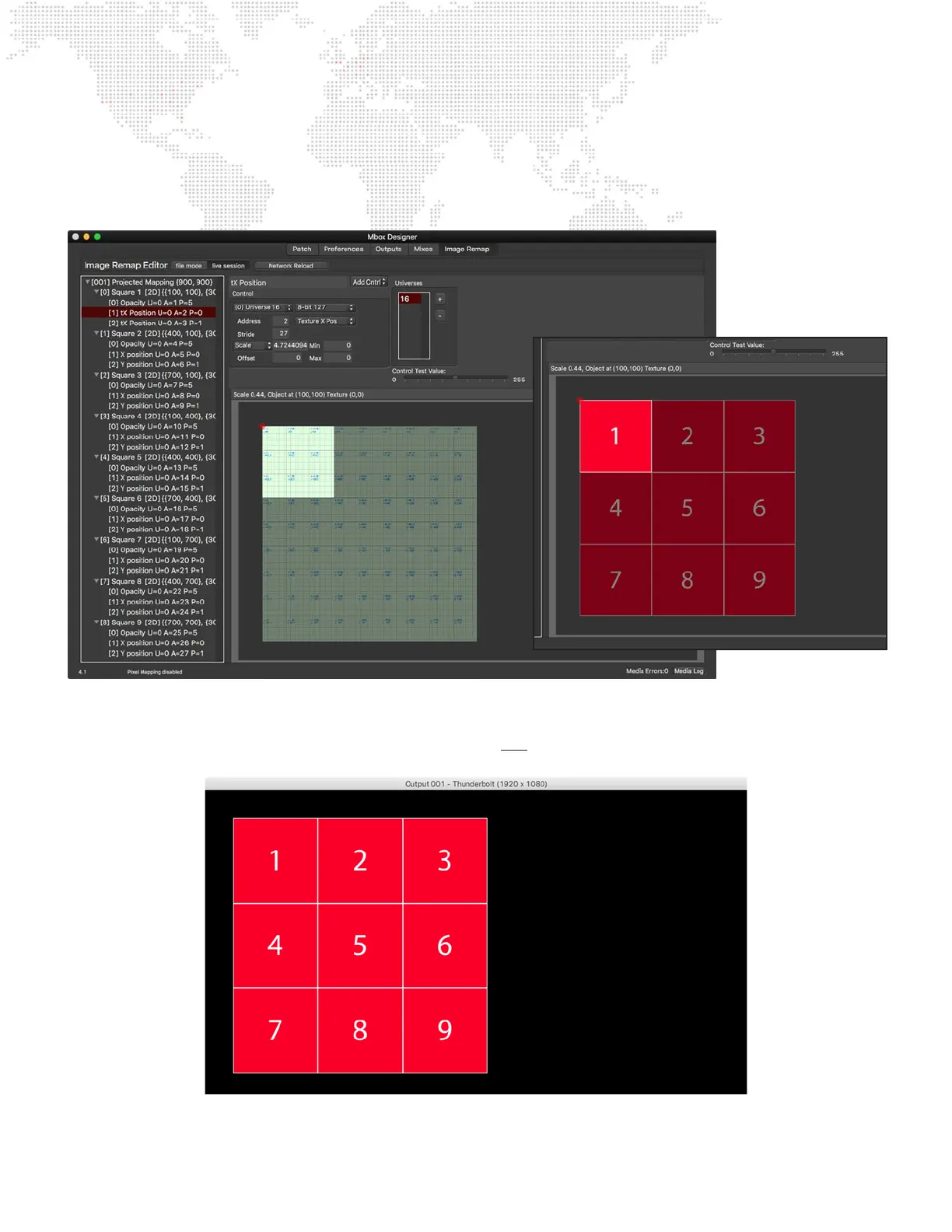
Step 18. With the rst screen object setup correctly, go ahead and add eight more screen objects by copying and
pasting the rst screen object. Make sure to use the correct active and texture origins and width and height
values from the chart on page 128, and also to substitute the correct address for each control. The result
should be what is shown below:
Step 19. With the conguration done, it’s time to test it in Mbox. On Layer 1 - bring up the opacity, select the sample
PNG as the texture on the layer, set the Image Remap parameter to a value of 001, and also supply the
correct default external control data (for the opacity and texture X & Y position parameters) on Universe 16.
The result should be something like this:



 To Next Page