EasyManua.ls Logo

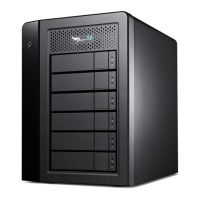
Promise Technology Pegasus R6 - User Manual

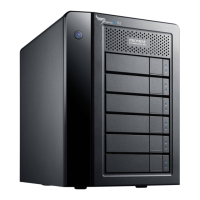
Promise Technology Pegasus R6
148 pages
Print Icon
To Next Page IconTo Next Page
Loading...
PEGASUS
R6, R4
Product Manual
Version 1.0

Table of Contents

Questions and Answers

  • J
    Joseph KimAug 14, 2025
    Why are the Power/Status LEDs red on my Promise Technology Pegasus R6 Storage?
    • J
      Joseph PriceAug 14, 2025
      If the Power/Status LEDs on your Promise Technology Storage turn red, it typically indicates a drive error or failure. You should check the failed drive and obtain a replacement drive of the same type, interface, spin speed, and capacity.
  • D
    Douglas DixonAug 17, 2025
    What to do if RAID 0 Logical Drives go offline on Promise Technology Storage?
    • T
      Tina HatfieldAug 17, 2025
      If your RAID 0 Logical Drives on Promise Technology Storage go offline, it's because a logical drive based on a non-fault-tolerant disk array has gone offline. To resolve this, identify the failed physical drive, replace it, delete the disk array if there were multiple physical drives, and then recreate it.
  • E
    Eric DavisAug 20, 2025
    What does 'Disk Array Degraded' mean for Promise Technology Storage?
    • S
      Sherri PalmerAug 21, 2025
      If you receive a Disk Array Degraded or Logical Drive Critical message on your Promise Technology Storage, it means one of the physical drives in a disk array has failed. Check the Dashboard icon for a yellow ! icon beside the disk arrays, logical drives, and physical drives.
  • C
    christopherleblancAug 25, 2025
    How to fix overheating in Promise Technology Pegasus R6 Storage?
    • J
      James StewartAug 25, 2025
      If your Promise Technology Storage is overheating, it could be due to fan failure or inadequate air circulation around the subsystem. Correct any identified problems with the fan or air circulation, and then shut down the unit.
  • A
    Autumn RichardsonAug 27, 2025
    Why is my Promise Technology Pegasus R6 Disk Array Offline?
    • T
      Taylor AlvarezAug 27, 2025
      If you see a Disk Array Offline or Logical Drive Offline status on your Promise Technology Storage, it means one or more physical drives have been removed or have failed. Check for a red X icon next to disk arrays, logical drives, and physical drives under System Status.
  • H
    Hector WilsonAug 30, 2025
    What does 'Incomplete Array' mean on Promise Technology Pegasus R6?
    • O
      Olivia RyanAug 31, 2025
      If you encounter an 'Incomplete Array' message on your Promise Technology Storage, it indicates that a physical drive failed or went missing during RAID level migration or disk array transport. After clicking OK in the incomplete array dialog box, check the operational status of logical drives.
  • J
    Jason NelsonSep 3, 2025
    How to fix 'ajar HDD from the backplane' on Promise Technology Pegasus R6 Storage?
    • A
      Amanda ThomasSep 3, 2025
      To address the 'ajar HDD from the backplane' warning on your Promise Technology Storage, reseat the physical drives.
  • P
    Paul DavisSep 6, 2025
    How to rebuild a disk array on Promise Technology Pegasus R6 Storage?
    • N
      nathanielwrightSep 6, 2025
      To rebuild a disk array on Promise Technology Storage, replace the failed drive with an unconfigured physical drive, then perform a manual rebuild.
  • C
    Charles CalderonSep 9, 2025
    What to do if Promise Technology Pegasus R6 shows 'Unreadable Disk Warning'?
    • O
      olsonlisaSep 9, 2025
      If you receive an 'Unreadable Disk Warning' on your Promise Technology Storage, try using the computer’s disk utility to repair the problem logical drive.

Summary

Installation and Setup

Initial Configuration

Covers opening the Promise Utility, unlocking the interface, and managing multiple units.

Creating Storage

Guides creating disk arrays and logical drives, including formatting.

Management with the Promise Utility

RAID Controller Management

Details managing the RAID controller, viewing info/stats, settings, and firmware updates.

Background Activities Management

Covers managing background tasks like Media Patrol, Redundancy Check, Rebuild, Migration, PDM, Transition, Sync.

Physical Drive Management

Covers viewing drive info, statistics, locating, settings, clearing status, and forcing offline.

Disk Array Management

Covers creating, formatting, settings, locating, deleting, and preparing disk arrays.

Logical Drive Management

Covers viewing logical drive info, stats, creating, formatting, locating, deleting, initializing, and migrating drives.

Spare Drive Management

Covers viewing spare drive info, creating, settings, running checks, deleting, and transitions.

Technology Background

Formatting Logical Drives Explained

Details formatting logical drives using Promise Utility and Disk Utility.

Spare Drives Explained

Explains the concept, options, and requirements for spare drives.

Troubleshooting

Appendix A: Updates

Promise Technology Pegasus R6 Specifications

General IconGeneral
BrandPromise Technology
ModelPegasus R6
CategoryStorage
LanguageEnglish

Related product manuals