SECTION 6
TROUBLESHOOTING
115
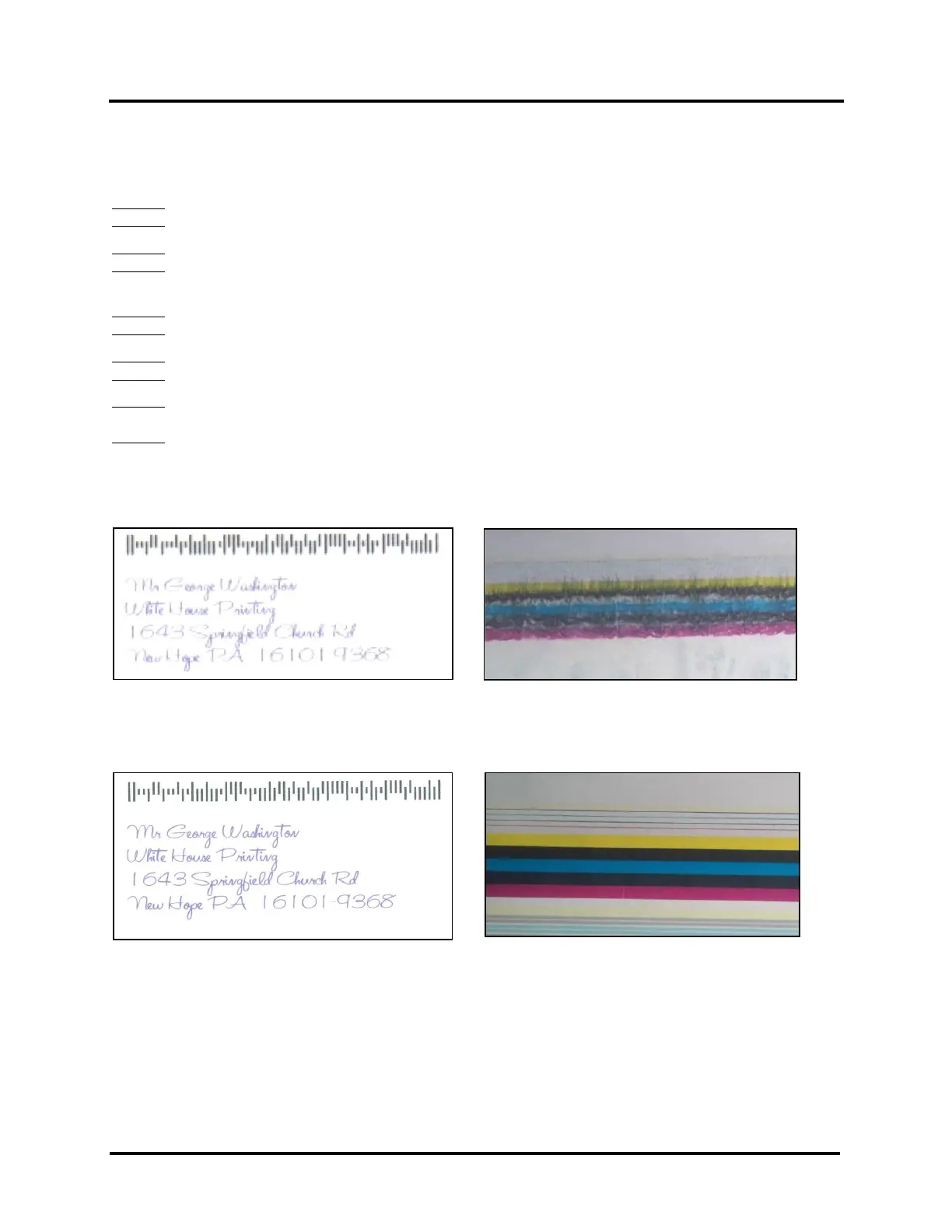
Fuzzy/Distorted Print
Fuzzy/distorted print can occur for a number of reasons, listed/shown below.
Problem: Print Height value, in Media Setup, is set too high.
Solution: Reduce Print Height value.
Problem: Paper is buckling or bowing during the time of printing.
Solution: Check that Print Platen and Drip Tray Assembly is proper installed. Try printing on a thicker piece of
media (i.e., 40lb paper) If problem does not occur on heavier material the media you are feeding may be too flimsy.
Problem: Poor original image quality (less than 300 dpi).
Solution: Use high quality images.
Problem: Choosing to print image in low resolution from software application.
Solution: Set image to highest resolution possible from software application.
Problem: Damaged Printhead nozzle surface, scratched from improper manual cleaning, or dirty/damaged wiper
roller.
Solution: Only use distilled water and a non-abrasive, lint free cloth to manually clean the printhead. Replace the
wiper roller at the same time the printhead is replaced. Keep dust/debris from entering the printer.
Fuzz/Distorted Print Examples:
Good Print Examples:



 To Next Page