SECTION 1
GETTING ACQUAINTED
8
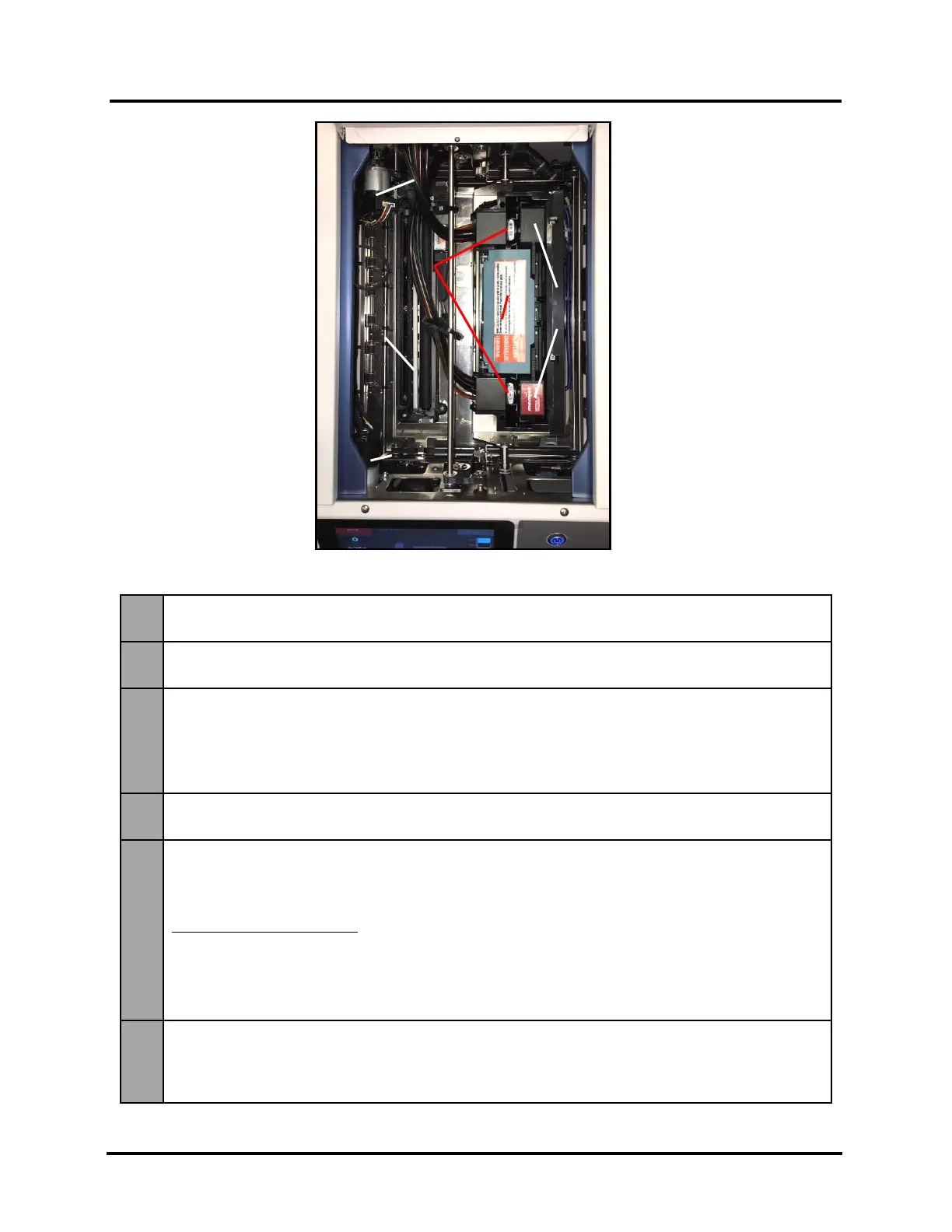
Print Engine View (Under Printhead Door)
1.
Service Station Sled Motor – Moves Service Station in and out from under Printhead
Assembly for inspection, cleaning or service.
2.
Ink Revolver Couplings – Connect ink hoses to Printhead Cartridge. Printhead Latch extends
and retracts couplings from Printhead.
3.
Printhead Latch – When closed connects Ink Revolver Couplings with Printhead Cartridge.
When opened, retracts Ink Revolver Couplings from Printhead Cartridge and provides access
to Printhead Cartridge for removal/replacement.
WARNING! Never attempt to open Printhead Latch manually, severe damage will result. Use
“Release Printhead” or “System Deprime” feature from Touchscreen.
4.
Printhead Cartridge – Memjet
®
Printhead produces an 8.77" (222.8 mm) wide full color print
area.
5.
Service Station – Maintains the Printhead.
The Printhead Assembly lifts and Service Station slides under Printhead to perform Printhead
maintenance and or to cap Printhead. The Service Station slides out from under Printhead and
Printhead Assembly lowers for printing and or “sled inspection”.
Contains 3 major components.
- Wiper Roller – Cleans excess ink and debris from Printhead.
- Cap – Keeps inkjet nozzles hydrated and protected when not in use.
- Tray – Holds above components and initially captures waste ink, which is then pumped into
Waste Ink Tray.
6.
Printhead Assembly Lifter Motor – Lifts and lowers Printhead Assembly.
During printing, Printhead Assembly is lowered.
During Printhead maintenance/cleaning or capping, Printhead Assembly lifts to allow Service
Station to slide under Printhead.



 To Next Page