SECTION 3
OPERATING PRINTER
42
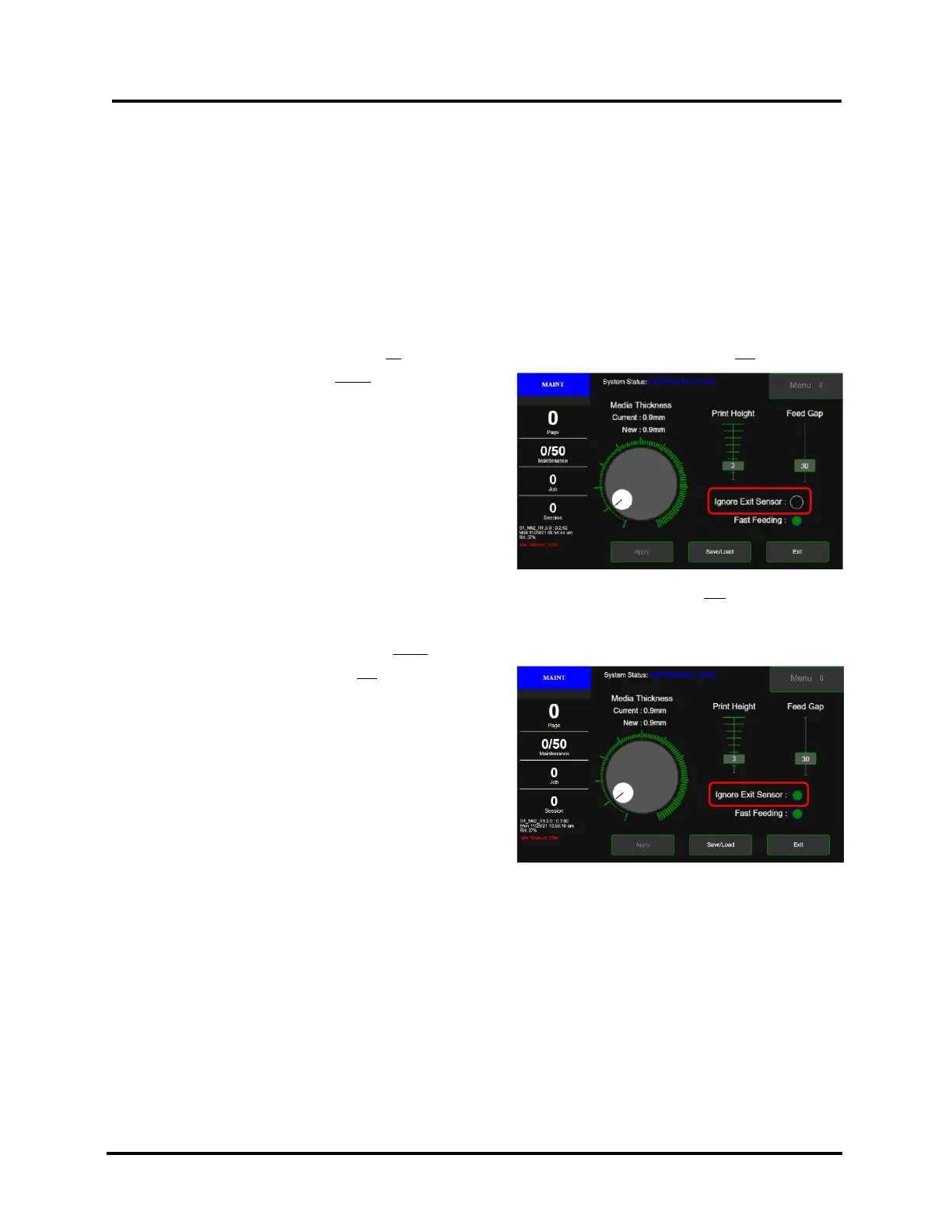
Ignore Exit Sensor selected
Ignore Exit Sensor not selected
Verify “Ignore Exit Sensor” Selection
Printer is equipped with an Exit Sensor that is used to help detect Media feeding issues.
The Exit Sensor is a reflective sensor, which looks up at the underside of the media. It is located under the Exit
Transport Cover, on the table-top, between Media Transport Belts.
Please see section titled “Print Zone Reference Tool” to help identify the position of the Exit Sensor, in relationship
to where the Media is being fed.
From the printer’s Touchscreen, select the appropriate choice for your application.
Please see section titled “Touchscreen Menu Choices and Features” for details on accessing “Media Setup” menu.
If the Media and media feed position meets all of the following points, “Ignore Exit Sensor” should not be selected:
• Media is positioned so the entire length of the Media
is passing over Exit Sensor.
• Underside of the Media is white or light in color
(reflective to Exit Sensor).
• Media doesn’t have any holes, cutouts or dark colors
that pass over Exit Sensor.
• Exit Sensor is clean (functioning properly).
In the following cases it will be necessary to select “Ignore Exit Sensor”.
• Media is positioned so it does not pass over Exit
Sensor.
• Entire length of Media does not pass over Exit
Sensor. Feeding Media that is not square or not
rectangular in shape.
• Underside of Media has dark colors that pass over
Exit Sensor.
• Media has hole or cutout that passes over Exit
Sensor.
• Exit Sensor is dirty (not functioning properly)
NOTICE: By selecting “Ignore Exit Sensor” you are reducing the printer’s ability to detect a media feed issue.
Therefore, printer transport may continue to run when a paper jam occurs. If “Ignore Exit Sensor” is selected, it
is strongly advised that you do NOT turn OFF “Double Feed Detection” (located in Toolbox, User Interface) at
the same time.



 To Next Page