SECTION 2
INSTALLING PRINTER
13
Unpacking
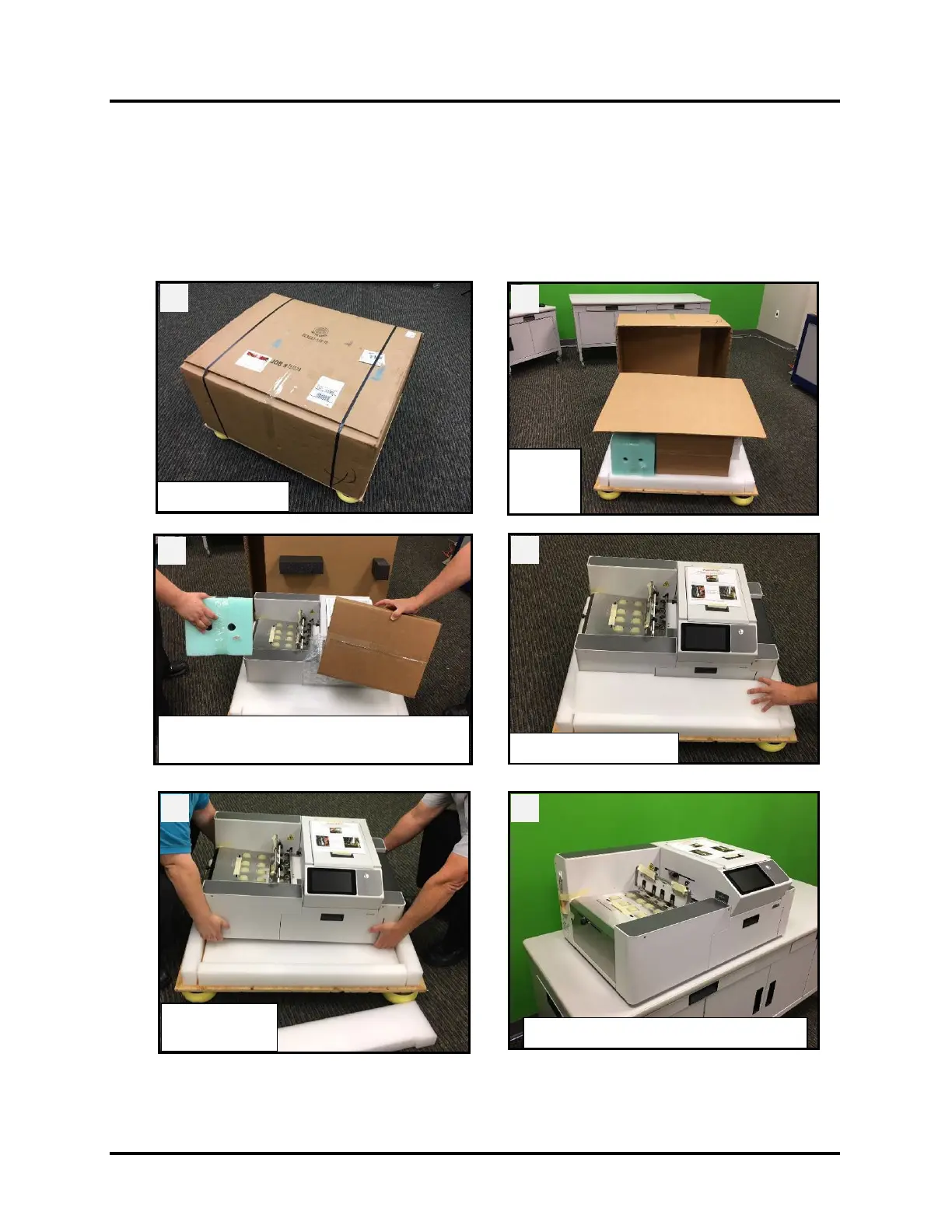
Please refer to the unpacking sequence, shown below.
NOTE: Packaging materials may vary slightly from what is shown below.
Please save packaging in a safe place, for possible future use.
Two people will be required to safely lift printer and place it onto a sturdy, level worktable.
IMPORTANT: WORKTABLE SURFACE MUST BE LEVEL!
Place Printer on Sturdy Level Surface
Outer
Lift off Inner Packaging.
Remove Ink Tanks and Accessories Box.



 To Next Page