SECTION 1
GETTING ACQUAINTED
7
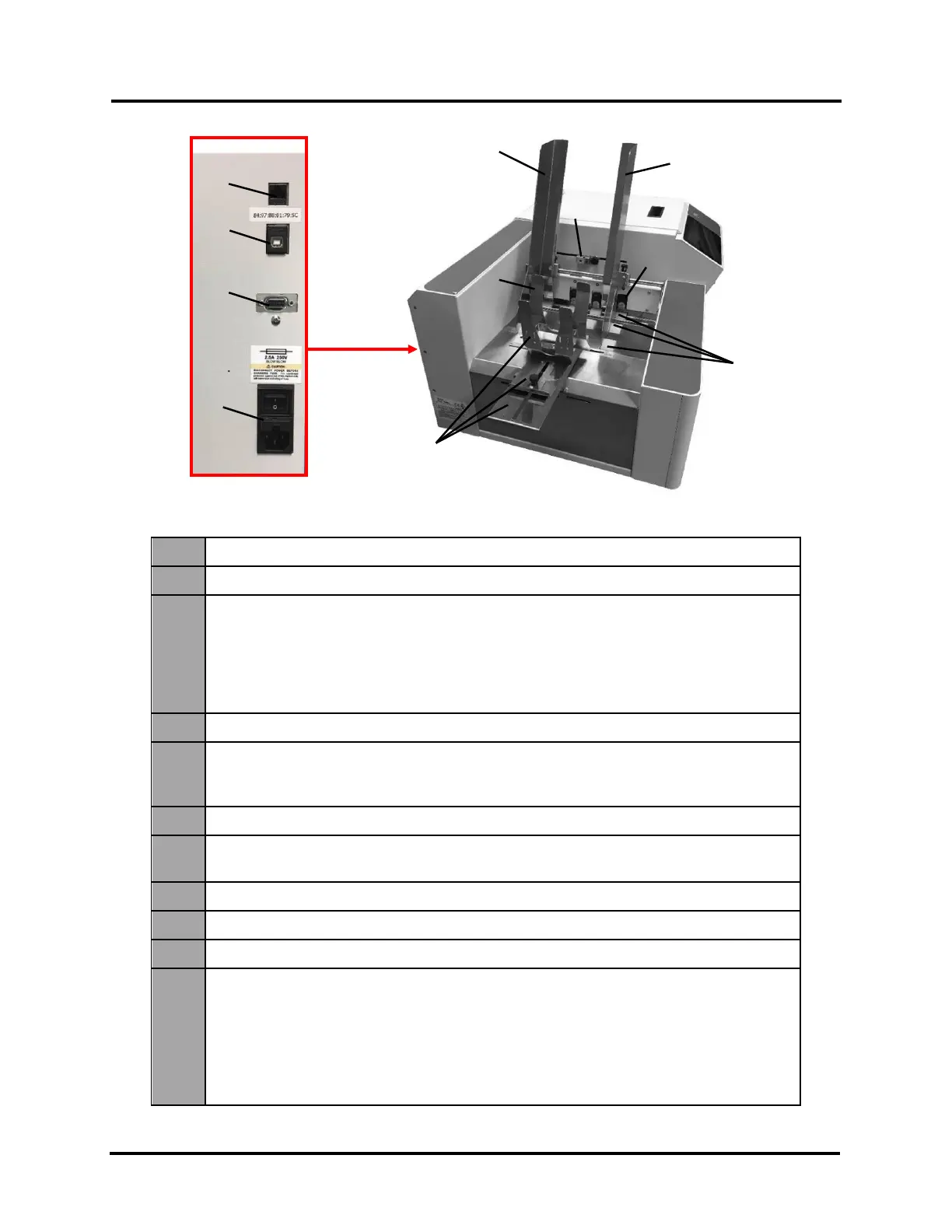
Entry End & Connections View
Media Side Guide - Inner – Used to guide inner edge of Media.
Media Side Guide - Outer – Used to guide outer edge of media.
3.
Feeder/Entry Sensor Assembly (adjustable) – Contains two sensors.
Feeder Sensor is used to control when next piece feeds. Entry Sensor detects
leading edge of media as it enters Print Engine area, and it is used to
measure/monitor media length. Adjustable position accommodates varying media
widths/positions and to avoid problem areas on media surface.
IMPORTANT: Be sure to position sensor assembly over media’s path.
Sheet Separators (four) – Separates each piece of media as it is fed.
5.
Media Support Wedge Extensions – Narrow and Wide Media Support Wedge
Extensions are provided to accommodate a wider variety of different media widths
and lengths. They attach to the Rear Media Support Guide [7].
Feed Rollers (twelve) – Delivers media from Feeder section into Print Engine area.
7.
Rear Media Support Guide/Sled – Helps to force media against sheet separation
area. Narrow and Wide Media Support Wedge Extensions attach to this device.
Network Port – Ethernet cable attaches to Printer here
USB Port – USB cable attaches to Printer here.
Interface Port – DB-9 Interface to connect Printer with other equipment (future use)
11.
Main Power Switch, Receptacle and Fuse. – Plug in power cord here.
Switch turns main power ON/OFF. Fuse protects Printer’s electronic circuits.
IMPORTANT! Press Soft-Power Button to power-down Print Engine. Wait until Soft-
Power Button light turns off before you turn off main power switch.
For best system performance, it is recommended to keep Print Engine
powered-up at all times.
Panel



 To Next Page