882 Video Test Instrument User Guide (Rev A.35) 105
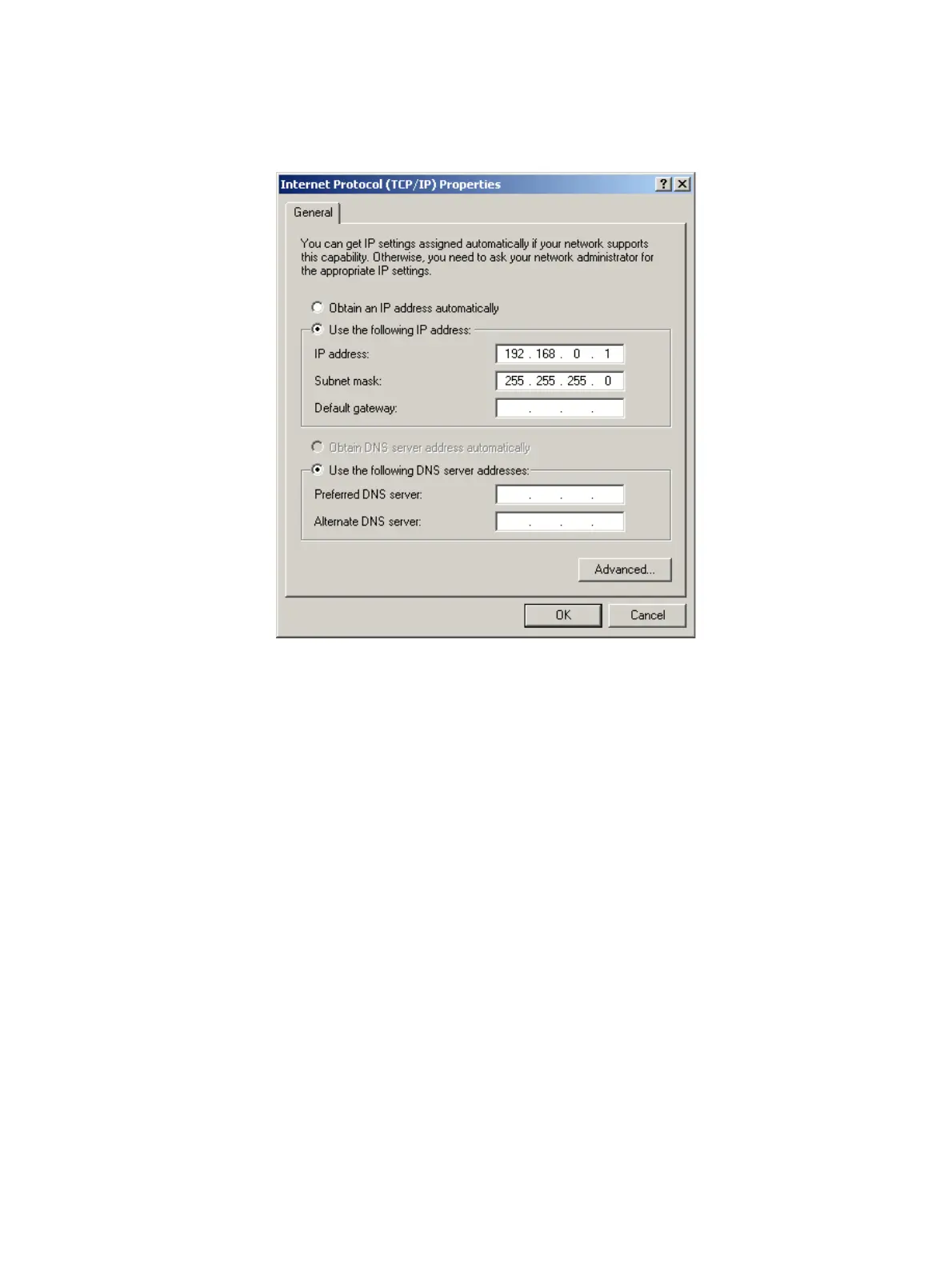
4. In the Internet Protocol (TCP/IP) Properties dialog box, select Use the following IP
address and type the IP address in the box.
Note: IP addresses consist of a network component and a host component. The
network component is represented by the first 3, 6, or 9 digits of the address,
depending on the network class. The host component is the last 3 digits. The network
component of the IP address you enter for the PC must match the network component
of the generator’s IP address. The host component of both IP addresses must be
different. You do not have to specify the DNS server.
5. Enter the subnet mask such that the network portion of the address is masked to a
value of 255 for each.
6. Connect the crossover cable between the ETHERNET jack on the generator and the
Ethernet jack on the PC.



 To Next Page