108 Chapter 3 Administrative Tasks
6. Scroll down to the allow viewing and selection of the BootNow item as shown below.
7. Select BootNow by pressing the adjacent item selection key.
8. The following display appears:
9. Press the + key to boot the generator.
To boot a generator that has a corrupt file system:
1. Configure a PCcard with Release 2.6 (vxWorks file: 20.1883600) or later including all
the System and Library files.
Note: Please note that you must us a PCMCIA card that is formatted in FAT16
filesystem. If you use an card that is formatted in FAT32, the 882 will not boot.
2. Insert the PCcard in the generator’s card slot.
3. Power down the generator, hold down the Tools key and then re-apply power to the
generator. The following screen appears on the generator’s display:
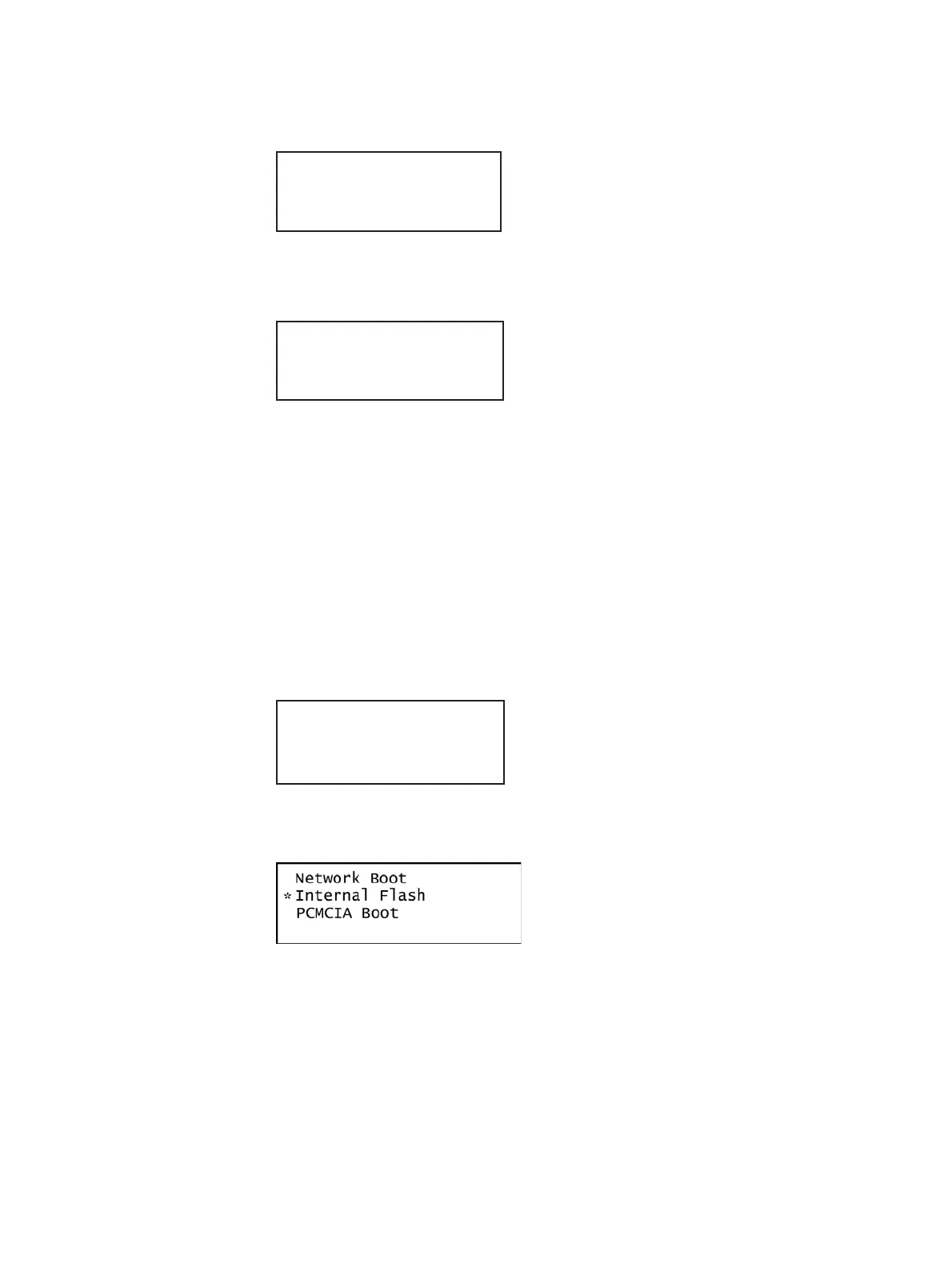
4. Choose the !BootDev item, and then choose the PCMCIA Boot item from the menu
below:
5. Press the Options (Enter) key to save the configuration.
6. Either restart the generator by cycling the power or press the Tools key to return to the
boot menu.
!FileName !Other
!InetAddr !TrgtName
!HostAddr BootNow
!User
Press UP arrow
to Boot Now
!BootDev !Passwd
!HostName !Flags
!FileName !Other
!InetAddr !TrgtName



 To Next Page