882 Video Test Instrument User Guide (Rev A.35) 299
To test an HDMI display using HDMI 8-channel audio from the 882:
1. Set up the 882 for HDMI output. See “Setting up the 882 for HDMI testing” on page 259.
2. Press the Source key and select the first test format (for example: DMT0660 or
480i2x29).
Alternatively, to select the format using the command line interface, enter the following
commands:
FMTP /tffs0/Library/Formats // Set format path to 882 memory
FMTL 480i2x29 // Loads the 480i2x29 format
FMTU // Activates the 480i2x29 format
3. Press the Content key and choose one of the audio images used for amplitude
adjustment (for example, Audio_1).
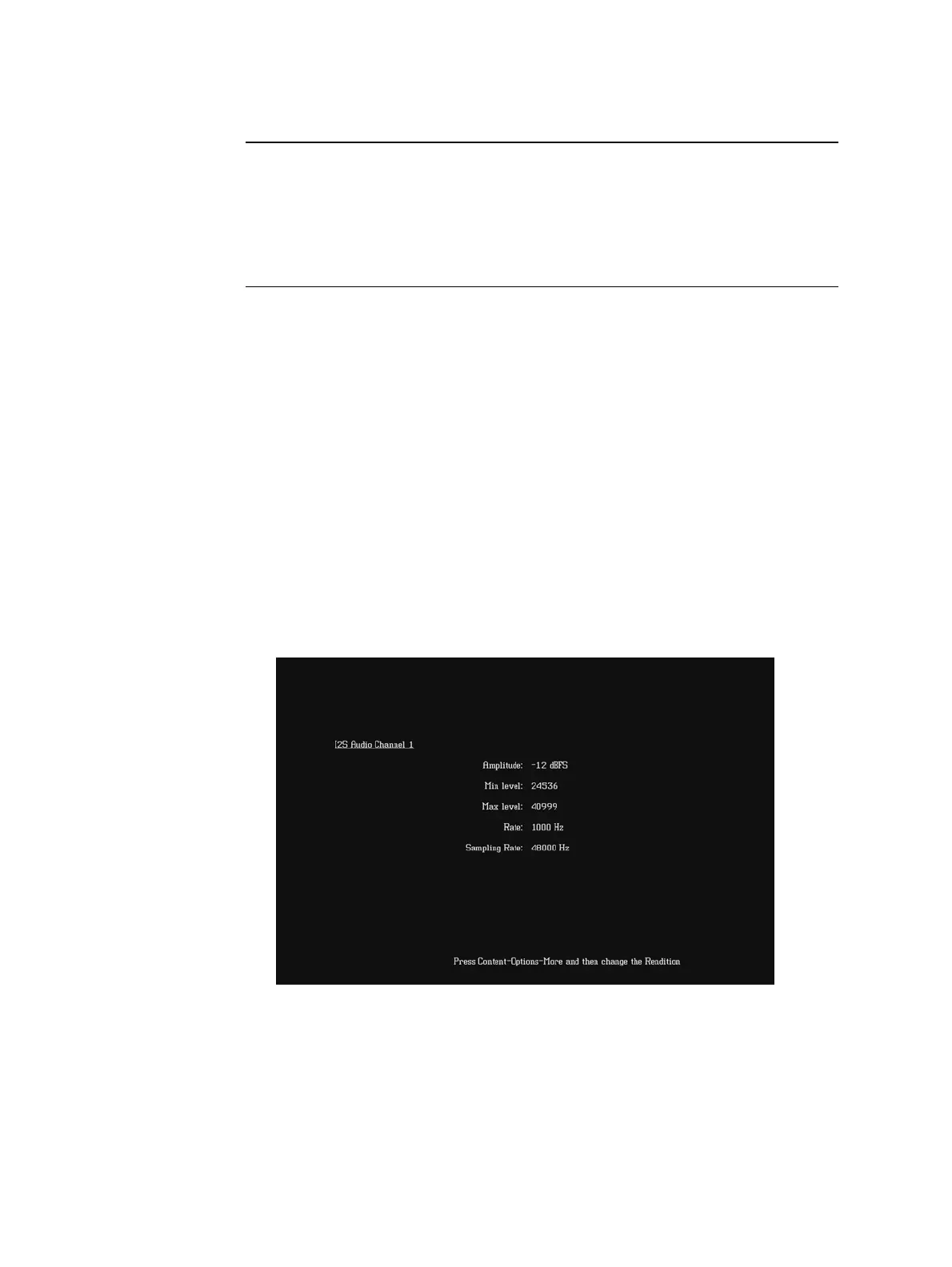
The image appears on the connected HDMI display. The image shows the current
settings for the HDMI audio output. For example, the Audio_1 image is shown below.
Alternatively, to select the audio image using the command line interface, enter the
following commands:
IMGP /tffs0/Library/Images // Set image path to 882 memory
IMGL AUDIO_1 // Loads the Audio_1 image
IMGU // Activates the Audio_1 image
Audio_7f Channel 7 output with adjustable frequency.
Audio_8 Channel 8 output with adjustable amplitude.
Audio_8f Channel 8 output with adjustable frequency.
Audio_X All channels output with adjustable amplitude.
Audio_Xf All channels output with adjustable frequency.
Image Description



 To Next Page