326 Chapter 10 Testing Lipsync
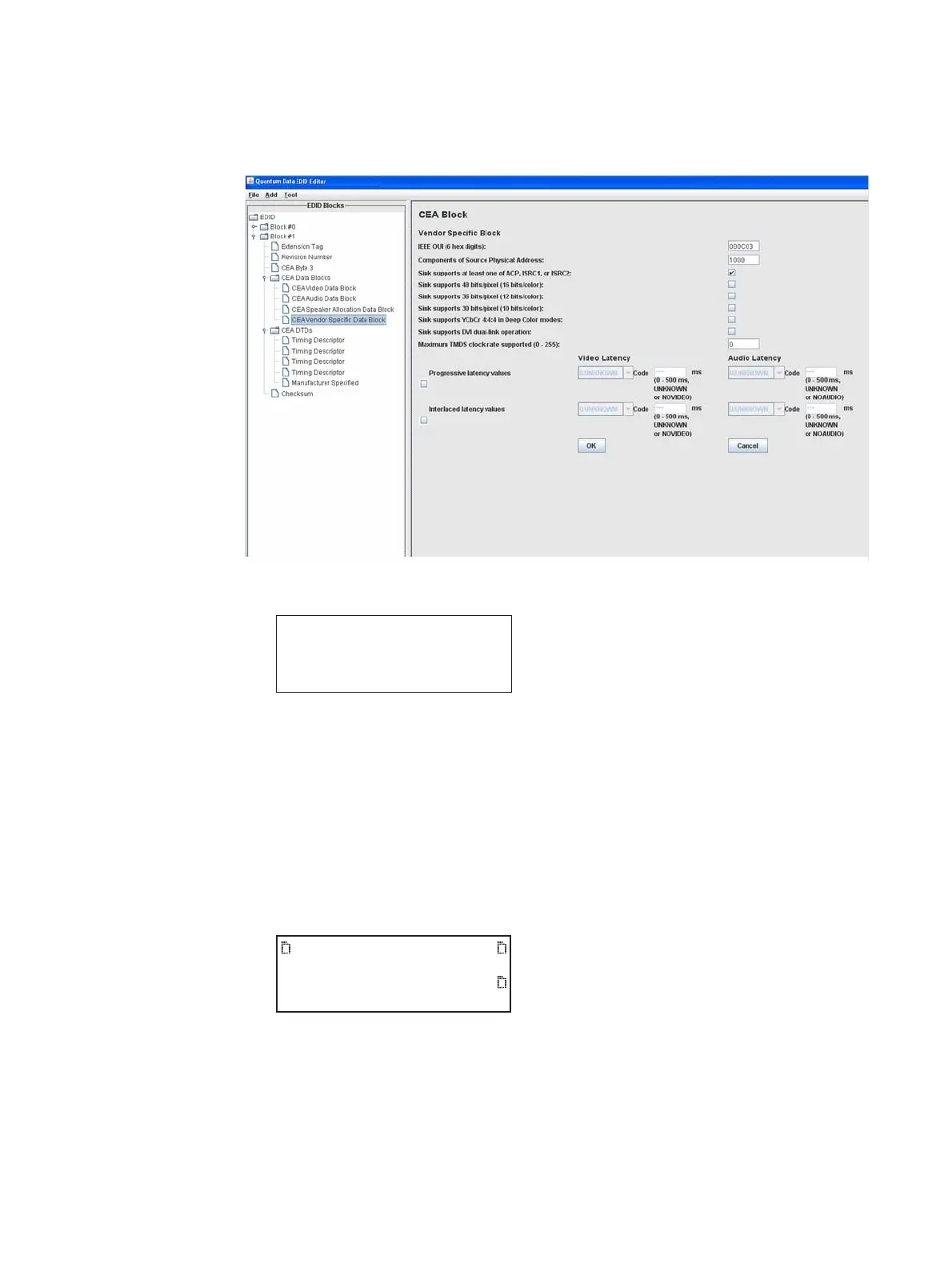
emulating an EDID on the analyzer. In the EDID Editor, the Vendor Specific Block
screen with the Video Latency and Audio Latency fields is shown below:
3. Press the Interface key repeatedly until the following menu appears:
4. Choose the connector to which the source device is connected by pressing the
adjacent soft key.
5. Connect an HDMI-to-HDMI cable between the HDMI IN connector on the analyzer and
HDMI Port on the source device. The EDID is read from emulated display on the
analyzer, and lipsync latency values are processed by the source device.
6. From source device, generate supplied lipsync test image.
7. On the 882, press the Tools key. The Tools menu appears on the 882’s display as
shown below.
HDMI IN 1
HDMI IN 2
*
System
Sequence
Probe
AFC
Analyzer
Reports
ImgShift



 To Next Page