882 Video Test Instrument User Guide (Rev A.35) 83
To test the bit timing through the CEC/CDC Controller:
1. Access the CEC/CDC Controller using the procedures in “To run the CEC/CDC
Controller:” on page 78.
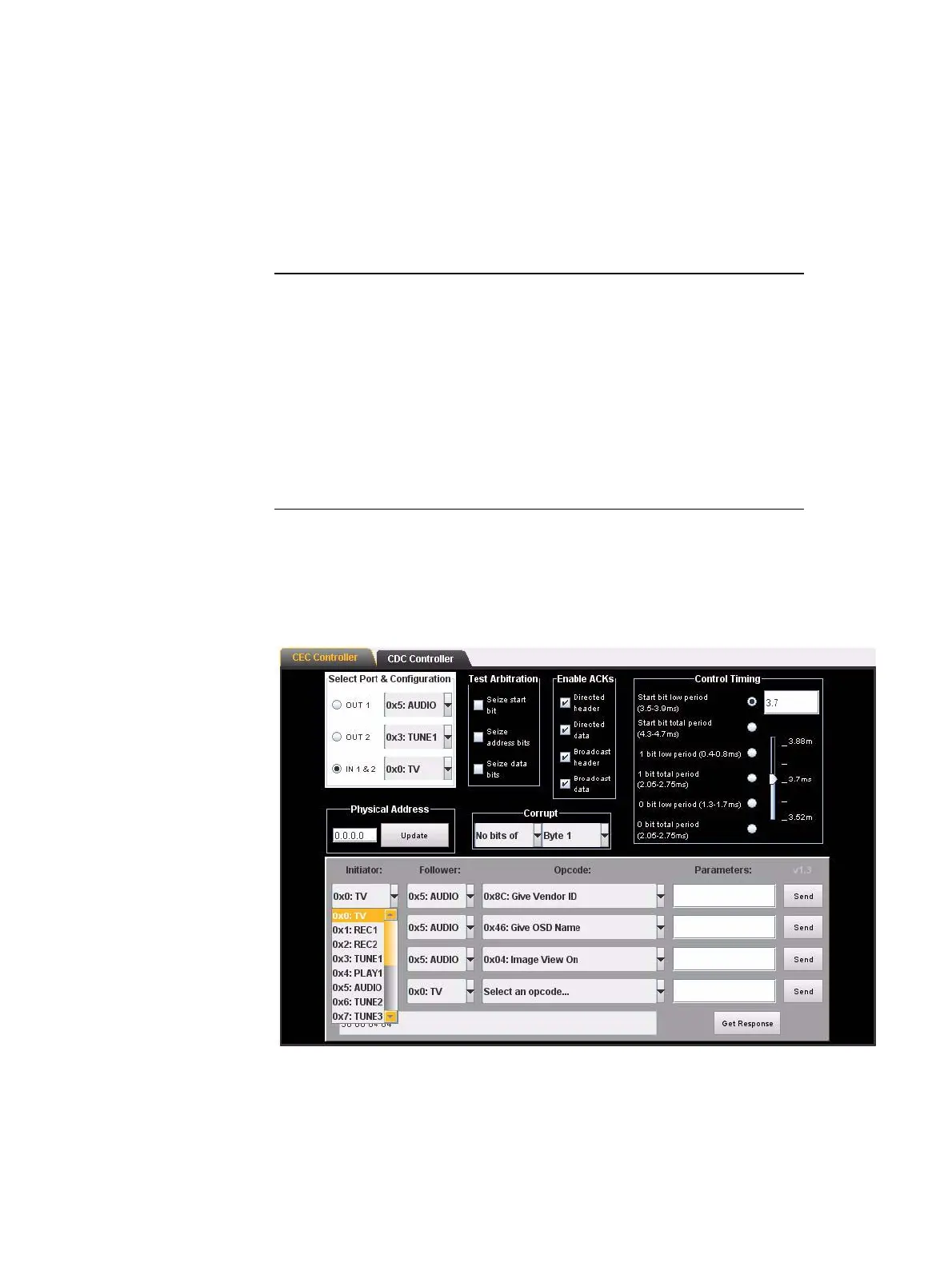
The table below describes the fields of the Control Timing portion of the CEC
Controller dialog box.
1. Select the device type in the Initiator and Follower pull down select boxes.
For example if you have configured your 882 to emulate a TV then you would specify
the initiator as a TV and the follower as the device under test. Refer to the screen shot
below:
2. Select the command that you wish to send from the Opcode pull down select box.
Setting Function
Start bit low period sets the time duration of the start bit low period
Start bit total bit period sets the time duration of the start bit total period
which enables you to set the high period
1 bit low period sets the time duration of the 1 bit low period
1 bit total period sets the time duration of the start bit total period
which enables you to set the high period
0 bit low period sets the time duration of the 0 bit low period
0 bit total period sets the time duration of the 0 bit total period
which enables you to set the high period



 To Next Page