882 Video Test Instrument User Guide (Rev A.35) 89
CEC1:CECT:BADM 4 //indicates that the bit error will occur on the
fourth bit of the 2nd byte in the next message.
To test acknowledgement through the CEC/CDC Controller:
1. Access the CEC/CDC Controller using the procedures in “To run the CEC/CDC
Controller:” on page 78.
2. Select the acknowledgement test you wish to run.
The table below describes the checkbox fields of the Enable Acks portion of the
CEC/CDC Controller dialog box.
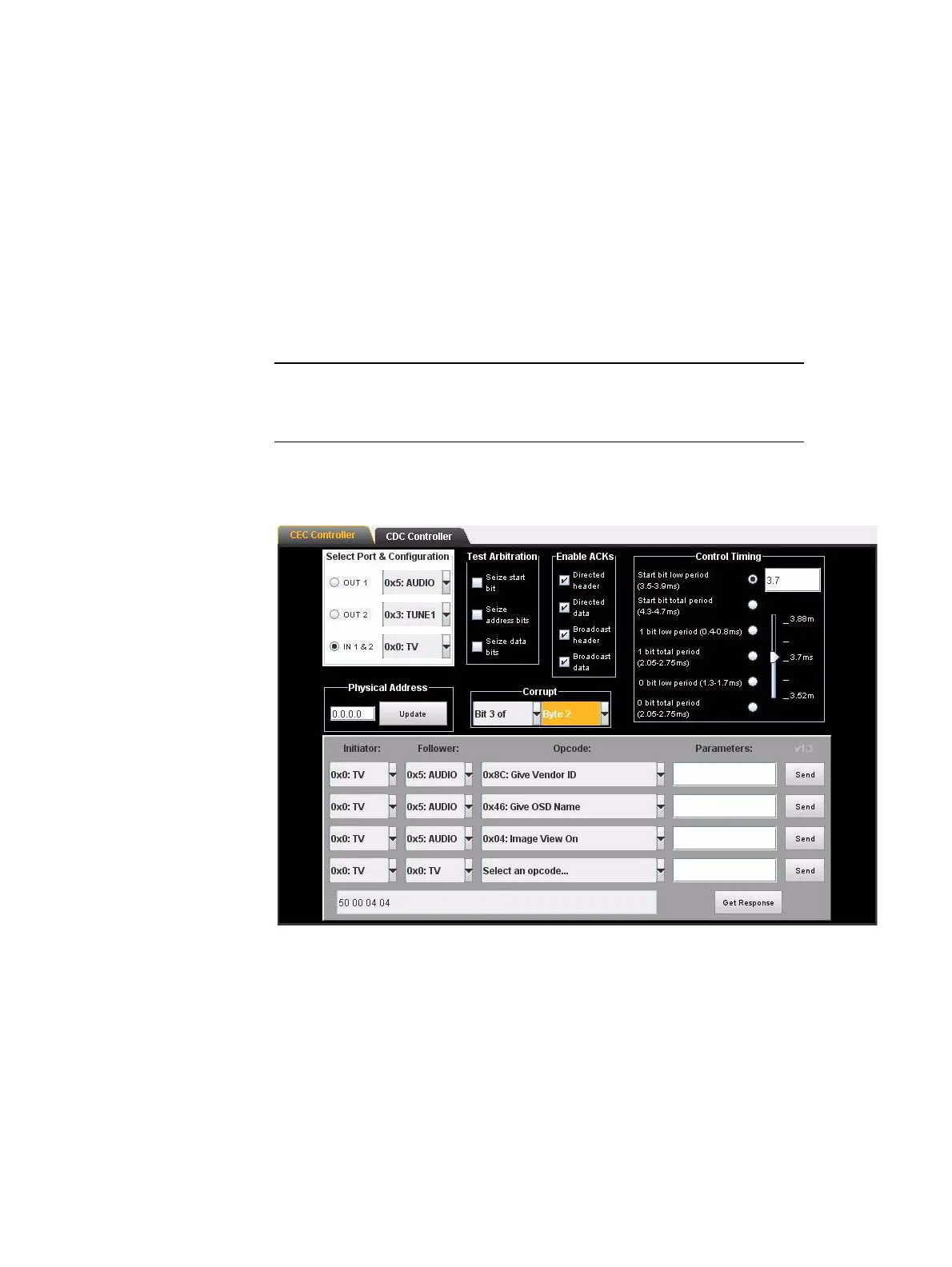
Refer to the screen shot below which shows the Corrupt bit setting applied to Bit 3 of
Byte 2:
L
3. Select the device type in the Initiator and Follower pull down select boxes.
4. Select the command that you wish to send from the Opcode pull down select box.
5. Send the command by clicking on the Send activation button.
6. Monitor the effects of the corrupt bit test using the ACA. Refer to “To monitor the CEC
bus (channel):” on page 467 for instructions on monitoring the commands through the
ACA.
Setting Function
No. bit of Determines which bit of a byte you want to corrupt
Byte Determines which byte of a message you want to
corrupt a bit



 To Next Page