MASTER FEED
C252 3-10 SM
Installation
If the following cautions are not followed, the thermal head will be installed
incorrectly.
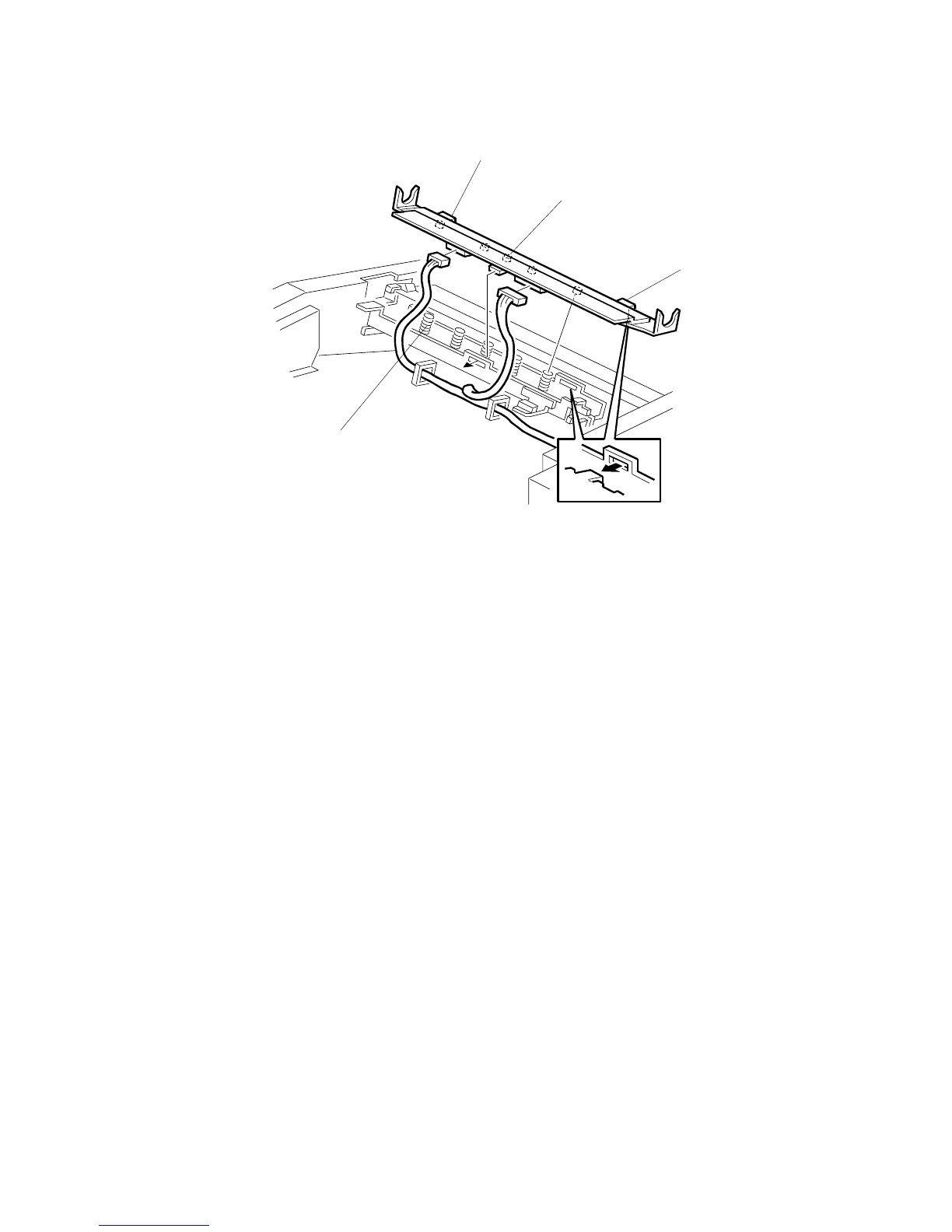
1. Fit the base’s springs [A] over the protrusions [B] on the underside of the
thermal head (5 points).
2. While fitting the tops of the springs [A] over the protrusions on the underside of
the thermal head, hook the lock pawls [C] of the thermal head onto the base (3
lock pawls). Make sure to set the front side (the paper table side) first.
3. Make sure that all protrusions are properly fitted into the springs.
NOTE:
1) Adjust the thermal head voltage (!3.5.3) after installing the new
thermal head.
2) Don’t touch the surface of the thermal head with bare hands. (If you
touch it, clean the surface with alcohol.)
3) Don’t touch the terminals of the thermal head connectors with bare
hands.
C252R011.WMF
[A]
[B]
[C]
[C]











 To Next Page