DRUM
SM 3-29 C252
Replacement
and
Adjustment
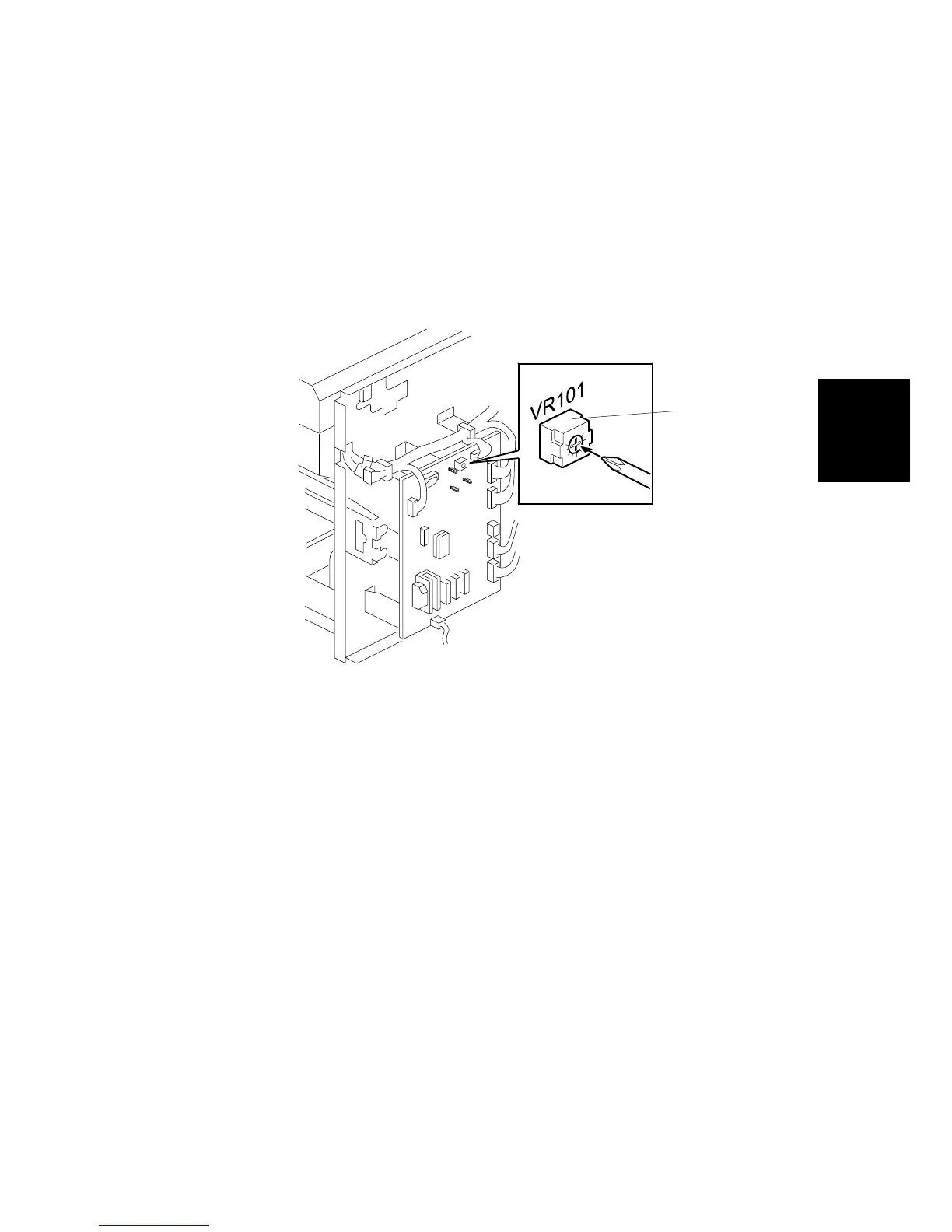
3.9.6 INK DETECTION ADJUSTMENT
Purpose: To ensure that the CPU detects a no ink condition.
CAUTION: Before attempting this procedure, wipe off the ink around the ink roller.
To do this, set SP3-6 (Ink Detection) to OFF, and feed paper until the
ink ends. The setting value returns to default value if the power is
switched off/on.
Standard: 4.0 ± 0.2µs
• Rear cover (!3.2.2)
1. Access SP6-40.
2. Turn VR101 [A] on the MPU board until the display is “4.0 ± 0.2u” (4.0 ± 0.2µs).
NOTE: When the drum has ink inside, the machine displays “----“.
C252R037.WMF
[A]











 To Next Page