PAPER DELIVERY
SM 3-33 C252
Replacement
and
Adjustment
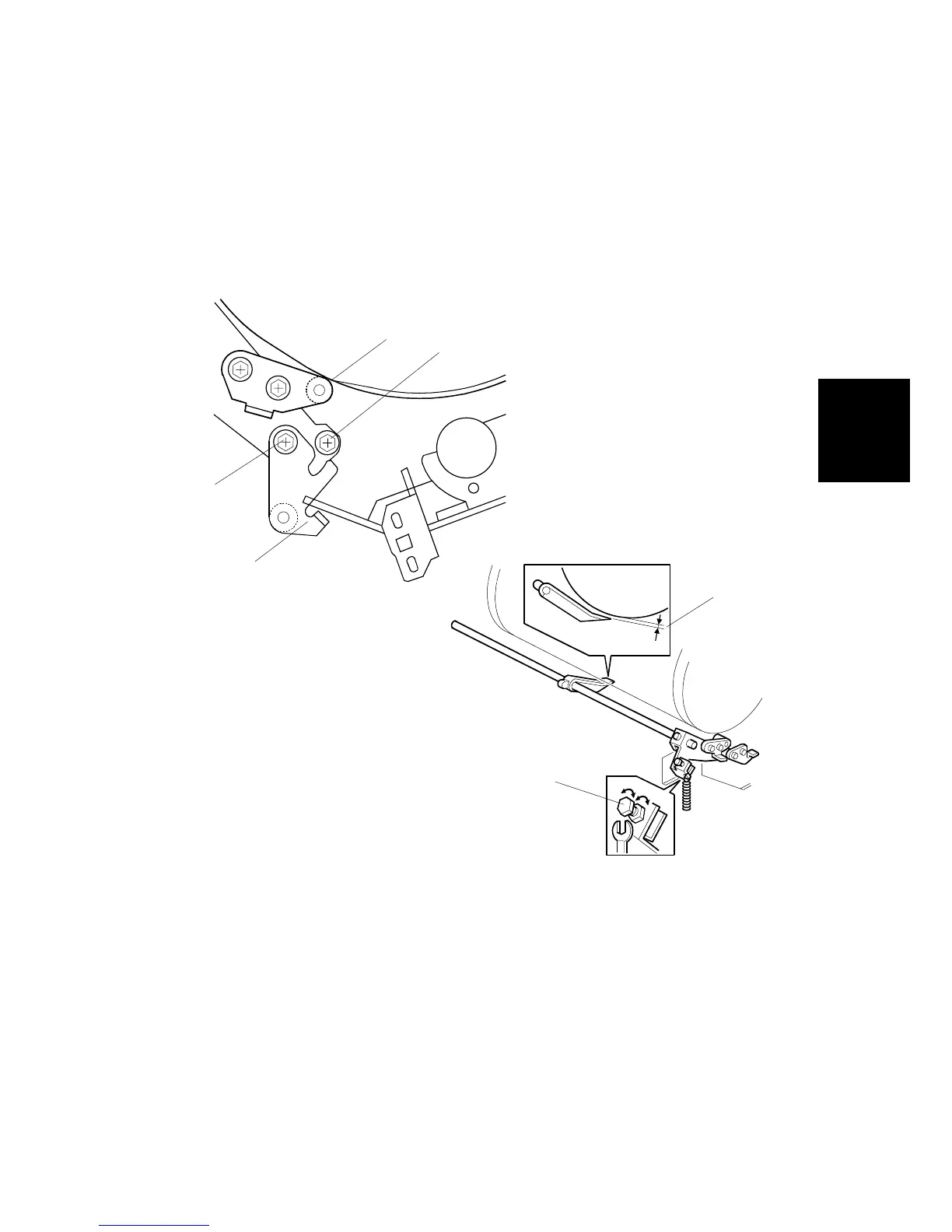
3.10.4 EXIT PAWL ADJUSTMENT
Purpose: To ensure that the exit pawls can move out of the way of the drum
master clamper while the drum is rotating.
Clearance adjustment
Standard: Within 1.15 ± 0.15 mm
• Front cover (!3.2.1), Rear cover (!3.2.2)
1. Loosen screw [A] then screw [B] in this order (do not remove them). Make sure
that the bracket [C] becomes free from engagement and the cam follower [D]
contacts the drum flange.
2. Using a gap gauge, measure the clearance [E] between the drum surface and
the exit pawls. It should be 1.15 ± 0.15 mm.
3. If the clearance is not correct, adjust the clearance by turning the bolt [F].
4. Reposition the bracket [C] and tighten the screws [A] and [B].
5. Do the timing adjustment (see the next section).
C252R033.WMF
C252R032.WMF
[A]
[B]
[C]
[D]
[E]
[F]











 To Next Page