DRUM
C252 3-24 SM
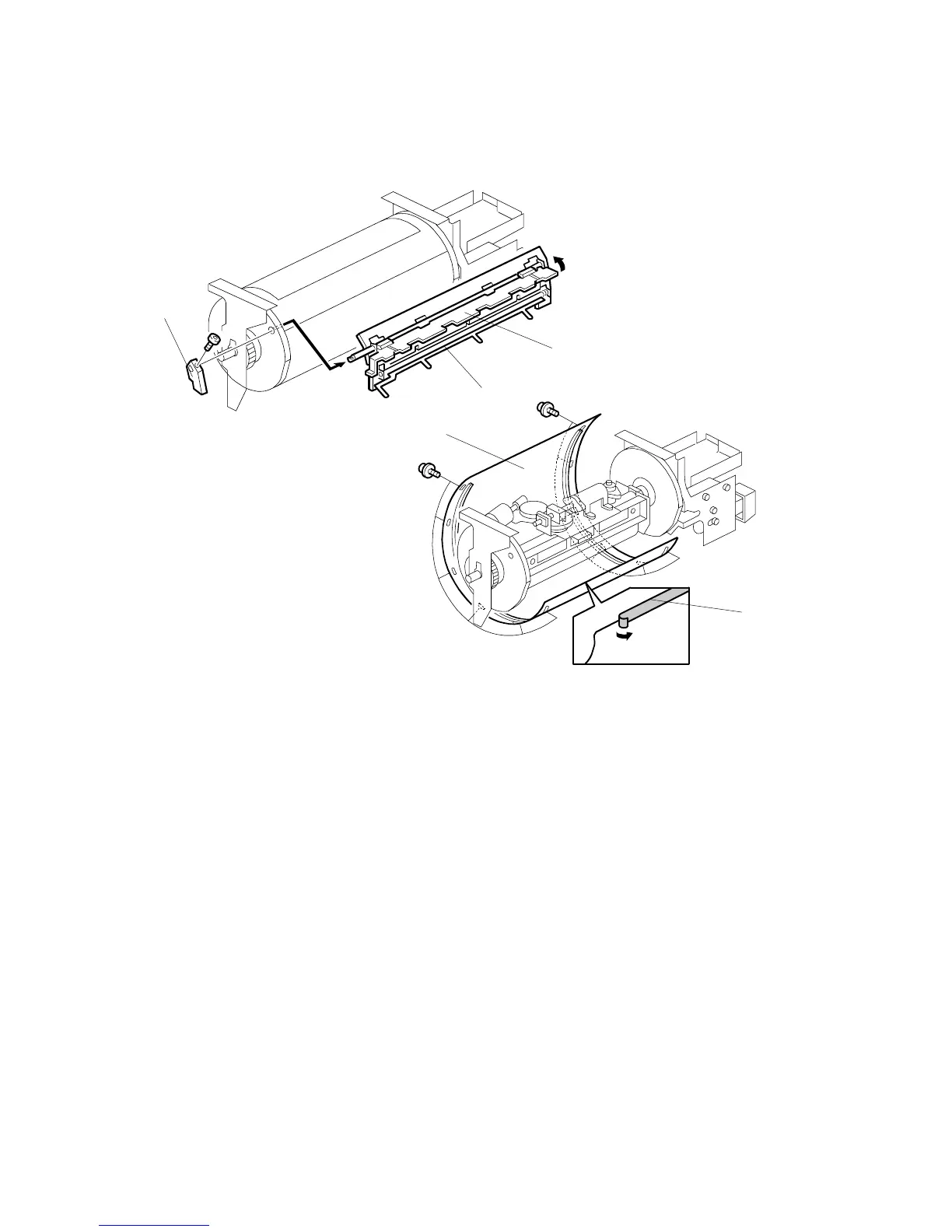
3.9.3 CLAMPER / METAL SCREEN
• Remove the drum
• Cloth screen (! 3.9.2)
[A]: Clamper lever (1 hexagon screw)
[B]: Clamper - open the clamping plate [C], then remove the clamper.
NOTE:
1) Do not allow ink to get on the inside of the clamping plate [C].
Otherwise, the master may slip off and the image position on the
prints will move toward the trailing edge of the prints during a
printing run.
2) Use a cloth dampened with water to clean the inside of the clamping
plate [C]. Never use alcohol or other solvents, or the clamping force
of the magnet will be weakened.
[D]: Tape (do not lose it)
[E]: Metal screen ( x 12)
C252R909.WMF
C252R910.WMF
[A]
[B]
[C]
[D]
[E]











 To Next Page