DRUM
C252 3-26 SM
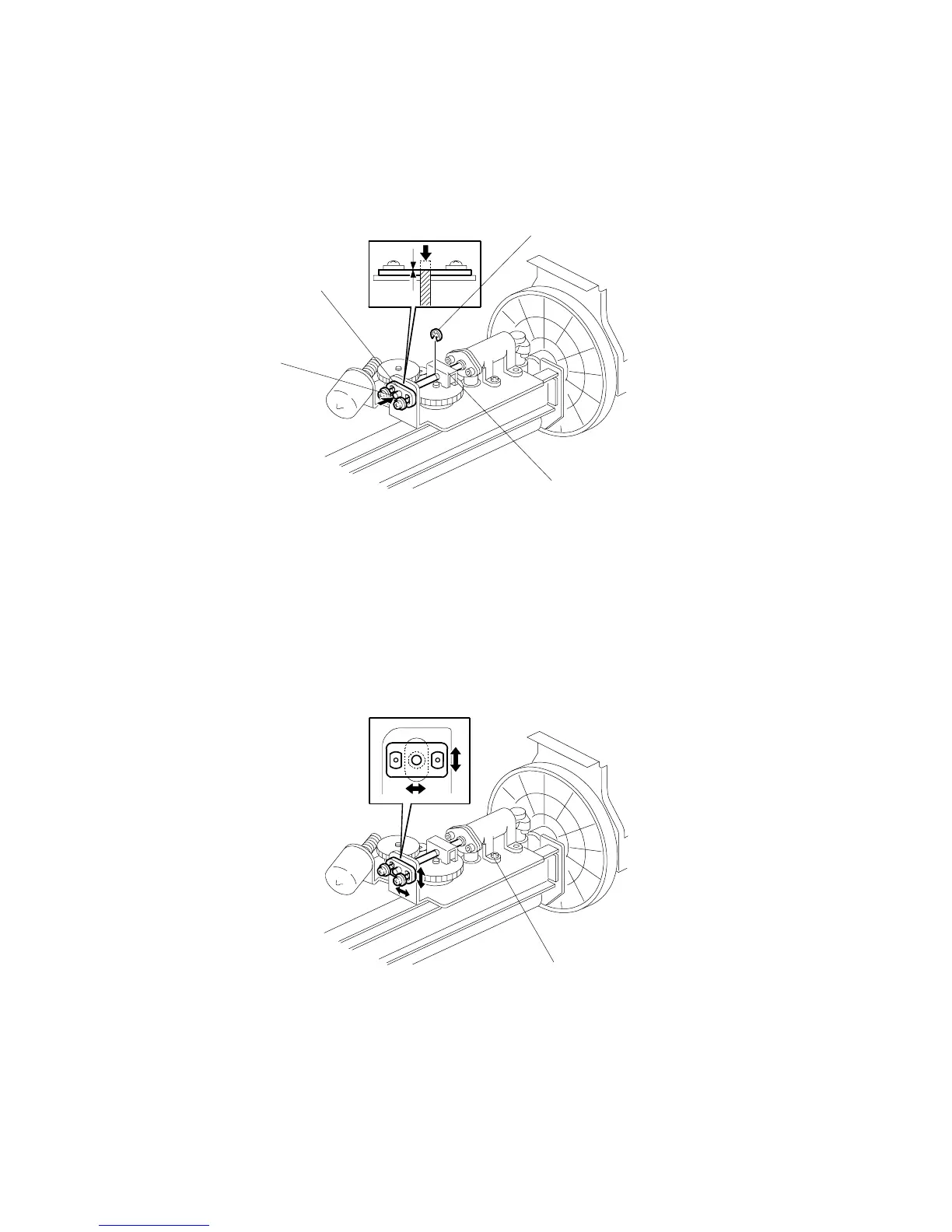
3.9.4 INK PUMP ADJUSTMENT
Purpose: To ensure the smooth operation of the ink pump plunger by properly
positioning its holder.
• Remove the drum
• Cloth screen (! 3.9.2)
• Clamper / Metal screen (! 3.9.3)
1. Remove the E-ring [A] to free the plunger from the pump drive slider [B].
2. Loose the two screws securing the holder [C]. (Do not remove the holder.)
3. Push the plunger [D] until it reaches the bottom.
NOTE: The end of the plunger [D] should project 1mm outside from the holder
[C].
4. Check that the piston motion is smooth.
5. If the motion is stiff, loosen the pump screws [E] and adjust the pump position.
6. After tightening, repeat step 4 and step 5.
C252R024.WMF
C252R025.WMF
[A]
[B]
[C]
[D]
[E]











 To Next Page