DRUM
C252 3-22 SM
3.9 DRUM
3.9.1 PREPARATION
Before attempting any of the procedures in this section, wipe off the ink around the
ink roller. To do this, set SP3-6 (ink detection) to off, and feed paper until the ink
ends. The setting value returns to the default value when power is switched off/on.
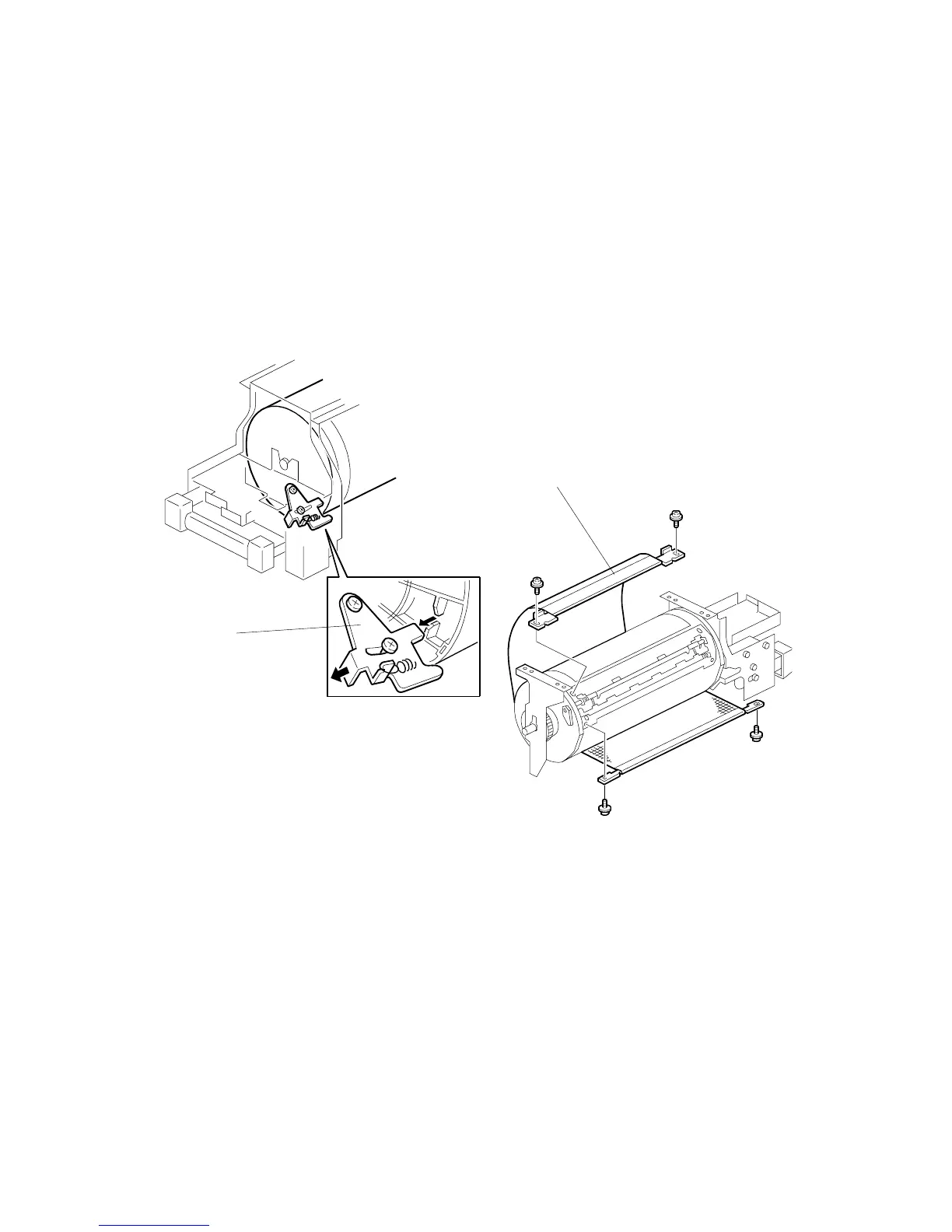
3.9.2 CLOTH SCREEN
• Remove the drum
1. Remove the drum upper bracket ( x 4).
2. Release the stopper [A], then rotate the drum until the master clamper faces
top.
3. Remove the cloth screen [B] ( x 4).
C252R904.WMF
C252R905.WMF
[B]
[A]











 To Next Page