MAIN DRIVE
C252 3-36 SM
3.11 MAIN DRIVE
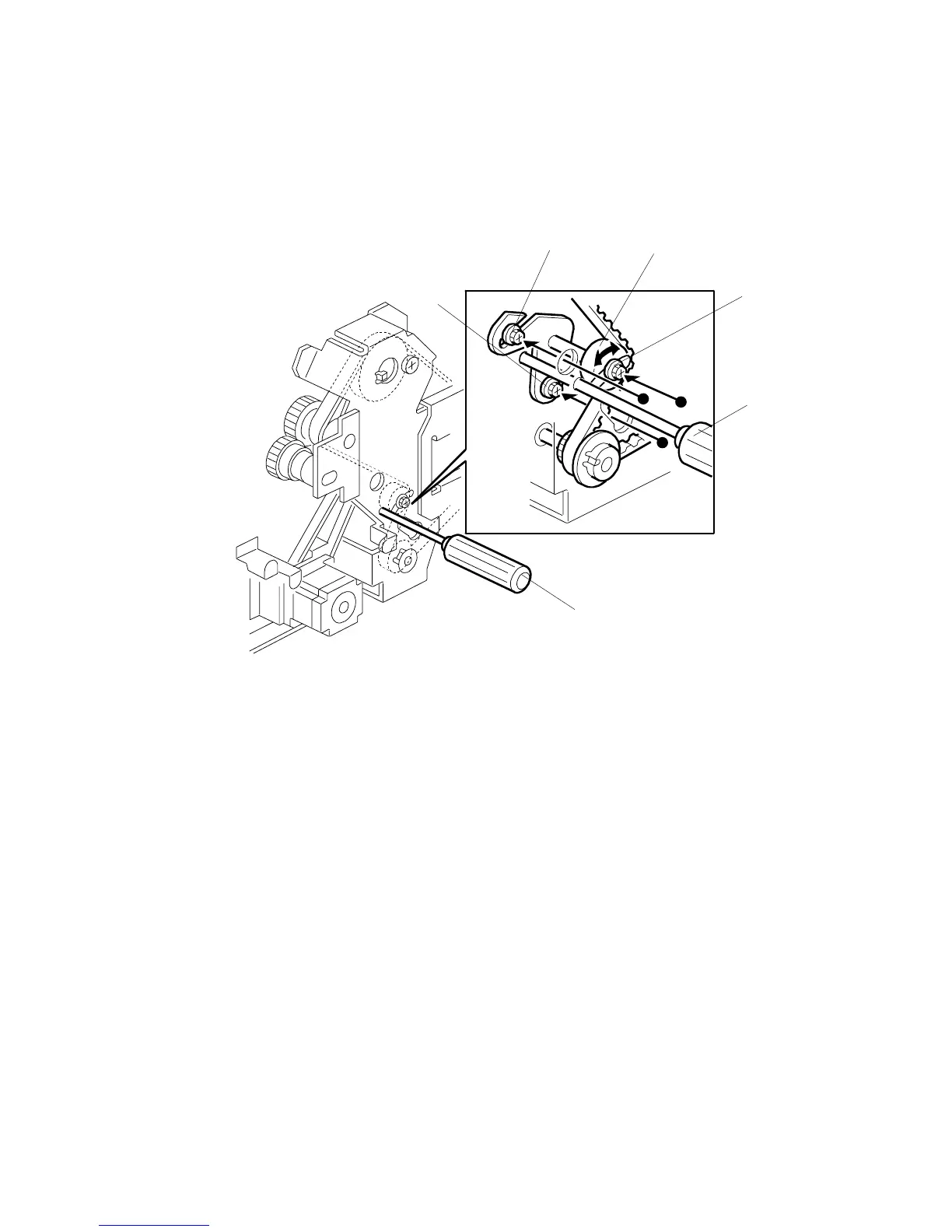
3.11.1 MAIN DRIVE TIMING BELT ADJUSTMENT
After the timing belt is replaced, correct belt tension must be applied.
• Rear cover (!3.2.2)
• MPU (!3.3.1)
• PSU (!3.3.2)
1. Loosen the screws [A], [B], and [C].
2. Move the tension roller [D] to the right with a screwdriver [E] as shown.
3. Tighten the screws [A], [B], and [C].
4. Remove the screwdriver.
C252R035.WMF
[A]
[B]
[C]
[D]
[E]
[E]











 To Next Page