MASTER FEED
C252 3-12 SM
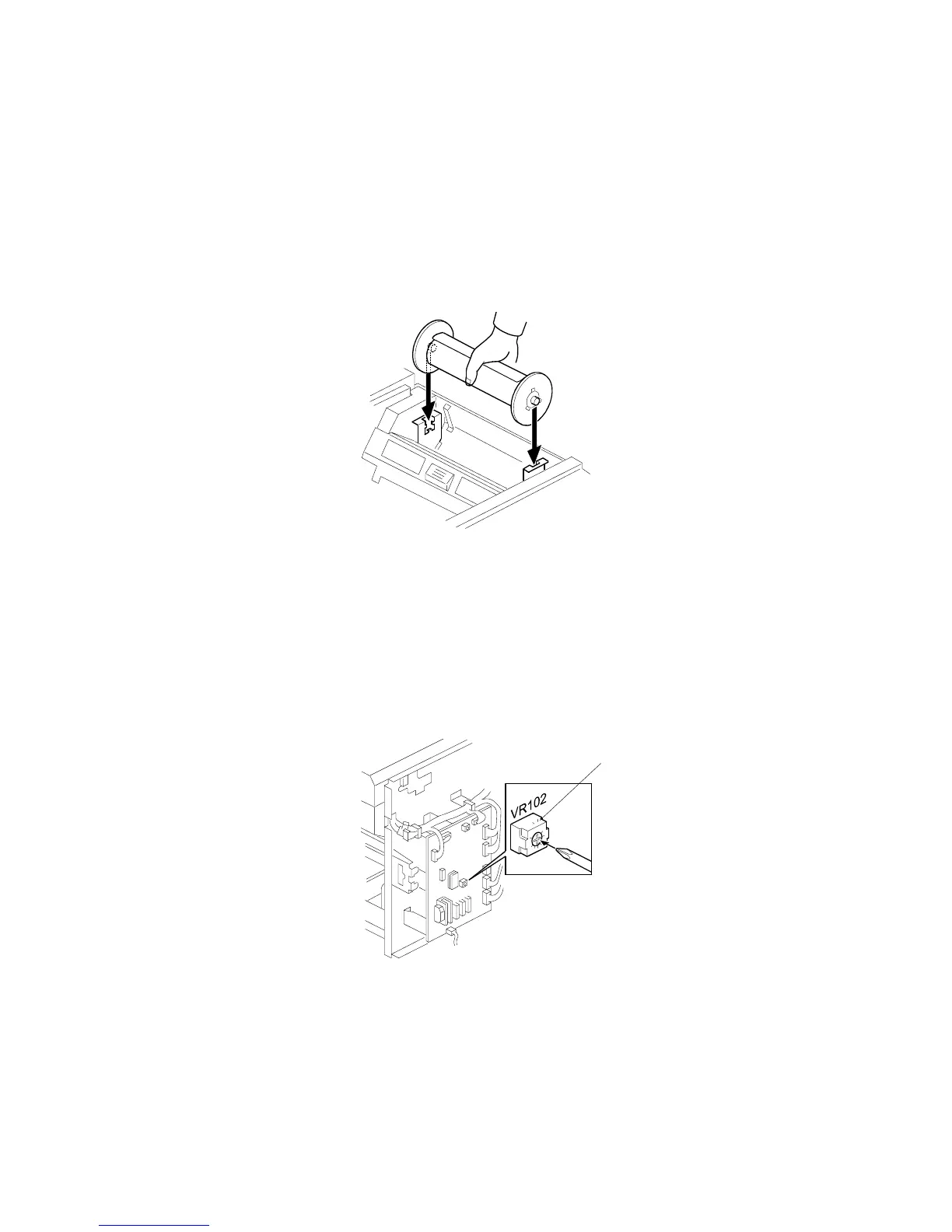
3.5.4 MASTER END SENSOR ADJUSTMENT
Purpose: To ensure that the sensor detects the end mark (a solid black area) on
the master roll.
Standard: 2.0 ± 0.1 volts
Tools: The core of a used master roll (the core just before a master end display
appears)
• Rear covers (!3.2.2)
1. Place the core inside the master making unit, and close the master making
cover.
2. Connect the power plug, and turn on the main switch.
3. Access SP6-41.
4. Turn VR102 [A] on the MPU board until the display is 2.0 ± 0.1 volts.
C252R900.WMF
C252R039.WMF
[A]











 To Next Page