Creating a Remote Contact List
This section explains how to create a contact list using a text editor or spreadsheet software, and to add
it.
When the import is complete, the contact list is overwritten.
• When adding a remote contact list, do not insert any memory storage devices other than a USB
flash memory device, such as a CD-ROM.
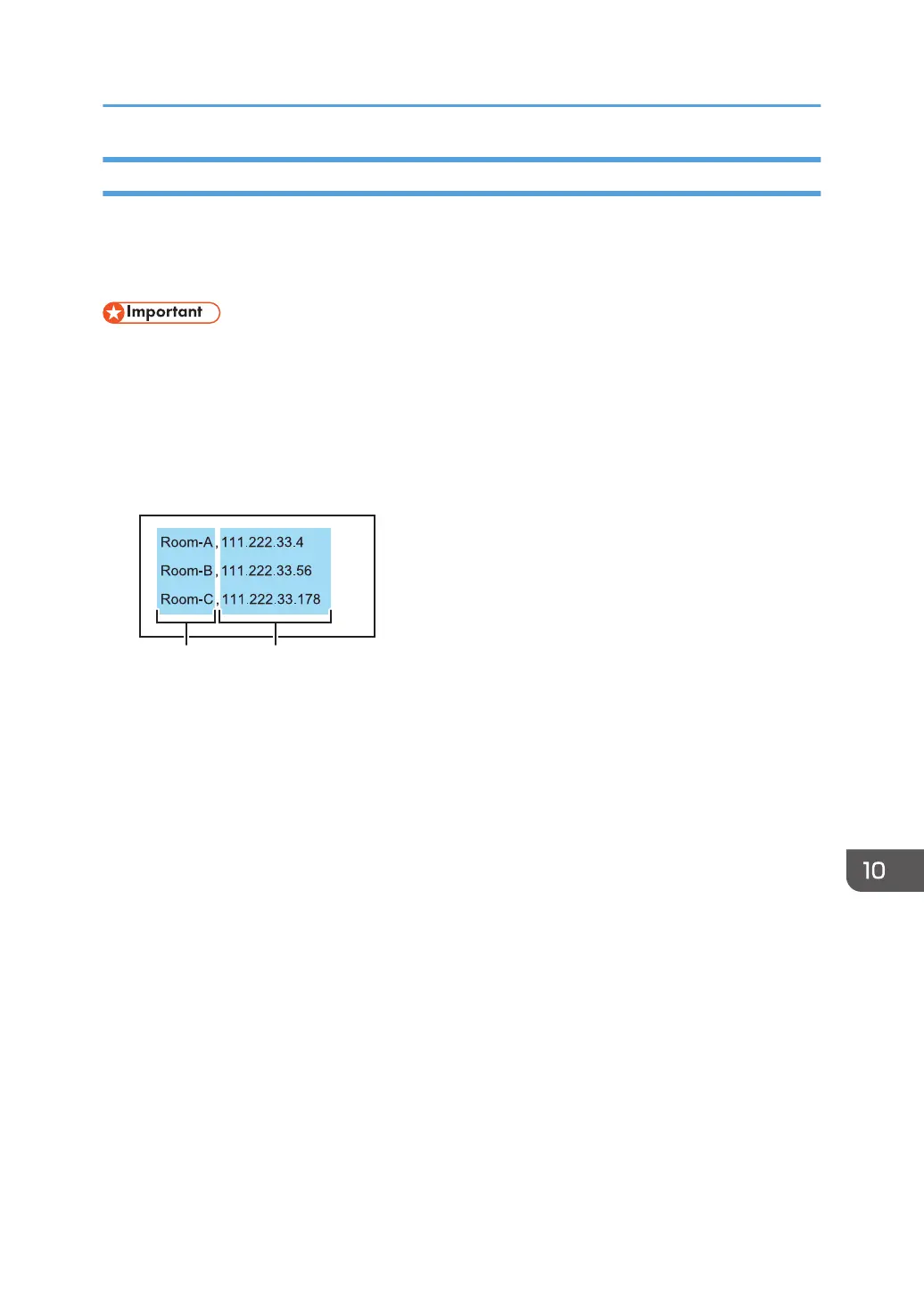
1. In the first column of each row, enter the name (nickname) of a host whiteboard. In the
second column, enter the corresponding IP address of the host whiteboard.
The maximum number of IP addresses that can be registered is 100. Although you can enter a
101st address, it cannot be registered.
1. Nicknames
Enter the name of the device that uses a remote whiteboard. The number of characters must be 20 or
less. If you omit the nickname, a blank entry is added. The available characters are as follows:
• Uppercase letters: A-Z
• Lowercase letters: a-z
• Numbers: 0-9
• Symbols: (space) ! " # $ % & ' ( ) * + , - . / : ; < = > ? @ [ \ ] ^ _ ` { | } ~
2. IP addresses
An IP address must consist of four sets of numbers, each set separated by a period (.). The numbers must
be decimal numbers between 0 and 255.
If an invalid IP address is specified, such as the ones below, the contact list is not registered:
• IP address containing a set starting with 0 or 00 (Example: 111.222.033.004)
• 0.0.0.0
• 255.255.255.255
• 127.0.0.1
2. Save the contact list to the root directory (the topmost directory) of a USB flash memory
device under the file name "iwb_contact_address.csv".
The file is saved in CSV (comma-separated value) format.
3. Insert the USB flash memory device into the computer.
Using Remote Viewer
219



 To Next Page