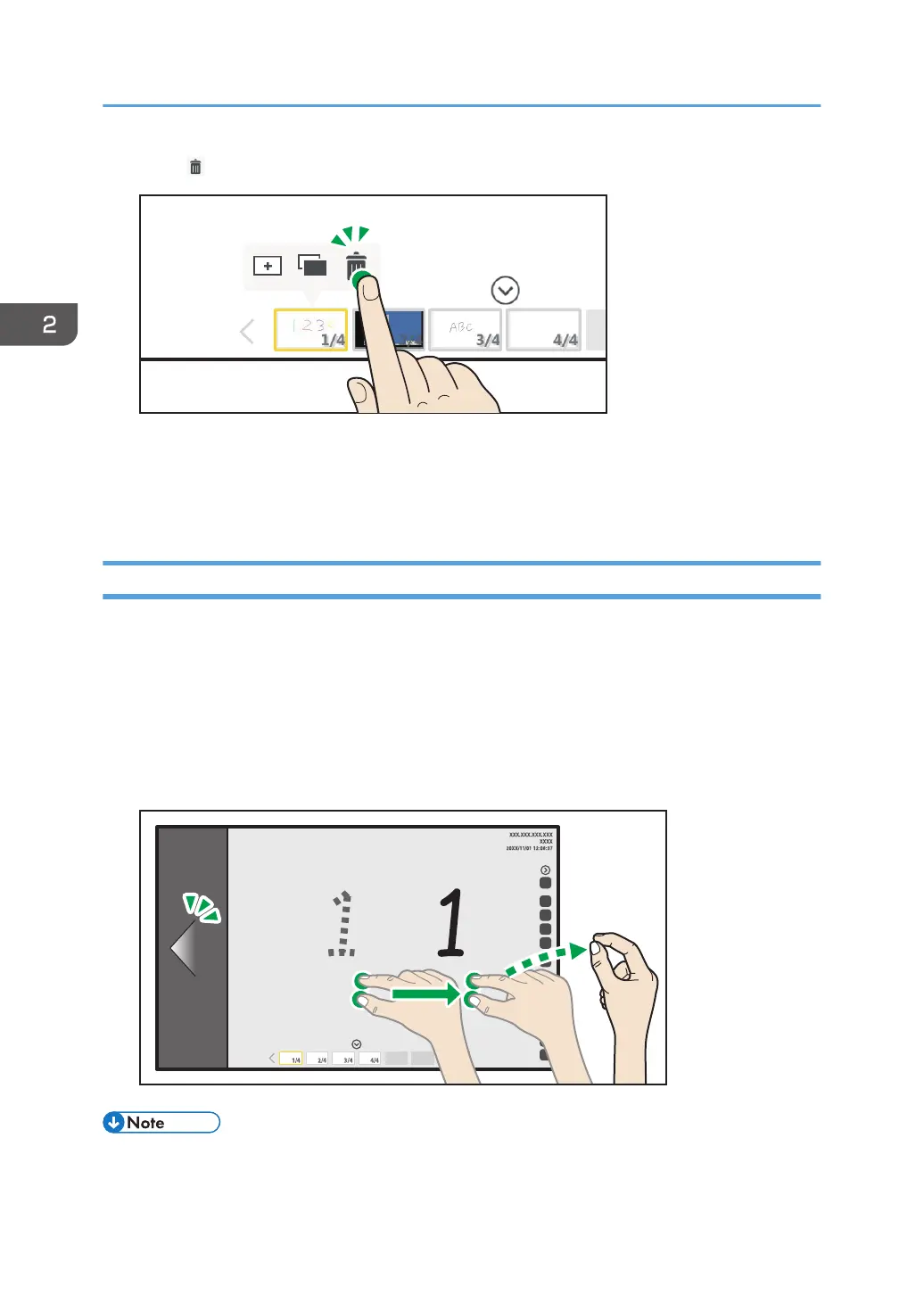
2. Touch , the Page Delete icon.
3. Touch [Delete].
The displayed page is deleted.
The preceding page appears. If the deleted page is the top page, the next page appears.
Turning Pages
You can turn the pages using your fingers.
1. Touch the screen with two fingers, and while maintaining the same distance between
them, move them to the left or right side of the page.
• Move your fingers all the way to the left to display the next page.
• Move your fingers all the way to the right to display the previous page.
2. When the page side comes into view, release your fingers from the screen.
• This operation cannot be performed when [Handwritten Entry with Multiple Touch Pens (Cannot
operate whiteboard using fingers)] on the Detailed Settings screen of the whiteboard is selected.
2. Using a Whiteboard
48



 To Next Page