3. Connecting Devices
This chapter explains how to display an image from an image output device, and write text or draw
figures on the displayed screen.
Devices That Can Be Connected to the Machine
To connect a device via Bluetooth, see page 173 "Managing Devices Connected via Bluetooth".
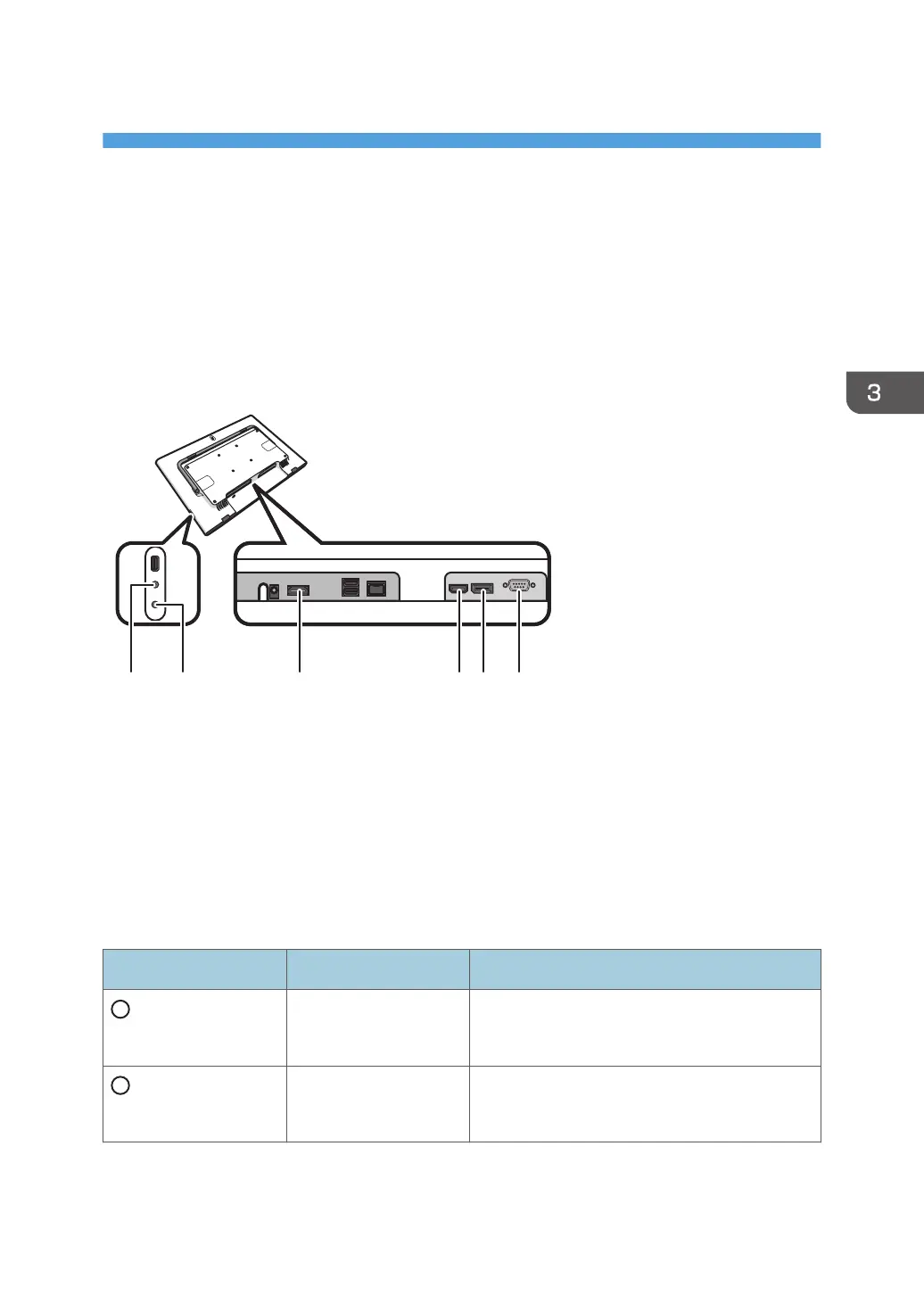
The input terminals, output terminals, and devices that can be connected to the machine are as follows:
1. Audio Output
2. Audio Input
3. HDMI Output
4. HDMI Input
5. DisplayPort Input
DisplayPort 1.1a compliant
6. VGA Input
Terminal Devices Connection method
Audio Output
• Headphones
• Headset
Used to connect the machine to the analog
audio output device.
Audio Input
• Microphone
• Headset.
Used to connect the machine to the analog
audio input device.
69



 To Next Page