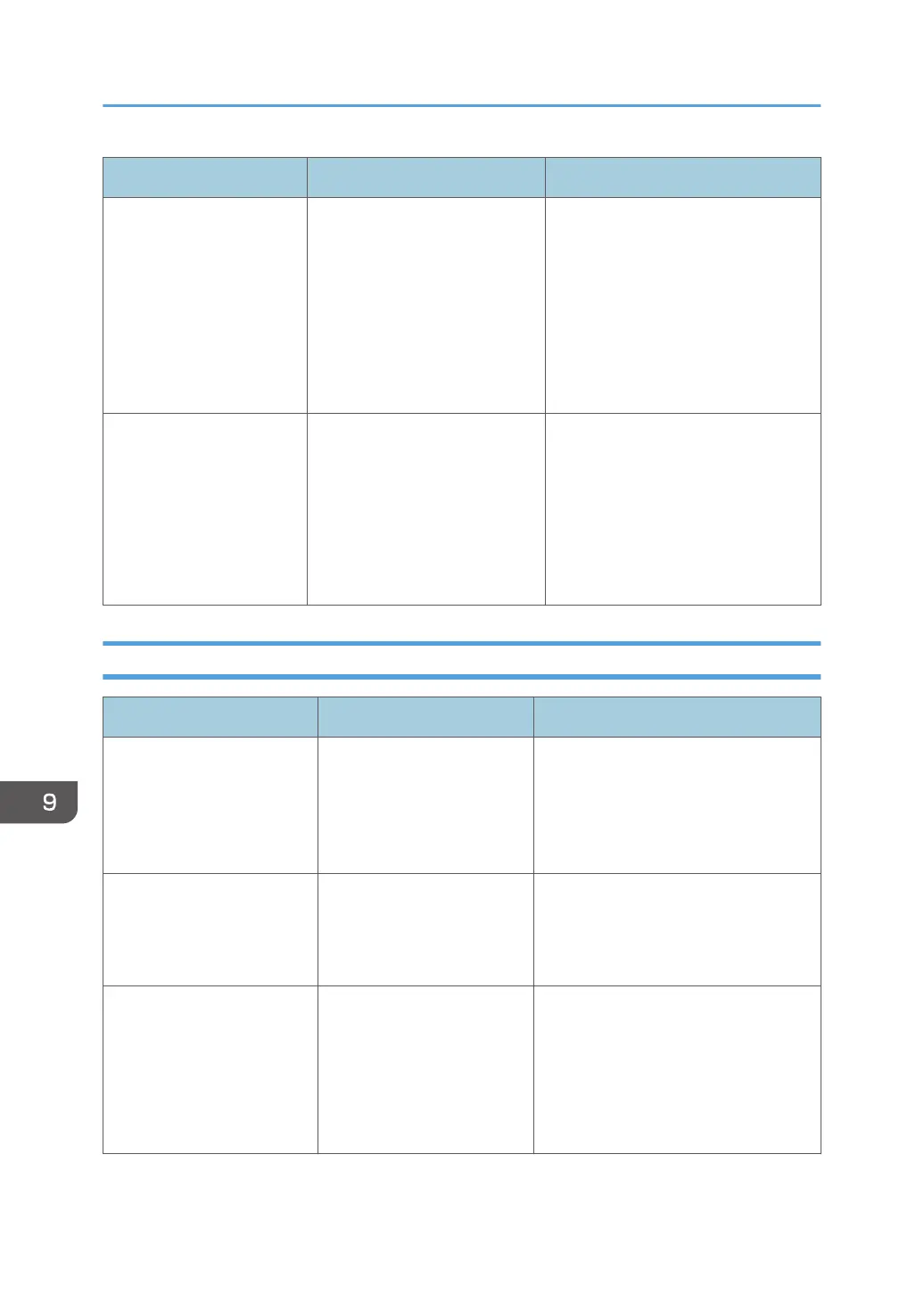
Message Causes Solutions
Returned to factory
defaults. Make the settings
again on administrator
settings.
The configuration file may
be corrupted if the main
power was forcibly
switched off.
Instead of pressing the power
button normally, disconnecting
the power cable was performed
to force the machine to shut
down the last time it was
running.
Open Administrator Settings and
reconfigure the machine settings. For
details about Administrator Settings,
see page 127 "Opening
Administrator Settings".
Another user is using
administrator settings
Please re-enter later.
• The administrator settings
are being configured
remotely from another
computer.
• The administrator settings
are being configured on
the machine.
Wait a while and try again later.
Error Messages Related to Web Page
Message Causes Solutions
The number of simultaneous
connections exceeds the
limit.
Try again later.
The number of devices
accessing the Web page
and viewing remote
whiteboard has already
exceeded the limit.
Wait until one of the devices finishes
viewing remote whiteboard, and then
try to connect to the remote
whiteboard.
The passcode is not correct. The entered passcode does
not match the passcode
displayed on the upper right
or left corner of the device.
Enter the passcode displayed on the
upper right or left corner of the device
you are accessing.
The meeting code is
incorrect
Enter the correct meeting
code.
• The specified meeting
code is incorrect.
• There is no temporarily
saved file associated
with the specified
meeting code.
• Enter the meeting code set when
temporarily saving the file.
• Check that the save period of the
file has not expired.
9. Troubleshooting
198


 To Next Page